
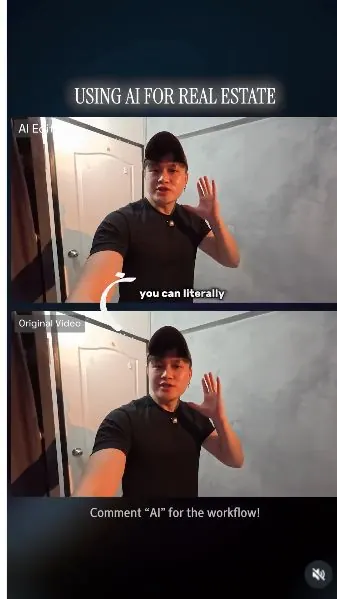
 Watch the original videoInstagram (opens in a new tab)
What you'll make
A checked final video that follows the source workflow and is ready for export.
Change a video's environment with Seedance
Who this is for
Creators, marketers, founders, and small teams producing short AI-assisted videos from source media.
Step by step
Run the workflow
- 01
Review the workflow
Use the source inputs to complete this stage and produce a result that can be checked before continuing.
complete workflow I used to create this video.

Use this visual to confirm the expected setup or result. Common failure modes- The generated scene changes the person, camera, room, product, or timing beyond the requested effect.
- Fast motion hides face, hand, clothing, text, or continuity errors that become visible when the clip is paused.
- 02
Prepare the source material
Use the source inputs to complete this stage and produce a result that can be checked before continuing.
Record videos of yourself acting the scenes out

Use this visual to confirm the expected setup or result. 
Use this visual to confirm the expected setup or result. 
Use this visual to confirm the expected setup or result. Common failure modes- The generated scene changes the person, camera, room, product, or timing beyond the requested effect.
- Fast motion hides face, hand, clothing, text, or continuity errors that become visible when the clip is paused.
- 03
Upload the footage to Seedance 2.5
Use the source inputs to complete this stage and produce a result that can be checked before continuing.
- Click here to open SIA's prompt or template for this tutorial (opens in a new tab)Direct link supplied in the source. Source page 5.
- Upload your footage using Seedance 2.5
- This is the prompt i used for my generation, you can customized it to your recording:
Common failure modes- The generated scene changes the person, camera, room, product, or timing beyond the requested effect.
- Fast motion hides face, hand, clothing, text, or continuity errors that become visible when the clip is paused.
Before you use it
Final checks
- Check the full result for changed people, products, text, timing, or layout.
- Confirm the tool, model, controls, and cost before generating.
- Keep private or unreleased material out of third-party tools.
Share your work
Made it? Show me.
Post your finished result on Instagram and tag @terencesia. I'll share a few standout results with the community.
Tag @terencesia on Instagram (opens in a new tab)Next step
Run one low-cost test, record the first visible failure, and revise only the instruction or source asset tied to that problem.
Back to the tutorial library