
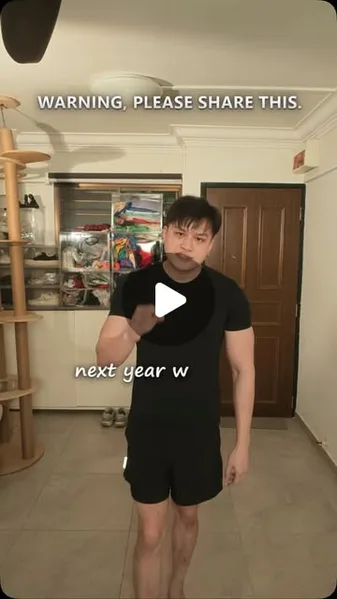
 Watch the original videoInstagram (opens in a new tab)
What you'll make
A character-swapped video with your chosen voice.
Turn your own performance into a different character using a reference image.
Who this is for
Creators with a clip of themselves and a character they want to try.
Step by step
Run the workflow
- 01
Create your character sheet
In ChatGPT, ask for a character sheet using the sample below. Replace the highlighted description, then save the image.
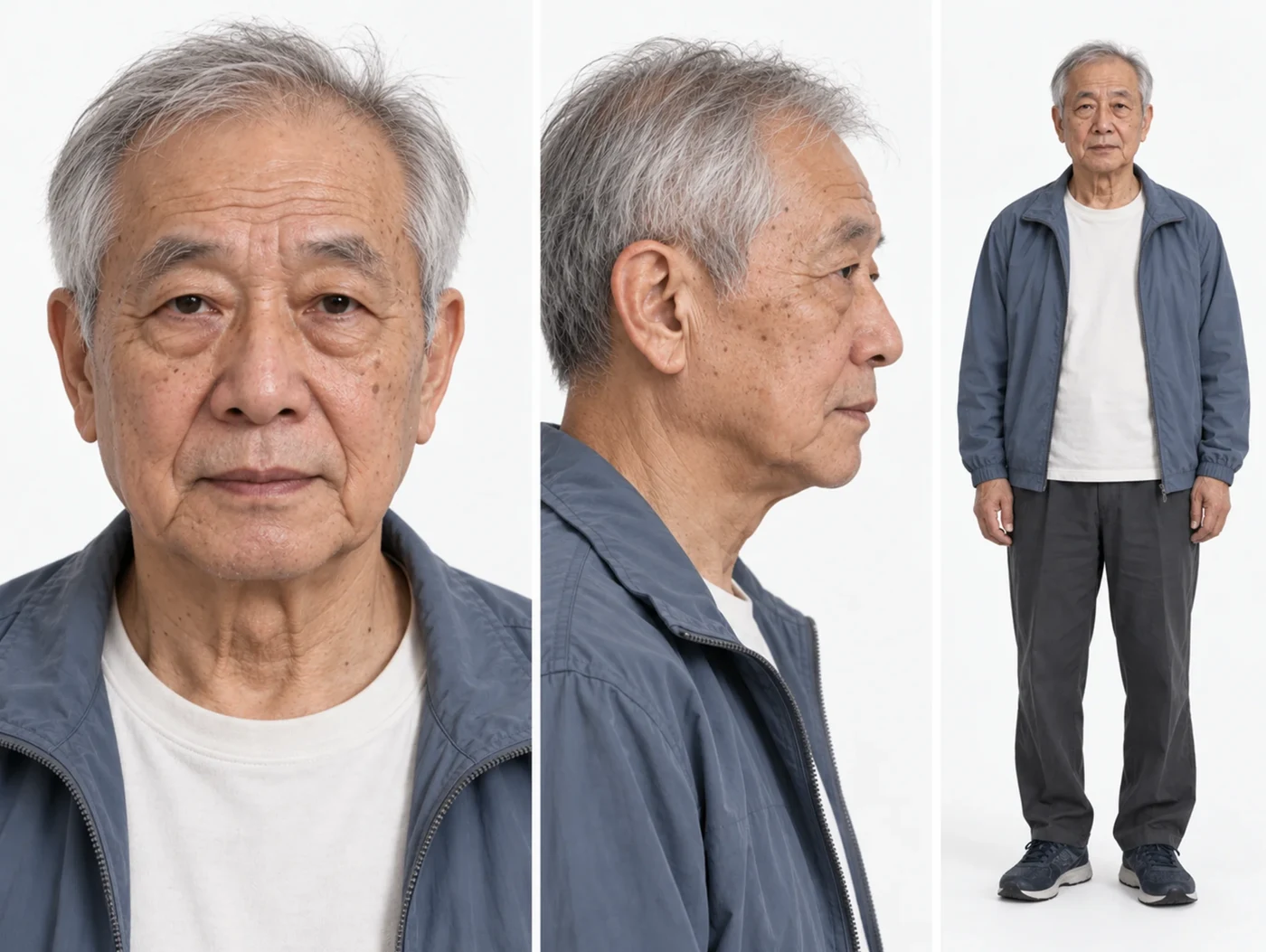
Example: one character, three views. Copy the sample prompt
An adaptable example, not the original prompt used for this image.
Sample character-sheet prompt
Sample character-sheet prompt Replace the highlighted text with your own.
Create a photorealistic character reference sheet of [an elderly man around 70 years old, with short grey hair, natural wrinkles and age spots, wearing a blue-grey jacket over a white T-shirt, charcoal trousers and dark trainers]. Use three panels: a front-facing face close-up, a side-profile face close-up, and a full-body front view with both feet visible. Show exactly the same person, facial features, hairstyle and outfit in all three panels. Use a neutral expression, a plain white background and soft, even studio lighting. Keep realistic skin texture and natural proportions. No text, labels, logos or watermarks. - 02
Open Genjutsu
- Click here to open Higgsfield (opens in a new tab)Sponsored Reel.
Open Higgsfield → Video → Higgsfield Genjutsu. Choose Genjutsu, not Genjutsu Lite.
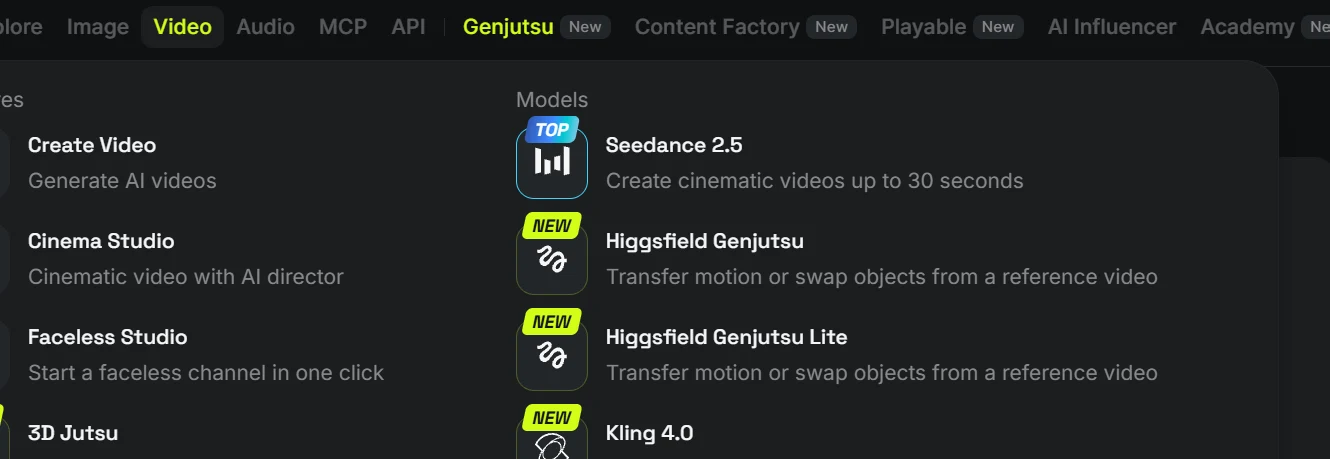
- Choose Genjutsu
- 03
Upload and swap
- Select Objects swap. Upload your clip and the character sheet.
- Leave Prompt off, choose your quality and press Generate. This example uses 720p.
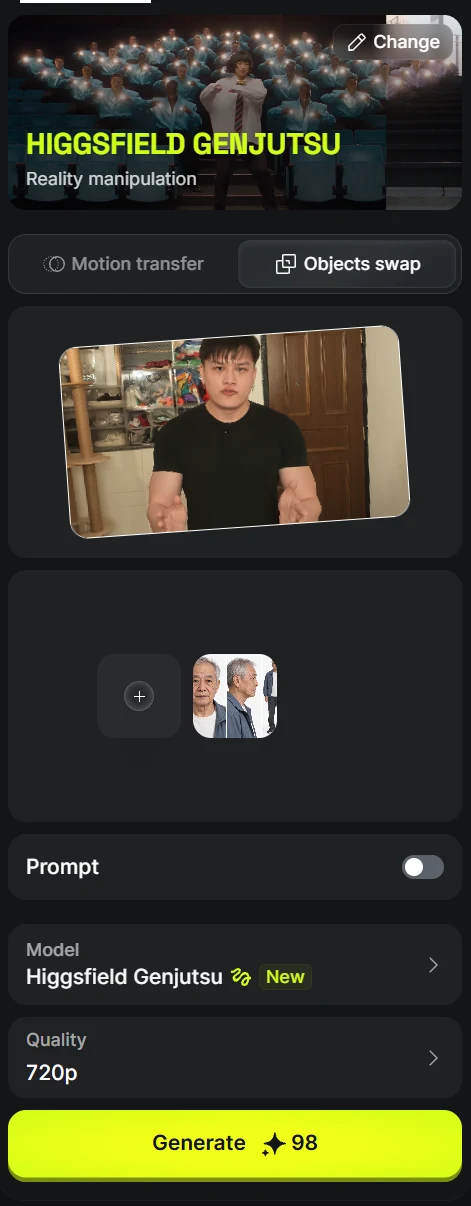
- Prompt off
- 04
Open Change Voice
When the video is ready, open its three-dot menu and choose Change Voice.
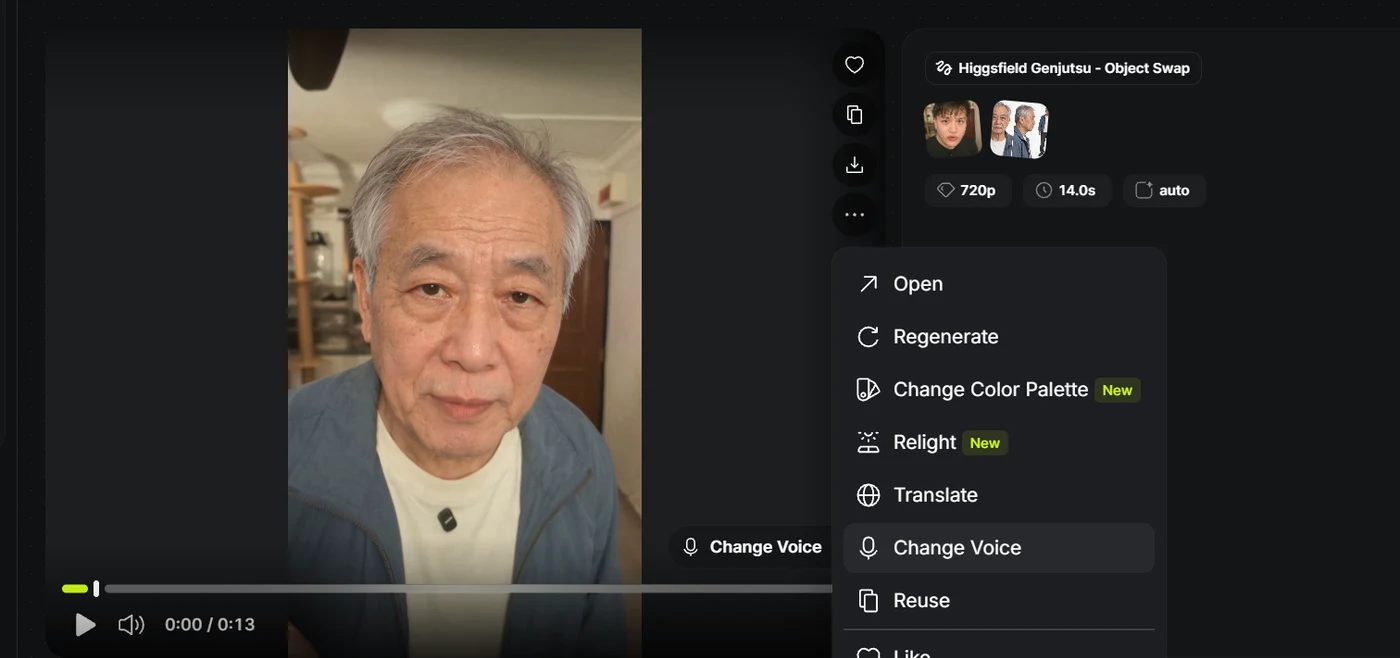
- Choose this
- 05
Pick a voice and generate
- Use the play buttons to preview voices. Pick your favourite, then press Change Voice. Arthur is selected in this example.
- Play the finished video with sound and check the face, hands and speech before sharing.
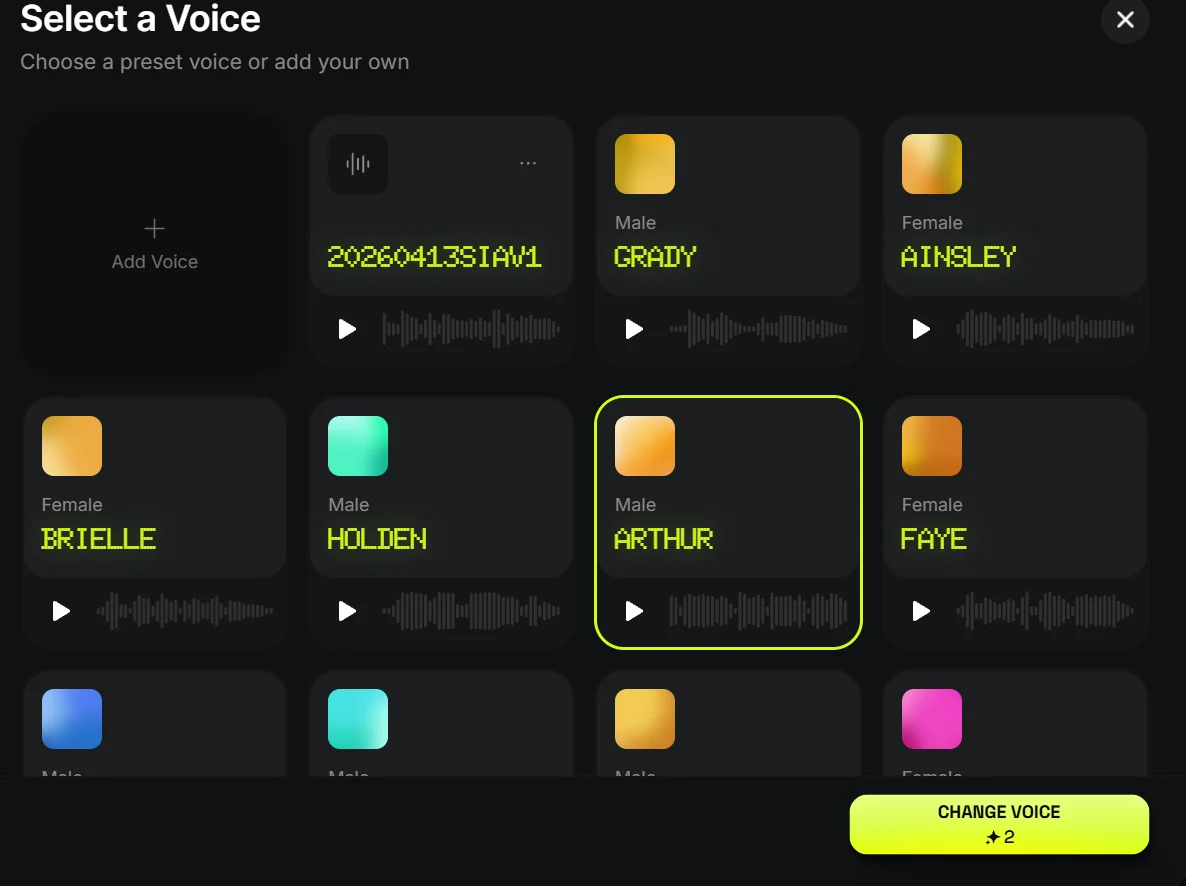
Preview a voice, select it, then press Change Voice.