
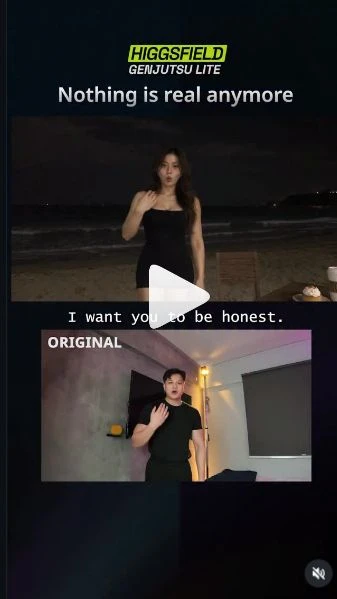
 Watch the original videoInstagram (opens in a new tab)
What you'll make
Two video edits: a new person on a nighttime beach, and four character changes in one talking clip.
Use recorded footage and edited reference images to change the person, location and timed character appearances.
Who this is for
Creators who want to reuse their recorded movements and speech in different scenes and characters.
Step by step
Run the workflow
- 01
Part 1: record your performance
Change the person and location while keeping the action you filmed.
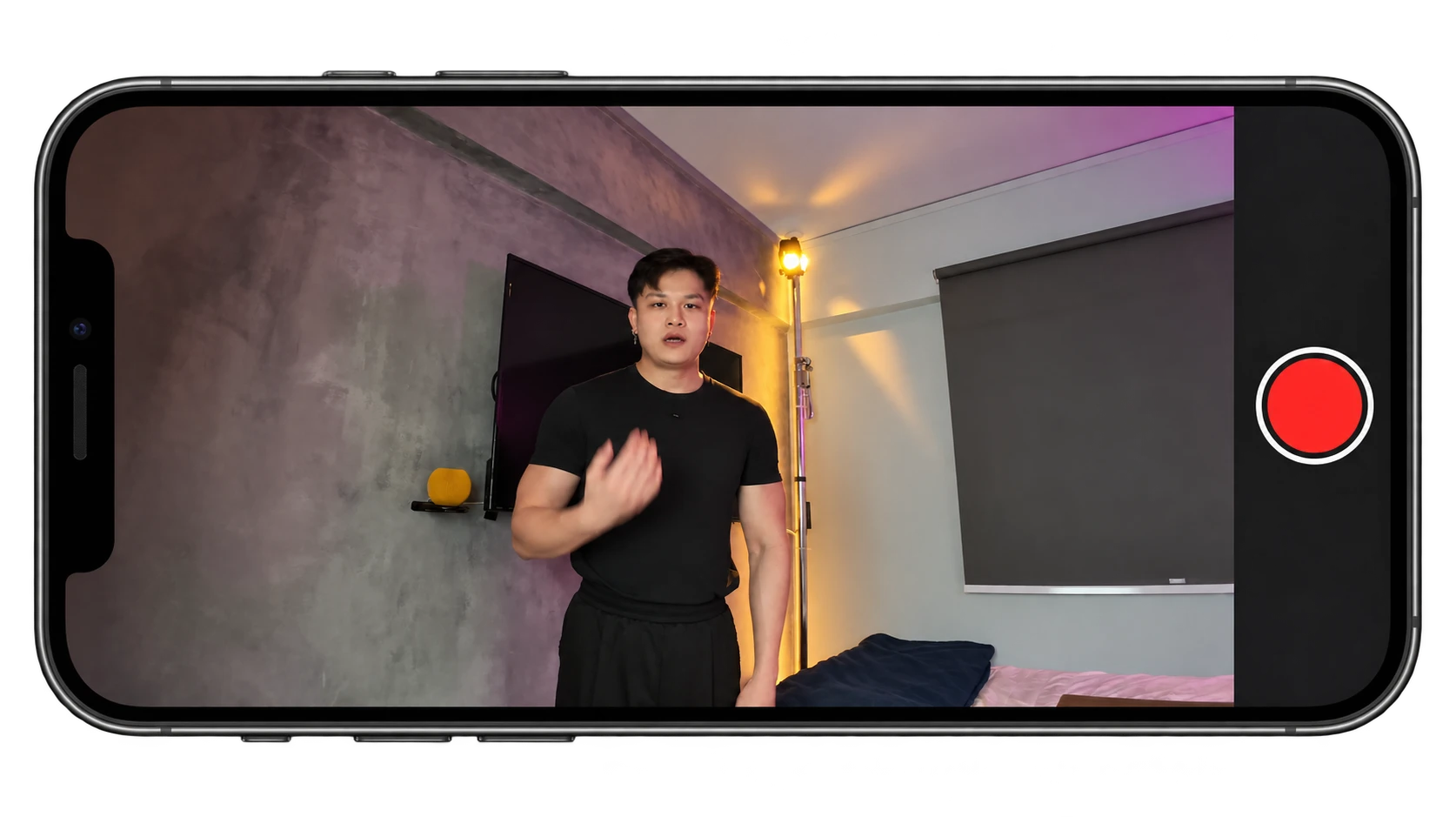
- Record yourself performing the actions you want in the final scene. Include any sitting, reaching or object-handling gestures.
- Save a clear screenshot from the clip. Keep the full frame, including your pose and surroundings.
- 02
Create the beach reference image
Upload your screenshot to ChatGPT and describe the person and scene you want.
- Copy the image prompt below. The example changes the man into a woman on a nighttime beach. Edit the highlighted person, outfit and location for your version.
- Keep the original pose and framing. Remove the cake, coffee and furniture instructions if they do not match your planned actions. Generate and save the image.
Use this prompt and modify it
Replace the highlighted text, then remove the brackets.
Your editable beach-image prompt Highlighted text in [brackets] = replace with your own.
Edit the uploaded screenshot into a realistic still for a video reference.

Replace the main person with [an adult woman with long chestnut-brown hair and natural skin texture], wearing [a fitted black sleeveless dress]. Replace the room with [a beach at night: dark sand, a nearly black sea, faint surf and a few distant coastal lights].

Keep the person's exact pose, hand positions, expression, size and position in the frame. Preserve the camera angle and landscape composition. Change the identity, outfit and location, not the action.

Light the person with a small neutral-white phone light near the camera. Keep the sea and sky dark, with natural shadows, subtle grain and the imperfect look of a nighttime phone recording. No daylight or studio lighting.

Place one wooden chair behind the person and a wooden table to screen-right, with one small cream-covered cake and one coffee cup with a saucer. Leave space for the person to move and sit. Keep the furniture and props physically grounded.

Return one image, not a collage. No text, watermarks or extra people.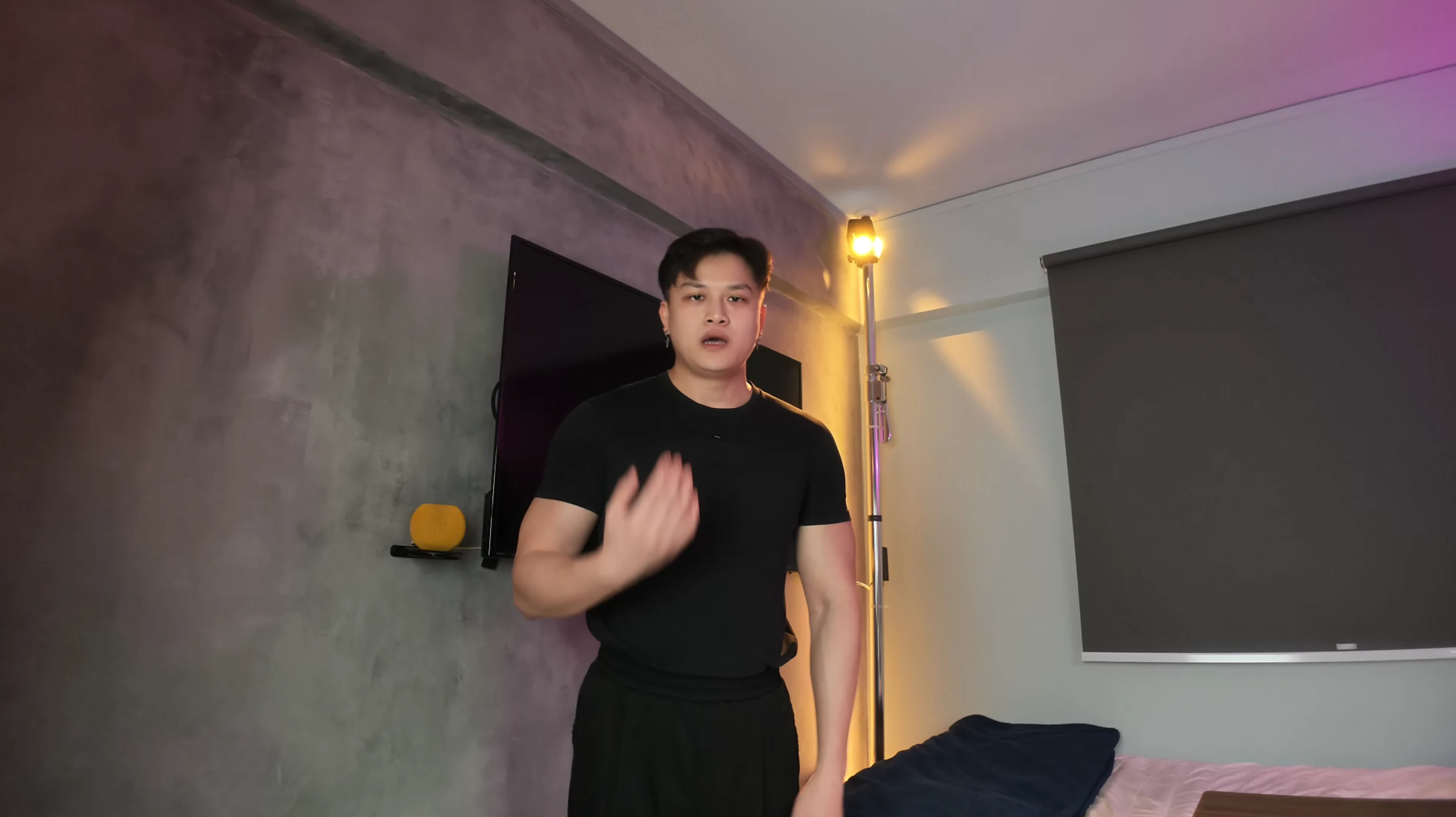
Original screenshot 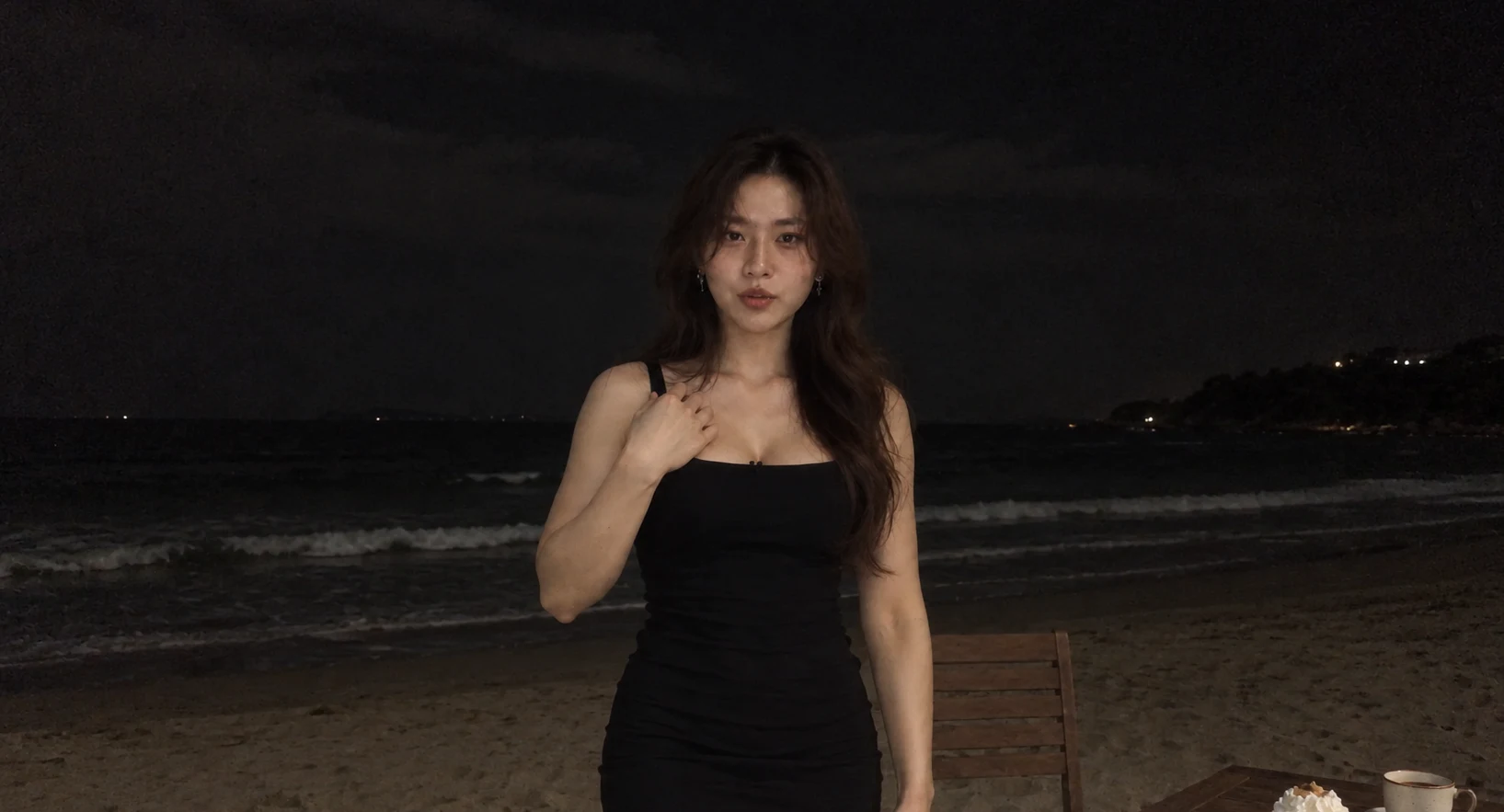
Edited reference image - 03
Upload the clip and beach image
- Click here to open Genjutsu Lite (opens in a new tab)Higgsfield partnership. Check your current credit quote; the free-generation offer shown may not apply to your account.
- Open Genjutsu Lite. Upload your original clip in the video area, then add your edited image under references.
- Copy the video prompt below and edit the highlighted interactions to match your recording. Paste it into the prompt box with Prompt switched on.
- Match @Video 1 to your recording and @Image 1 to your beach image. If the editor uses different labels, update the prompt to match.
Use this prompt and modify it
Replace the highlighted text, then remove the brackets.
Your editable beach-video prompt Highlighted text in [brackets] = replace with your own.
@Image 1: the reference for the replacement person's face, hair, outfit and new location.
@Video 1: the source for the performance, expressions, gestures, speech, camera movement and timing.

Edit my source video. Replace the main person and surroundings to match the reference image from the first frame to the last.

The image controls appearance and location only. At every moment, use the video for the person's pose, gaze, mouth movements, hand positions and body movement. Do not freeze the person in the image's pose.

Keep my original audio unchanged, including the voice, words, pauses and background sound. Match lip movements to the original recording. Do not generate a new voice, music or dialogue.

Preserve the source duration, aspect ratio, framing and camera movement. Keep the same replacement identity throughout. Match the person's light, shadows, grain and motion blur to the new scene.

SCENE INTERACTIONS
[Describe any props and the matching actions already in your recording, including their times. Example: sit on the chair at 14-16 seconds, touch the cake at 16-18 seconds, then lift the coffee at 18-20 seconds. Write NONE if there are no prop interactions.]

Adapt object placement to my recorded gestures, not the other way around. Objects must already be present before contact. Keep hands, grips, contact shadows and object movement physically connected. If the interaction field says NONE, add no new props or actions.

Keep one continuous performance. No pose resets, frozen frames, extra people, unrequested transitions or return to the original location.
The prompt I used, for your reference
This is my prompt for reference. Please don't use it directly. Take inspiration from how I describe the details.
My original Part 1 prompt
My original Part 1 prompt @[Image 1](image_1) — WOMAN AND NIGHT BEACH: exact reference for the woman’s face, hairstyle, slender proportions, fitted black dress, nighttime beach, phone-light illumination, grain and chair/table arrangement. @[Video 1](video_1) — SOURCE: absolute master for the original performance, speech, lip sync, expressions, movements, framing, camera motion and timing. Replace the main performer with the exact reference woman and transform the location into the referenced beach at night. Adapt the original table gestures into physically touching a cream-covered cake and picking up coffee. Preserve the original uninterrupted performance. Show the same woman from the first frame through the final frame. Preserve her recognisable facial features, hairline, chestnut-brown hairstyle, slender arms, proportions and fitted black dress. Keep her skin natural and realistic, with subtle texture matching the reference image and phone footage. Her appearance comes from the image. Her expressions, gaze, head angles, cheek movements and speaking mouth movements come from the source video. Do not blend her identity with the original man or revert to him during close views. Keep the original audio unchanged: exact recorded voice, words, pronunciation, pacing, pauses, background sound, start time and duration. Match every mouth movement to the corresponding source timestamp. Do not regenerate speech or add beach sounds, music or dialogue. Preserve the source’s landscape 16:9 composition and approximately 27.12-second duration. Follow the original opening framing, approach toward the lens, close facial views, retreat and sitting movement. At every timestamp, preserve the original camera angle, field of view, headroom, subject placement, head position and changing perspective. Keep the original walking speed, body motion, arm trajectories and gesture timing. Do not copy the reference image’s fixed pose throughout the video. Maintain one coherent beach location at night: dark sand, a nearly black sea, faint surf, a dark cloudy sky and sparse distant coastal lights. Keep the shoreline, horizon and furniture physically consistent through the camera movement. Illuminate the scene with a small neutral-white phone light close to the camera. Match the reference’s restrained subject brightness, natural facial shadows and rapid light falloff into the dark surroundings. The woman’s face, hair, neck, arms and dress must share the same illumination as nearby sand, furniture, cake and coffee. Keep the ocean and distant background substantially darker. No daylight, sunset glow, bright blue sky, studio lighting or artificial moonlit glamour. As the woman approaches the lens and retreats, let the phone light affect her naturally according to distance. Maintain realistic shadows and restrained highlights without making her face excessively bright. Use the reference’s low-quality nighttime phone-video appearance throughout: visible digital grain, shadow noise, mild colour noise, modest compression, slight softness, limited dynamic range and natural motion blur. Apply consistent camera softness and grain to the woman, objects and environment. Place one upright wooden chair and one stable wooden table according to the reference layout and source sitting movement. The chair occupies the source performer’s final seated hip position. When she sits facing the camera, the table extends beside her toward screen-right within comfortable reach. Keep clear space for her retreat, turn, bend and sitting motion. Match chair height, tabletop height and object placement to the original hand-contact paths. Ground the furniture legs naturally in the sand. Around 14–16 seconds, follow the original retreat and lowering movement into the chair. Her body must visibly meet and be supported by the seat. Do not reposition the chair during the shot or change her movement to reach it. The table holds exactly one small cake covered with soft white whipped cream on a plate and one ceramic coffee cup with a handle and saucer. These objects already exist whenever their table positions enter view. They must not materialise when she reaches toward them. Around 16–18 seconds, turn the source’s downward patting gesture into direct contact with the cake’s cream topping. Position the cake beneath her approaching palm and fingertips at the height required by the original movement. Show her hand reaching the cream, lightly pressing into it and lifting away along the source trajectory. The cream compresses slightly beneath her hand. A small, believable amount adheres to the contacting fingertips and part of her palm. When she lifts her hand, the cream separates naturally from the cake and remains visibly on her hand. Her hand must physically contact the topping. No hovering above the cake, patting empty air or passing through the dessert. Keep the cake and plate supported by the table, with accurate contact shadows and restrained deformation. Preserve the cream on the same fingers and palm afterward whenever those areas are visible. Do not make it disappear or add a cleaning or licking action. Around 18–20 seconds, use the source’s existing reaching and lifting gesture to pick up the coffee. Place the cup handle directly within the original grasping path. Her fingers contact and secure the handle before the cup lifts from the saucer. The saucer stays on the table. Preserve the original arm trajectory and wrist movement while allowing minimal finger adjustments for a believable grip. Show a visible solid cup throughout the holding gesture, with correct finger overlap, handle contact and shadows. Do not leave her gripping empty air. The cup moves rigidly with her hand, maintaining consistent scale and perspective. The coffee responds with subtle ripples and gentle sloshing while staying approximately level with gravity. Match the cup’s lighting, grain, focus and motion blur to her hand and the scene. Any setting down follows the source’s existing lowering movement. The table supports the cup before her fingers release it. No teleporting objects, duplicated cups, floating handles or added drinking action. The action times identify the existing source gestures. The source determines their exact movement and duration. Adapt the chair, table, cake and cup to those gestures without retiming the performer. Keep the same woman and nighttime beach through the final frame. The final line about everything being AI-generated does not trigger a transformation or return to the original room. No jump cuts, fades, dissolves, morphing, frozen frames, pose resets, repeated actions or skipped movement. Maintain one continuous shot with uninterrupted speech and physically connected interactions.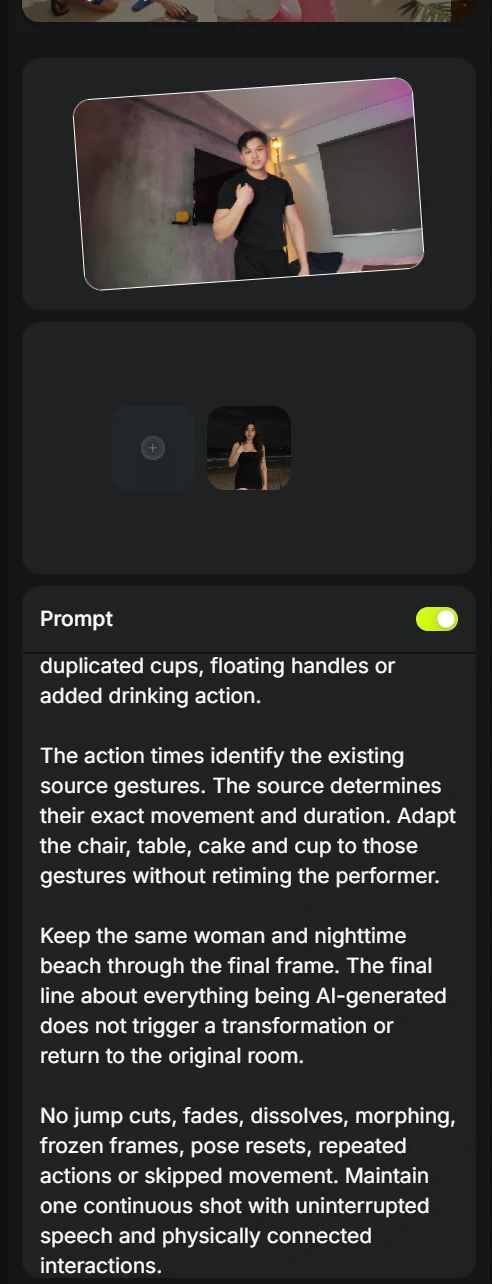
- Add image here
- 04
Generate Part 1
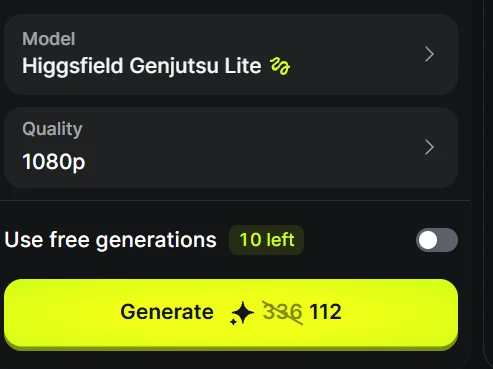
Both example exports are 720p, even though this screenshot requested 1080p.
- Check that the model is Higgsfield Genjutsu Lite, choose your resolution and click Generate.
- Play the result to check the movement, voice and object interactions. Click Download on the final result.
- Generate here
Video 1: final result - 05
Part 2: record your talking clip
Switch between different characters while your speech and movements continue.
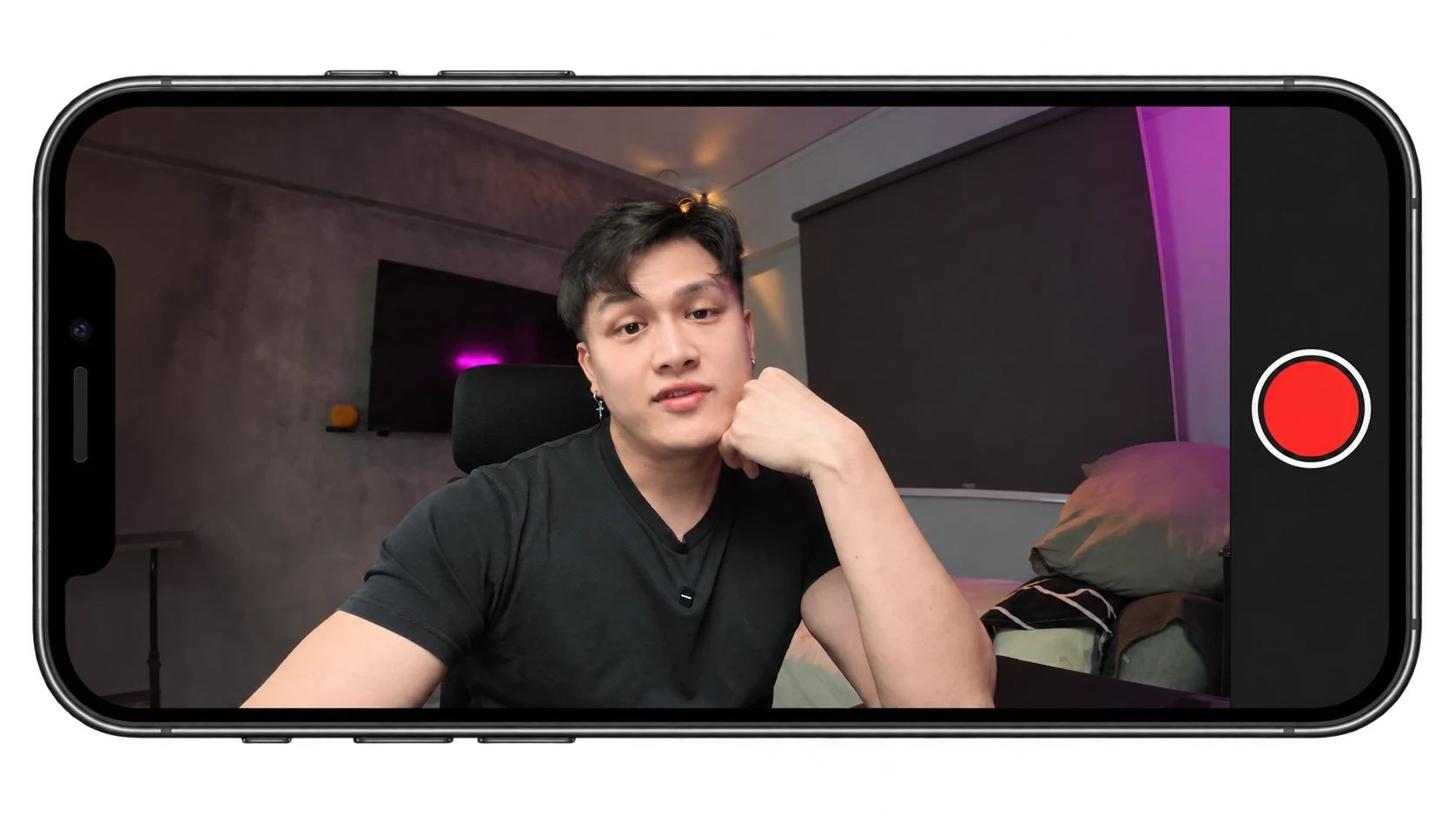
- Record yourself talking. Keep the gestures and expressions you want each character to follow.
- Take a clear screenshot for your character references. You can use different frames from this same clip if needed.
- 06
Create your character references
Make one image per character, using your recording screenshot as the starting point each time.
- Upload your original screenshot to ChatGPT. Use the image prompt below and change the highlighted character description.
- Repeat for each character. Keep the room, pose and framing unchanged, then save the images in the order you want them to appear.
Use this prompt and modify it
Replace the highlighted text, then remove the brackets.
Your editable character-image prompt Highlighted text in [brackets] = replace with your own.
Edit the uploaded screenshot. Replace only the main person with [an adult character with platinum-blonde hair, a striped black beanie, a brown varsity jacket and a blue-and-white striped shirt].

Keep the exact pose, expression, gaze, mouth position, hand placement, body position and camera framing from the screenshot. Keep the original room, furniture, lighting, colours and background unchanged.

Make the new face, hair and outfit realistic and consistent. Match the existing light direction, shadows, skin texture, focus and motion blur. Do not blend the new face with the original person's face.

Return one image of one character. No collage, text, extra people or new props.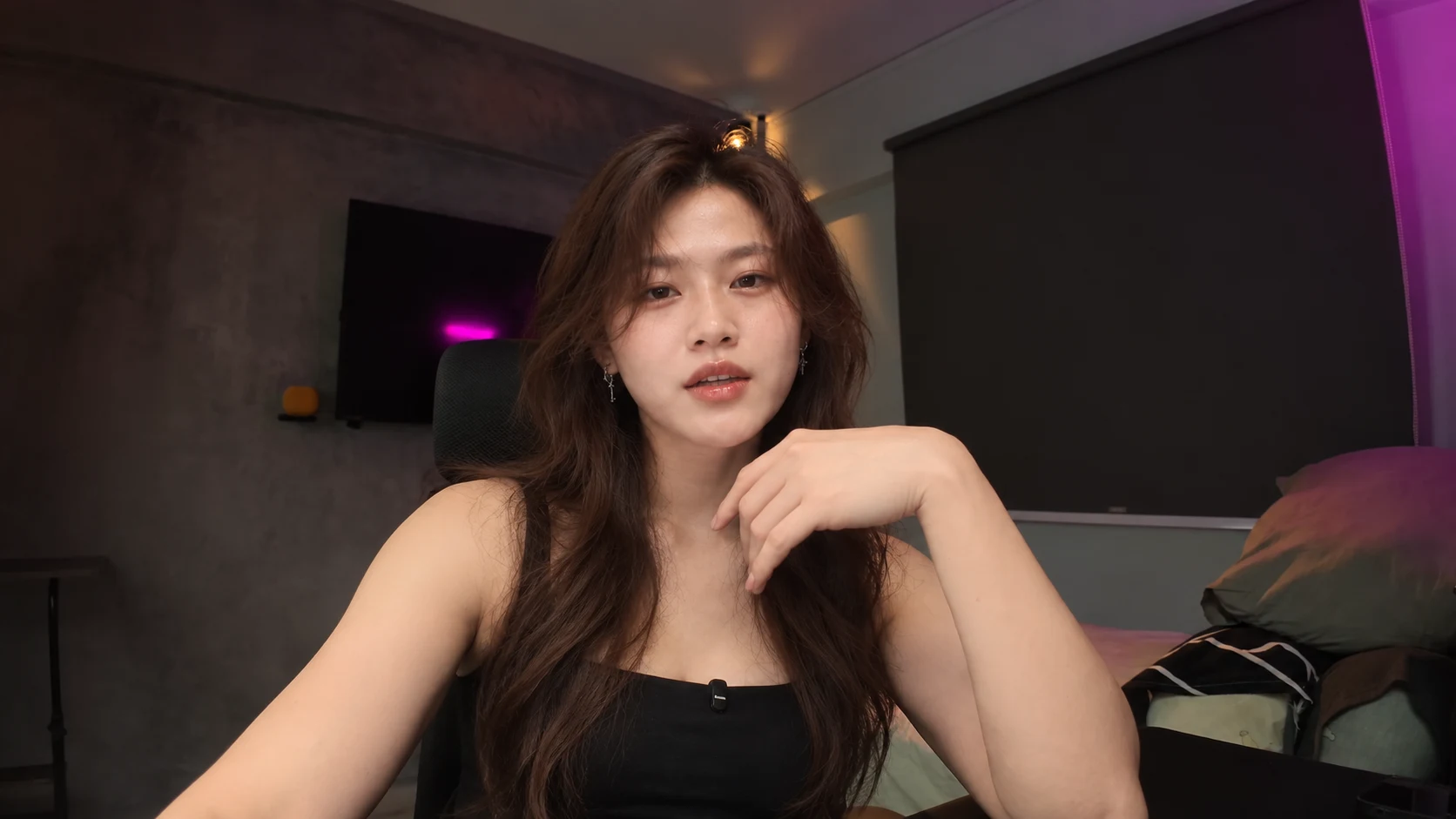
Character reference 1 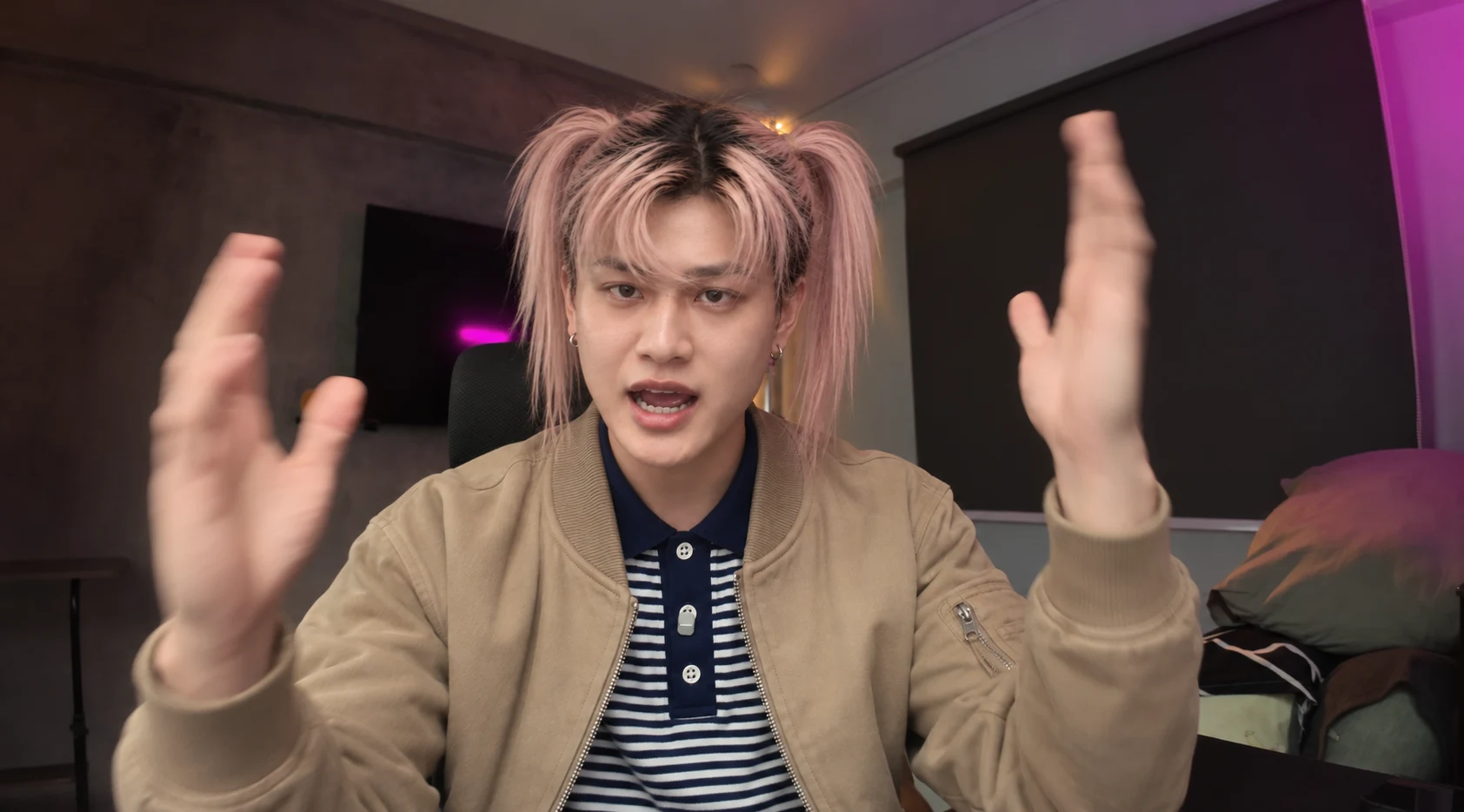
Character reference 2 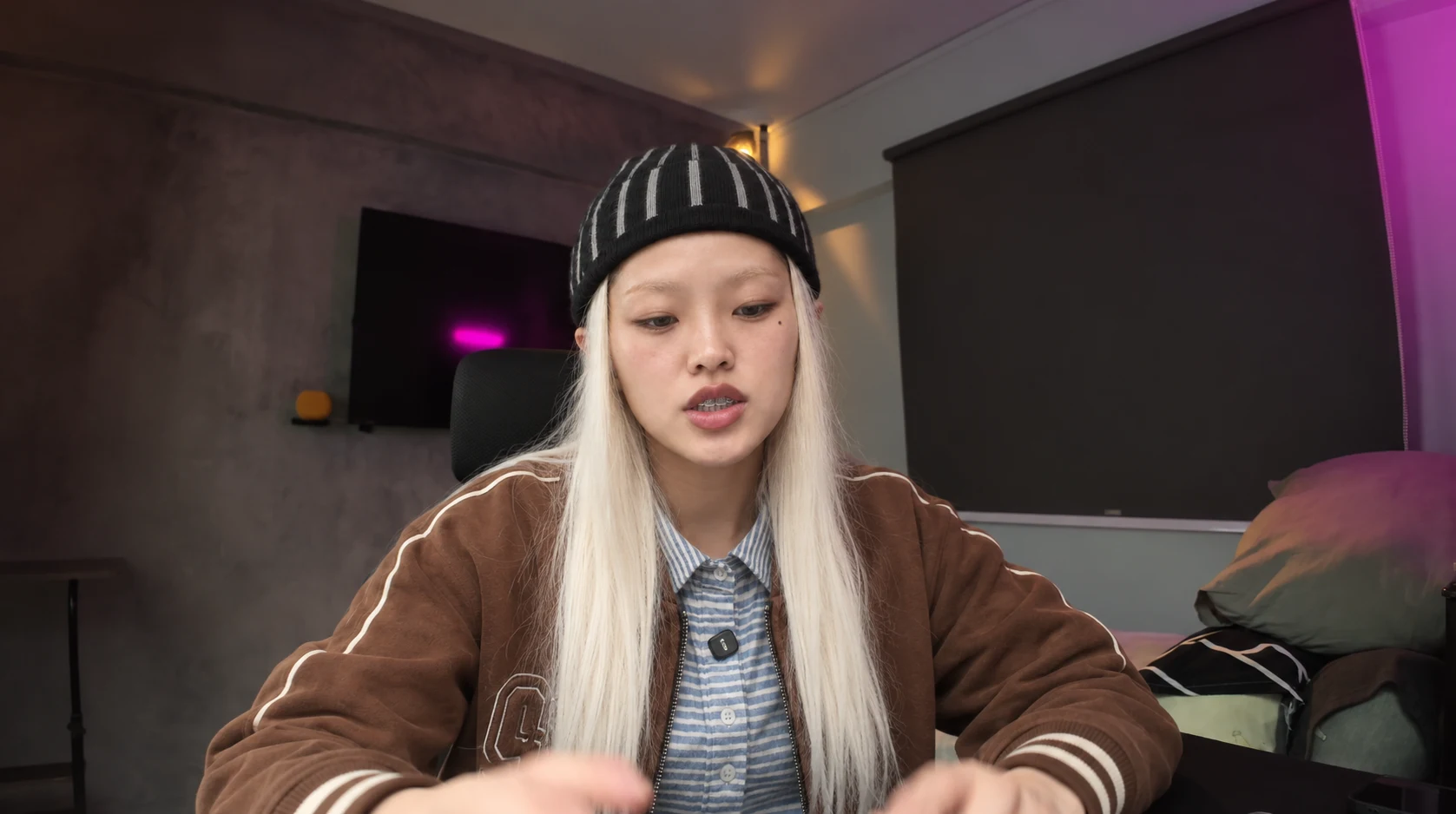
Character reference 3 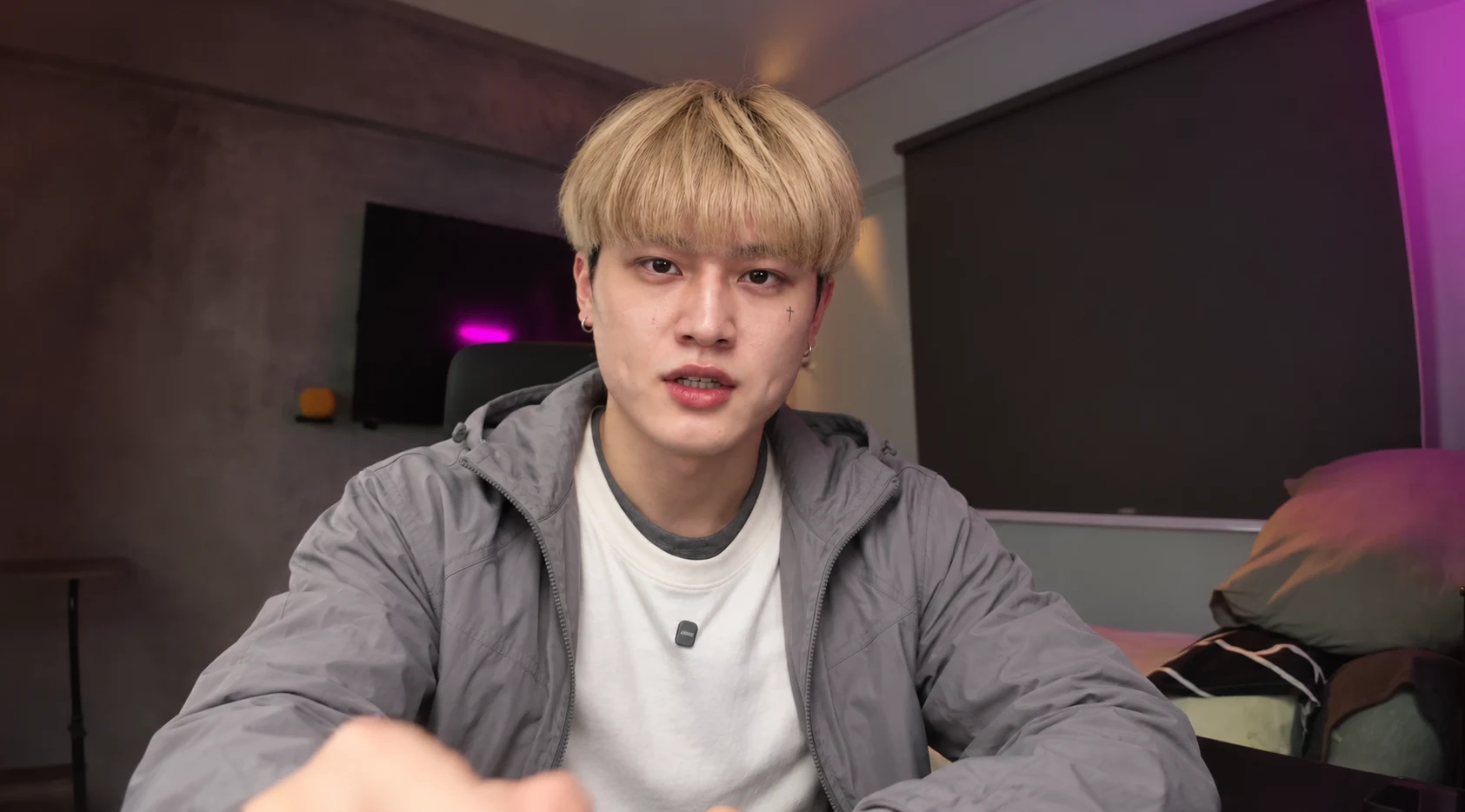
Character reference 4 - 07
Upload the references and set the switch times
The video controls the performance. Each image controls one character’s appearance.
- Upload your talking clip and all four character images to Genjutsu Lite. Check that Image 1 to Image 4 match your chosen order.
- Copy the video prompt and edit the highlighted time ranges to fit your clip, with no gaps or overlaps. This example switches at 2, 6 and 10 seconds, then returns to the original person at 14 seconds.
- Paste your edited prompt with Prompt switched on. Use this template only; my original prompt below is for reference.
Use this prompt and modify it
Replace the highlighted text, then remove the brackets.
Your editable character-switching prompt Highlighted text in [brackets] = replace with your own.
@Video 1: my original talking video. Use it for all movement, expressions, speech, framing, background and timing.
@Image 1, @Image 2, @Image 3 and @Image 4: four different character references, in that order. Use them for face, hair, clothing and accessories only.

APPEARANCE SCHEDULE
@Image 1: [0.0-2.0 seconds]
@Image 2: [2.0-6.0 seconds]
@Image 3: [6.0-10.0 seconds]
@Image 4: [10.0-14.0 seconds]
Original performer: [14.0 seconds to the end]

Replace the person according to this schedule. At each boundary, switch appearance instantly while continuing the exact action, pose and expression from that moment in the source. Show only one person at a time. Do not cut to, or animate, the reference photographs.

Preserve the original voice, words, pauses, audio track and lip-sync timing through every character. Do not regenerate speech or change the voice when the character changes.

Keep the original room, lighting, camera movement, framing, aspect ratio and clip length. Match each replacement person's light, shadows, focus, grain and motion blur to the source footage.

For the final interval, restore the original person at the corresponding source timestamps, not an earlier frame. Keep the recording continuous.

No face blending, morphing, fades, flashes, pose resets, frozen frames, new props or extra people.
The prompt I used, for your reference
This is my prompt for reference. Please don't use it directly. Take inspiration from how I describe the details.
My original Part 2 prompt
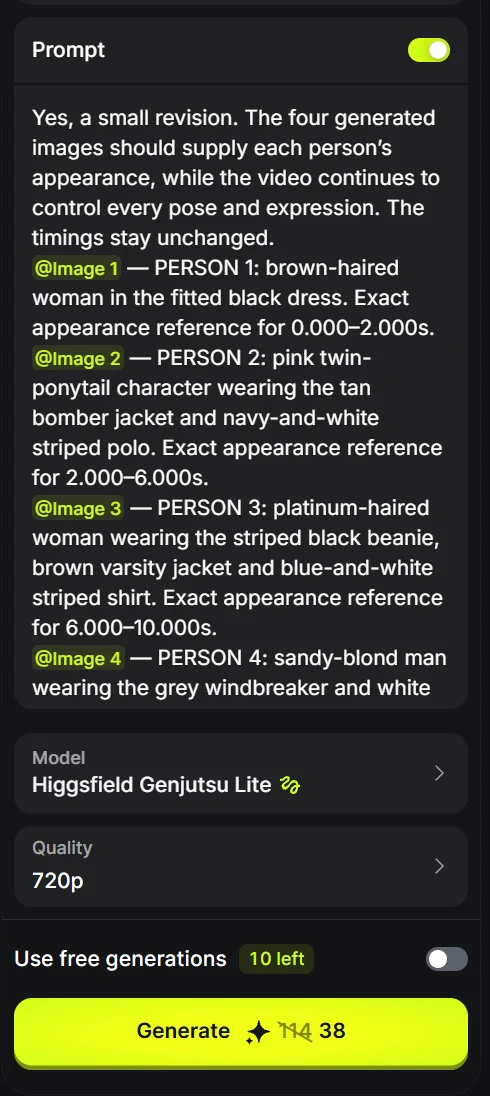
My original Part 2 prompt Yes, a small revision. The four generated images should supply each person’s appearance, while the video continues to control every pose and expression. The timings stay unchanged. @[Image 1](image_1) — PERSON 1: brown-haired woman in the fitted black dress. Exact appearance reference for 0.000–2.000s. @[Image 2](image_2) — PERSON 2: pink twin-ponytail character wearing the tan bomber jacket and navy-and-white striped polo. Exact appearance reference for 2.000–6.000s. @[Image 3](image_3) — PERSON 3: platinum-haired woman wearing the striped black beanie, brown varsity jacket and blue-and-white striped shirt. Exact appearance reference for 6.000–10.000s. @[Image 4](image_4) — PERSON 4: sandy-blond man wearing the grey windbreaker and white T-shirt. Exact appearance reference for 10.000–14.000s. @[Video 1](video_1) — SOURCE: absolute master for the original performance, speech, lip sync, expressions, gestures, framing, camera movement, background, lighting and timing. Edit the existing source video as one uninterrupted take. Replace the main performer’s appearance according to the schedule below. Use each image for its person’s exact facial identity, hairstyle, clothing, proportions and worn accessories. The images depict separate moments and must not control the output pose, expression, framing or background. Do not cut to the reference images or animate them as separate shots. From 0.000–2.000s, show PERSON 1 performing the source opening, “And here’s the crazy part.” Begin with this replacement complete on the first frame. At exactly 2.000s, instantly replace PERSON 1 with PERSON 2. Keep PERSON 2 visible until 6.000s. At exactly 6.000s, instantly replace PERSON 2 with PERSON 3. Keep PERSON 3 visible until 10.000s. At exactly 10.000s, instantly replace PERSON 3 with PERSON 4. Keep PERSON 4 visible until 14.000s. At exactly 14.000s, restore the actual corresponding original footage, including the original man’s face, hairstyle, black shirt, body and accessories. Continue the unedited original footage through the final frame. The timestamps control appearance changes only. Preserve the original dialogue at its recorded timing. Do not move words, stretch sentences or add pauses to fit the schedule. Keep each reference person recognisable throughout their assigned interval. Preserve their specific facial features, hairstyle, hair colour, clothing and identifying details. Do not blend identities, carry over the previous person’s features or introduce the next person early. Show one performer only. At every timestamp, transfer the source performance onto the currently assigned person. Preserve the original gaze, blinking, eyebrow movement, cheek movement, mouth shapes, head turns, leaning, seated posture and hand gestures. At each appearance change, the new person continues the exact ongoing source action. Their head, hands and body inherit the positions and movement from that timestamp. Do not reset them to the reference photograph’s pose or expression. Preserve the source’s landscape 16:9 composition and approximately 18.18-second duration. Match the original field of view, camera angle, headroom, head position, subject scale and screen placement throughout. Keep the original movement toward the lens and the hands’ changing foreground scale, perspective, overlap and motion blur. No zooming, cropping, recentering, stabilisation or new camera angles. Retain the actual original room frame by frame: walls, television, blinds, chair, bed, pillows, table and all other visible details. Preserve their exact positions, geometry, colours and movement. Do not replace the room with the background from any reference image. Preserve the source lighting, exposure and white balance as recorded, including the existing warm practical light and magenta illumination. Match each replacement person to that lighting without applying a new colour grade or globally changing the room. Keep consistent illumination across the face, hair, neck, hands and clothing. Match the source focus, softness, noise, compression and motion blur. Preserve realistic skin texture, eyes, teeth and natural speaking movement without beauty filtering or artificial sharpening. Keep the original audio track unchanged: exact voice, words, pronunciation, pacing, pauses, background sound, start time and duration. Match every mouth movement to the corresponding source timestamp. The same original recorded voice continues through all four identities. At 2.000s, 6.000s, 10.000s and 14.000s, change the performer’s appearance completely between consecutive frames. Preserve the ongoing gesture, expression, speech, camera movement and background across each boundary. No fades, dissolves, morphing, ghosting, flashes, transition effects, jump cuts, pose resets, frozen frames, repeated actions or skipped movement. Add no props or extra people.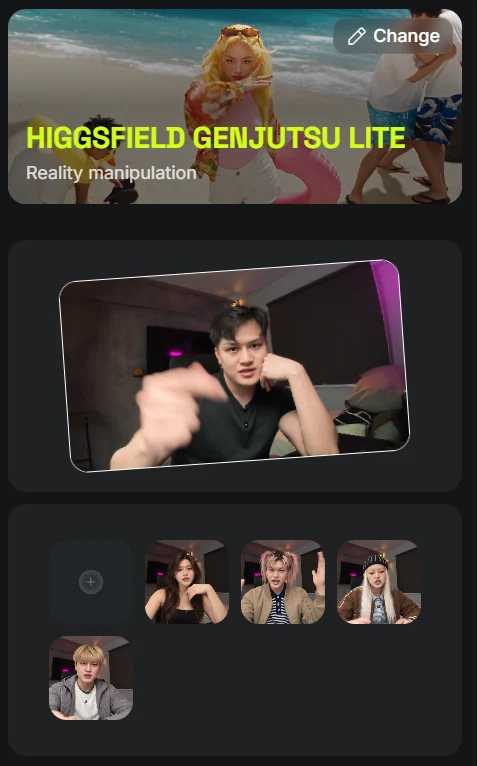
- Add all four
- 08
Generate Part 2
- Choose your resolution and click Generate.
- Play the result to check each character switch and the continuous voice. Click Download on the final result.
- Generate here
Video 2: final result