
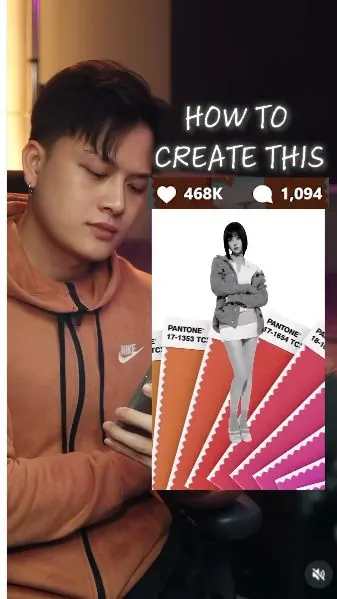
 Watch the original videoInstagram (opens in a new tab)
What you'll make
Make five coordinated looks, then animate them using the motion reference.
Who this is for
Creators making videos with their own reference assets.
Step by step
Run the workflow
- 01
Prepare your portrait
Choose a clear photo of yourself.
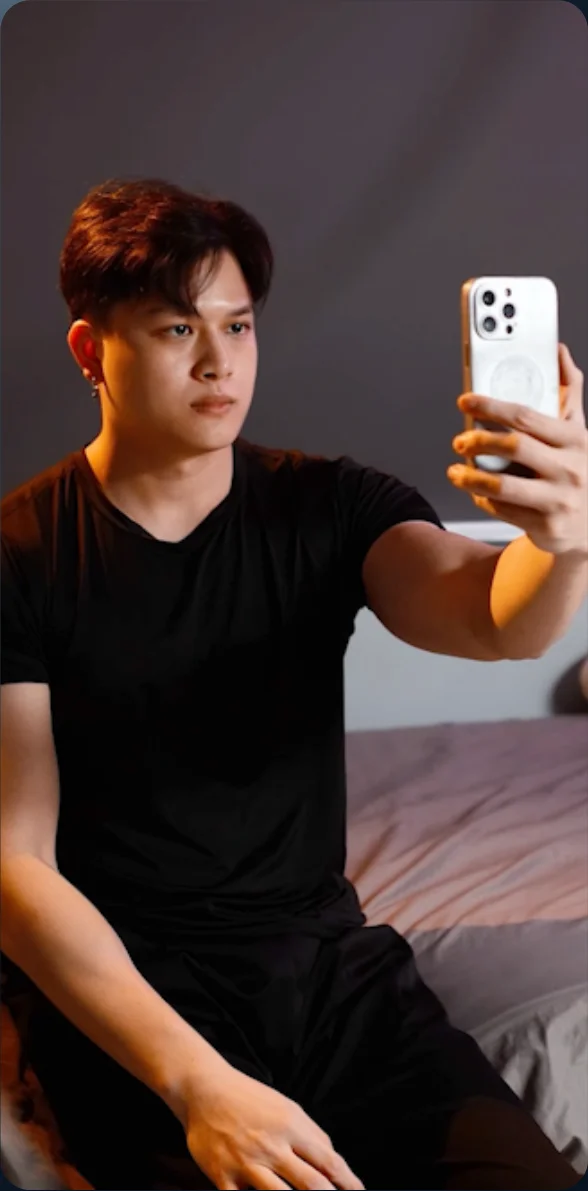
Source tutorial, page 4 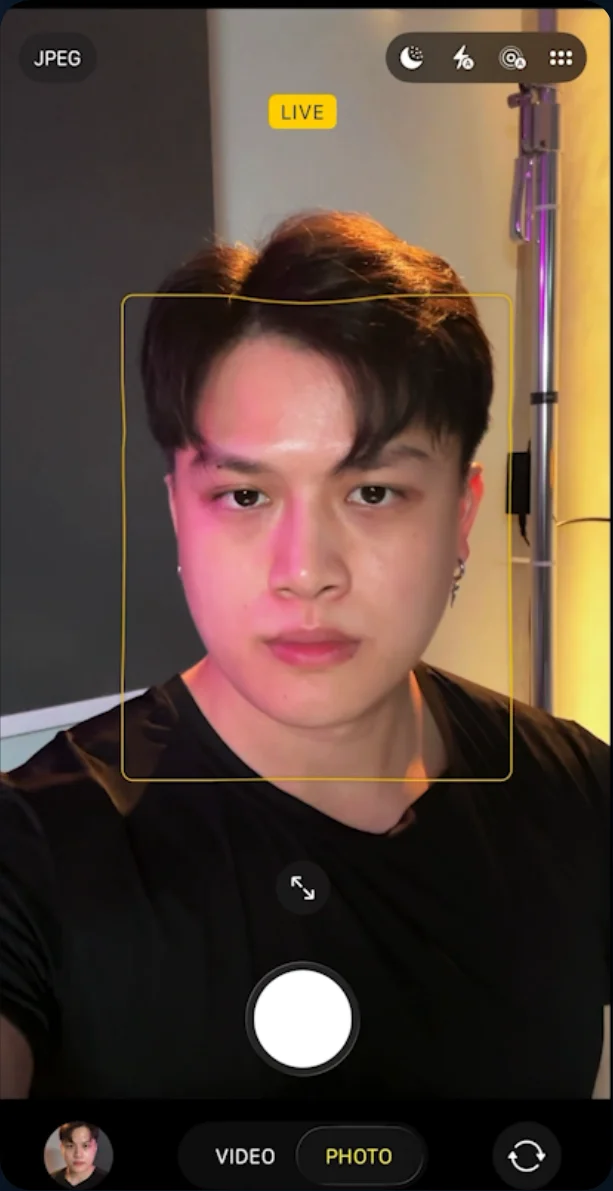
Source tutorial, page 4 - 02
Open the image generator
Open Create Image in Higgsfield and select GPT Image 2.5 Sunburst.
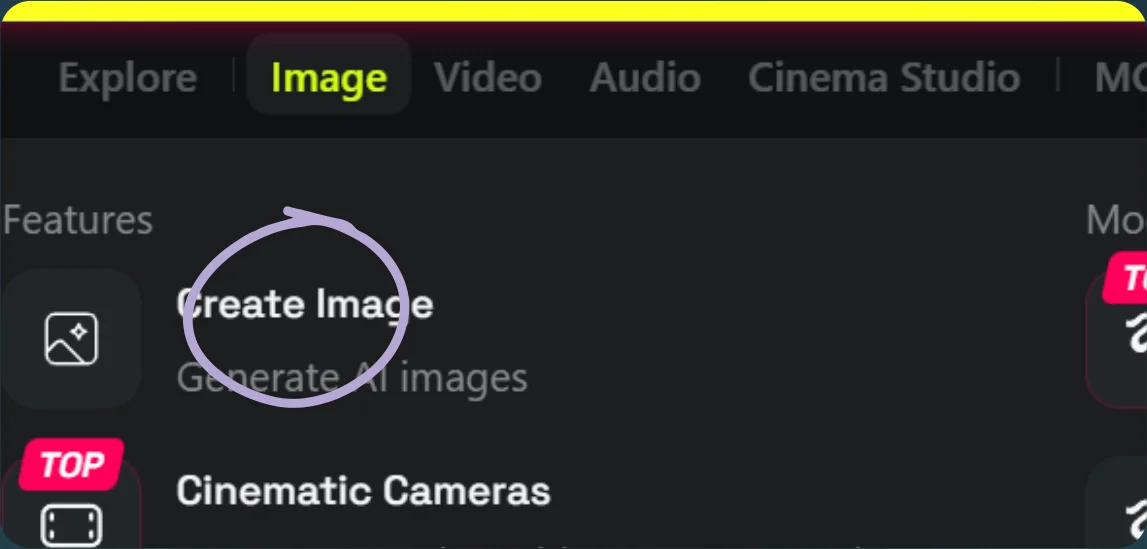
Open Create Image 
Select GPT Image 2.5 Sunburst - 03
Create the five looks
Use the five image prompts separately with your portrait and matching references. Save each result.
Show copyable prompt
Image 1 Use the reference image as the exact composition, framing, camera angle, body placement, and graphic layout. Replace the woman completely with a stylish young man @your-image while keeping the same full-body fashion-editorial pose and overall attitude. He stands in the exact same position, with his body slightly angled, shoulders relaxed, arms crossed loosely across his torso, one shoulder slightly dropped, and a subtle lean through the hips. Keep a similar calm, slightly aloof fashion-model expression, looking toward the camera with a neutral, confident gaze. Change the styling to modern oversized menswear: Oversized baggy grey jacket, slightly dropped off one shoulder, relaxed and structured Clean white mock-neck inner top White baggy wide-leg jeans with a loose contemporary silhouette Minimal clean white sneakers No handbag, skirt, heels, or feminine accessories Minimal understated accessories if needed The man should have contemporary Korean/Japanese fashion-editorial styling, slim proportions, natural masculine features, neat dark hair, and realistic anatomy. IMPORTANT: Preserve the original background exactly, including the oversized Pantone color swatches, their positions, angles, colors, typography, white background, graphic composition, crop, perspective, shadows, and overall layout. Do not redesign or reposition any background elements. Maintain the original high-fashion magazine aesthetic: mostly monochrome subject against the colorful Pantone cards, clean studio lighting, high contrast, slightly surreal collage/editorial feel, full body visible from head to shoes, vertical composition. Only replace the female model with the male model and update the clothing. Everything else remains unchanged.Image 2 Use the reference image as the exact composition, framing, camera angle, body placement, and graphic layout. Replace the woman completely with a stylish young man @your-image while keeping the same full-body fashion-editorial pose, posture, and expression. He should stand in the exact same position with a relaxed crossed-arm pose, slight lean, and the same cool, calm, slightly aloof facial expression. Keep the same fashion-model attitude and similar head angle. Change the outfit to: Orange oversized jacket White inner polo tee Cyan mock neck layer visible at the neck Cyan baggy pants with a loose modern silhouette Clean white sneakers Remove all feminine clothing and accessories such as the skirt, heels, and fitted styling. The man should have natural masculine features, slim fashion-model proportions, neat dark hair, and a contemporary Korean/Japanese editorial look. IMPORTANT: Preserve the original background exactly, including all Pantone color swatches, their positions, angles, colors, labels, spacing, white background, and overall collage composition. Do not redesign or move any background element. Maintain the same clean studio lighting, high-fashion editorial aesthetic, full-body framing, and slightly surreal graphic feel. Keep the image polished, minimal, and stylish. Only replace the female model with the male model and update the outfit. Everything else remains unchanged.Image 3 Use the reference image as the exact composition, framing, camera angle, body placement, pose, and Pantone collage layout. Replace the woman completely with a stylish young man @your-image while keeping the same full-body fashion-editorial stance, relaxed posture, and similar facial expression. Keep the same calm, slightly aloof model attitude, with a similar head tilt and overall body positioning. Change the outfit to: Baggy oversized denim jacket Inner red hoodie, clearly visible under the jacket Cyan T-shirt visible inside the hoodie/jacket layering Loose 3-quarter denim jeans / cropped baggy denim pants ending below the knees High-cut red sneakers Remove all feminine styling, including the original outfit, silhouette, and footwear. The male subject should have natural masculine features, slim fashion-model proportions, neat dark hair, and a modern Korean/Japanese streetwear editorial look. IMPORTANT: Preserve the original background exactly, including all Pantone swatches, their positions, angles, colors, labels, spacing, white background, and overall graphic collage composition. Do not redesign, move, or replace any background element. Maintain the same clean studio lighting, high-fashion editorial aesthetic, full-body framing, and polished graphic feel. Only replace the female model with a male model and update the outfit. Everything else remains unchanged.Image 4 Use the reference image as the exact composition, framing, camera angle, body placement, pose, and Pantone collage layout. Replace the woman completely with a stylish young man @your-image while keeping the same full-body fashion-editorial stance, body positioning, and similar calm expression. Keep the same overall pose and fashion-model attitude, with a clean high-end editorial look. Change the outfit to: Fitted yellow wool T-shirt or lightweight knit tee Light blue scarf around the neck Brown jeans Light blue boots Light blue shirt tied around the waist Remove all feminine styling and replace it with a menswear silhouette. The male subject should have natural masculine features, slim fashion-model proportions, neat dark hair, and a modern Korean/Japanese editorial fashion look. IMPORTANT: Preserve the original background exactly, including all Pantone swatches, their positions, angles, colors, labels, spacing, white background, and the full collage composition. Do not redesign, move, or replace any background element. Maintain the same clean studio lighting, polished fashion-editorial aesthetic, full-body framing, and slightly graphic surreal feel. Only replace the female model with a male model and update the outfit. Everything else remains unchanged.Image 5 Use the reference image as the exact composition, framing, camera angle, body placement, pose, and Pantone collage layout. Replace the woman completely with a stylish young man @your-image while keeping the same full-body fashion-editorial stance, similar posture, and calm slightly aloof expression. Keep the same overall pose, body positioning, and fashion-model attitude. Change the outfit to: Blue jacket Green office-style inner top or shirt Blue mock neck layer visible at the neck Brown knee-length baggy shorts Brown sneakers Make the outfit feel like modern menswear with a clean editorial street-fashion vibe. Remove all feminine styling and replace it with a masculine silhouette. The male subject should have natural masculine features, slim fashion-model proportions, neat dark hair, and a contemporary Korean/Japanese fashion-editorial look. IMPORTANT: Preserve the original background exactly, including all Pantone swatches, their positions, angles, colors, labels, spacing, white background, and the full collage composition. Do not redesign, move, or replace any background element. Maintain the same clean studio lighting, polished high-fashion editorial aesthetic, full-body framing, and graphic collage feel. Only replace the female model with a male model and update the outfit. Everything else remains unchanged.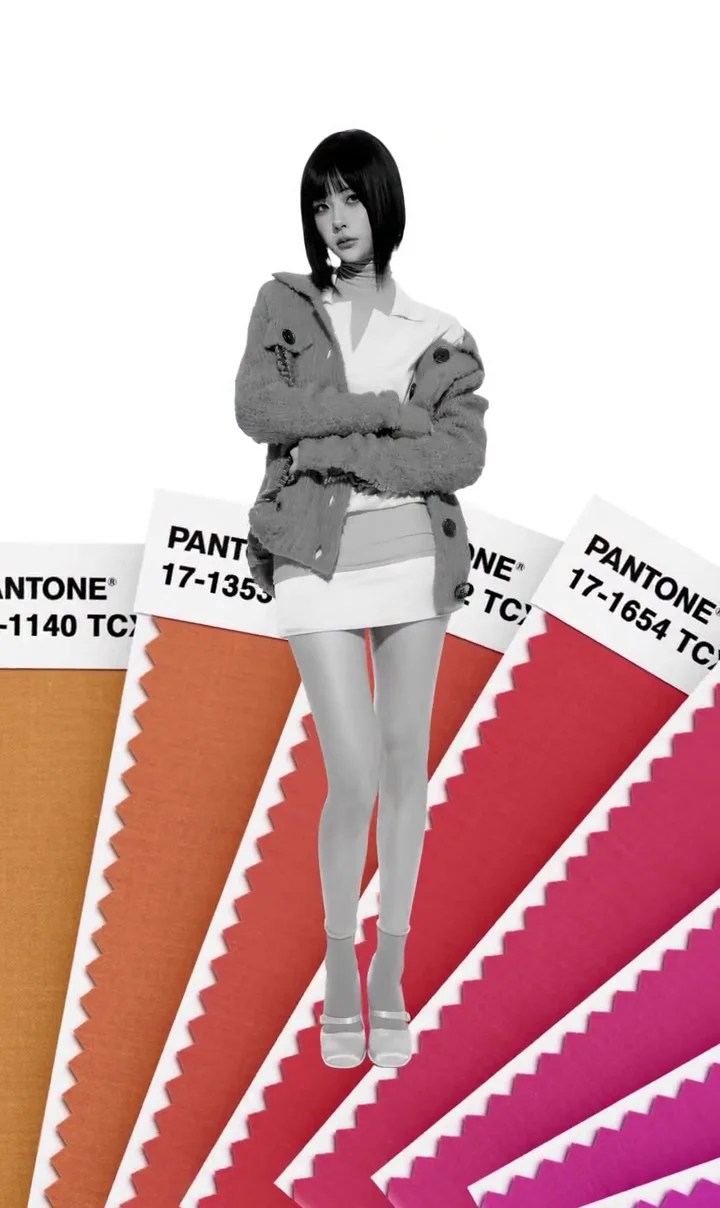
Look 1: palette reference 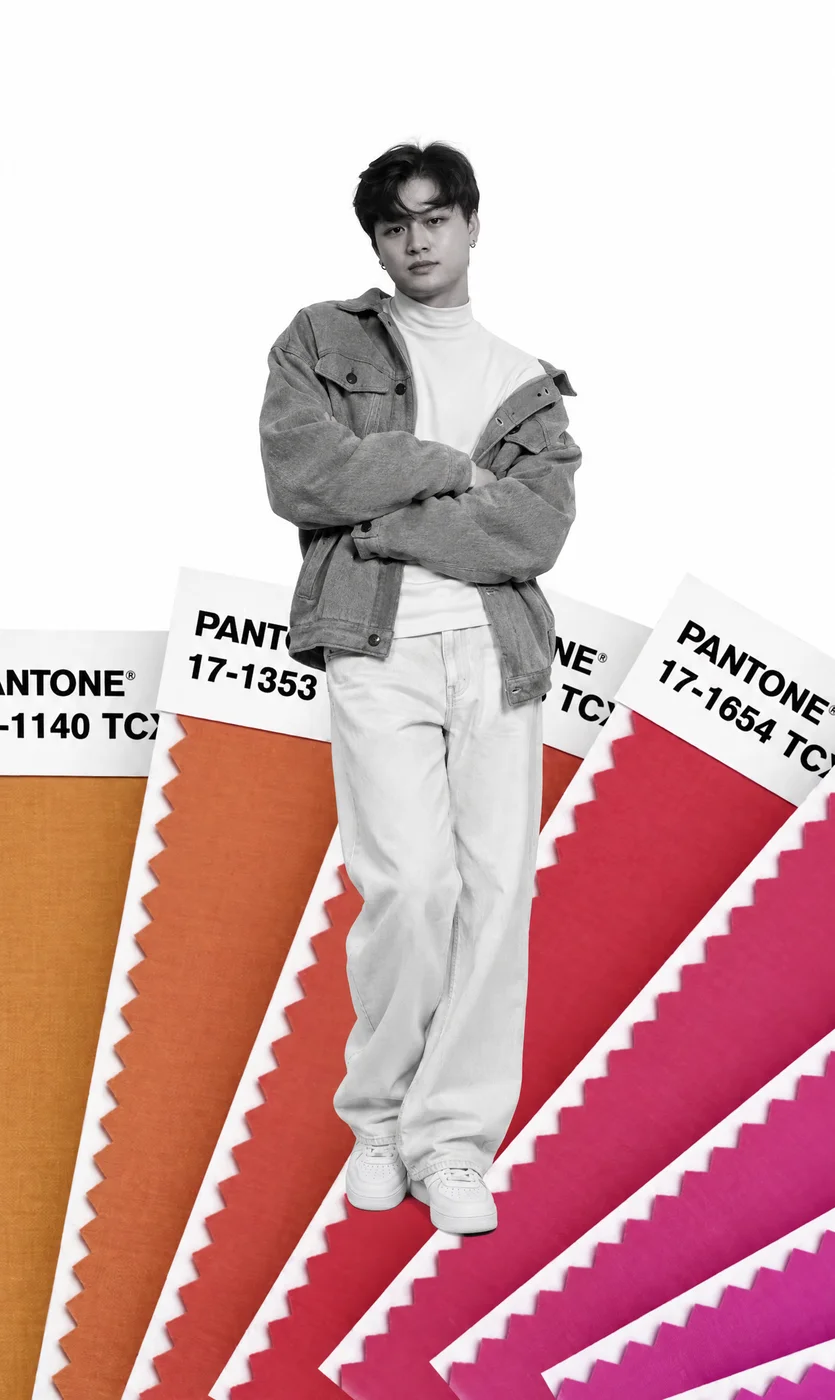
Look 1: generated image 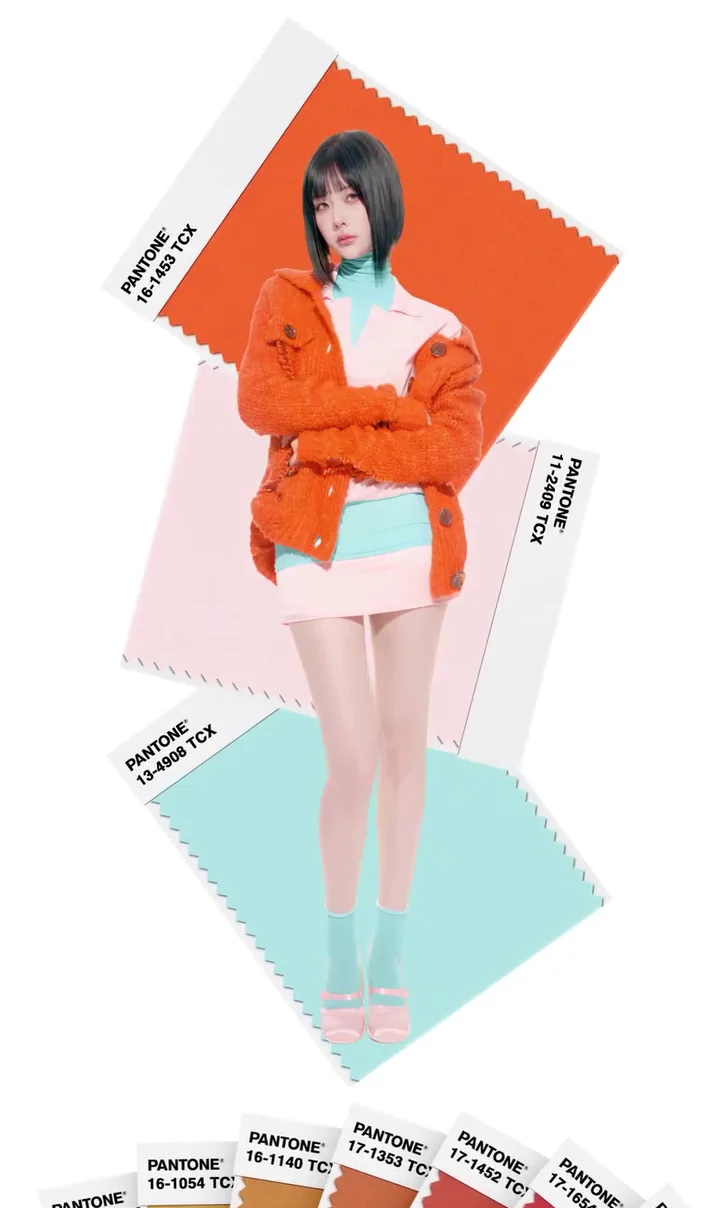
Look 2: palette reference 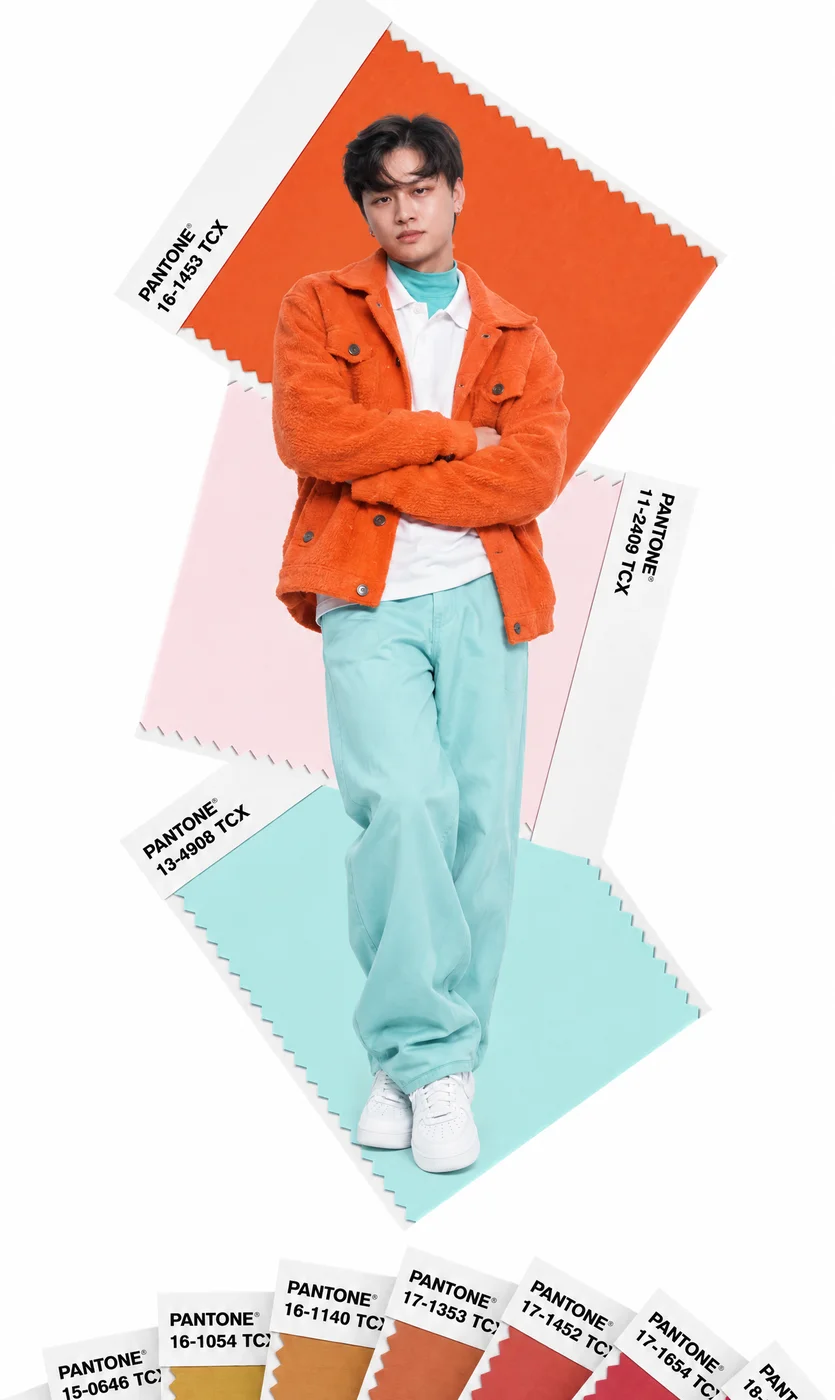
Look 2: generated image 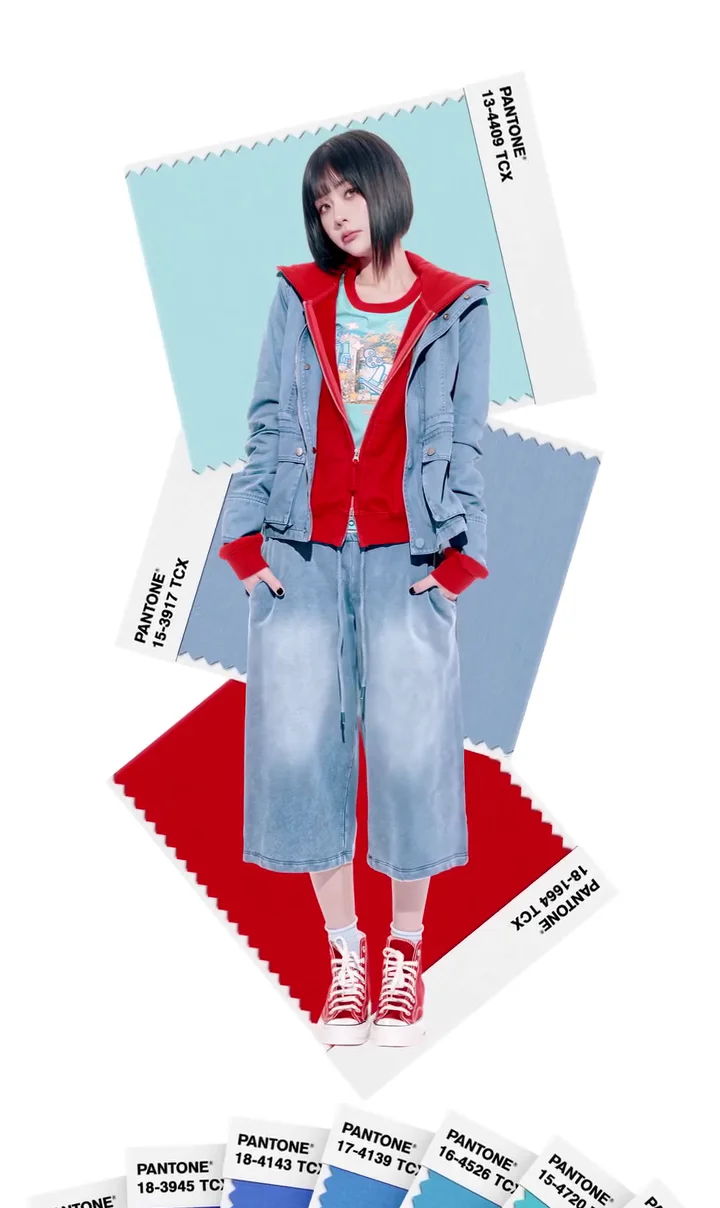
Look 3: palette reference 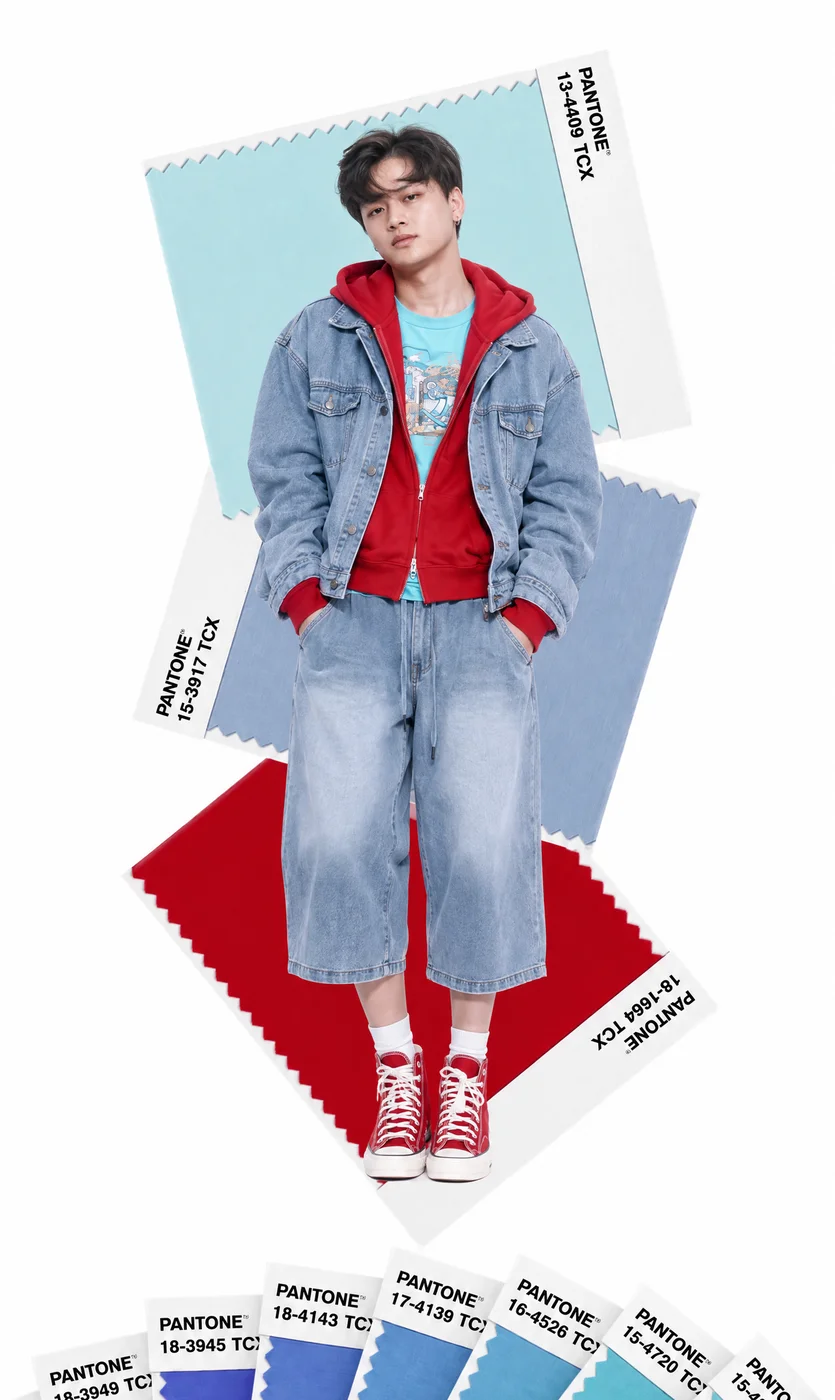
Look 3: generated image 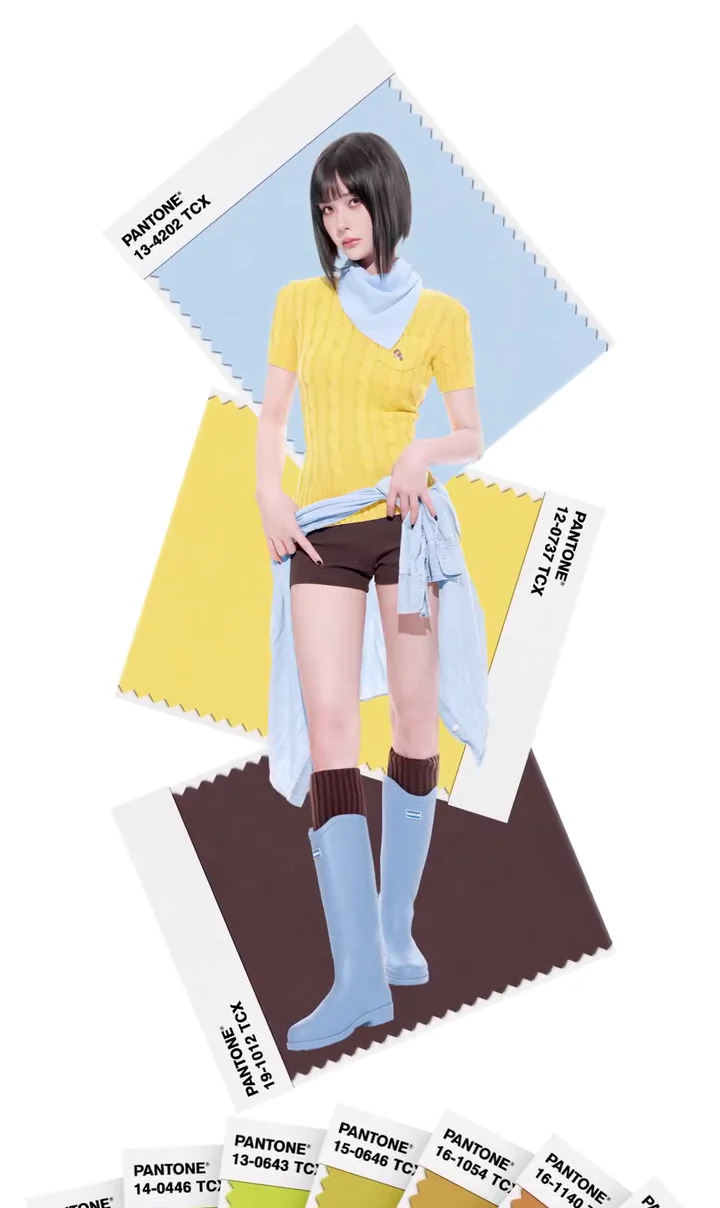
Look 4: palette reference 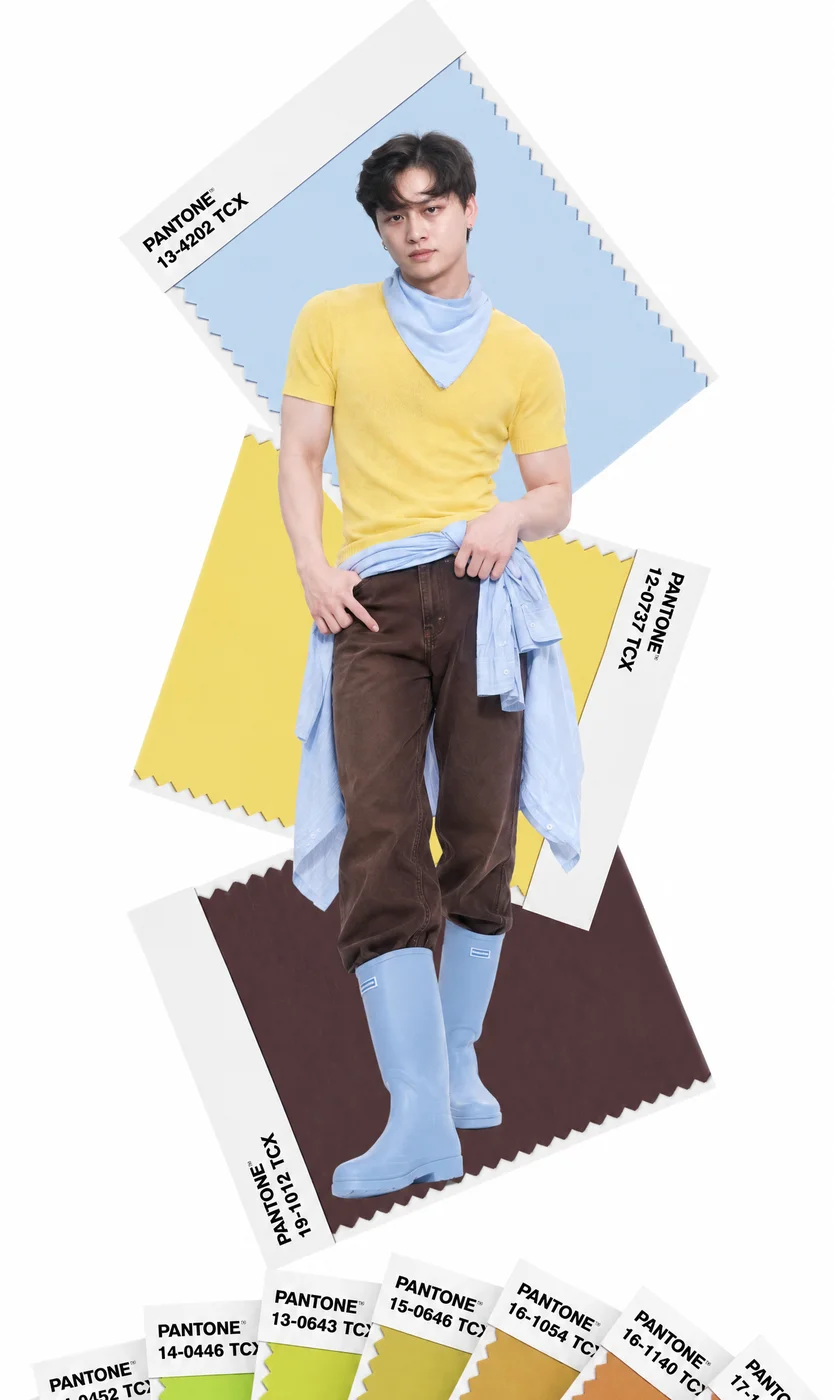
Look 4: generated image 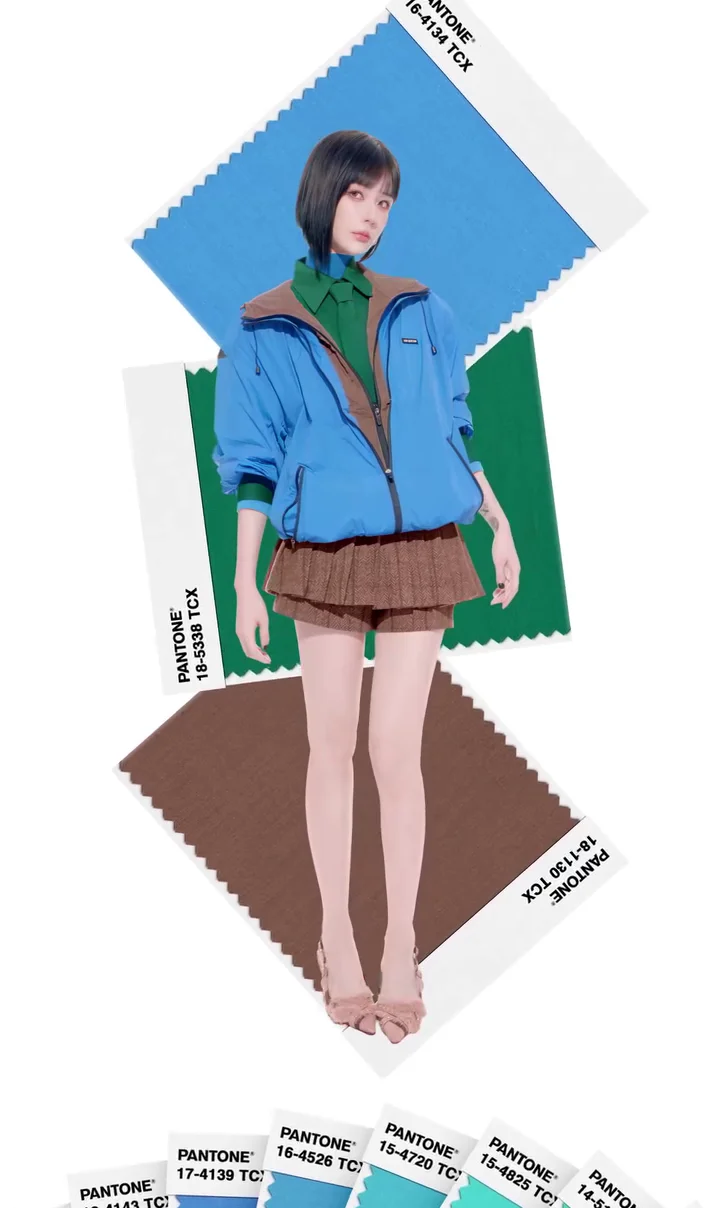
Look 5: palette reference 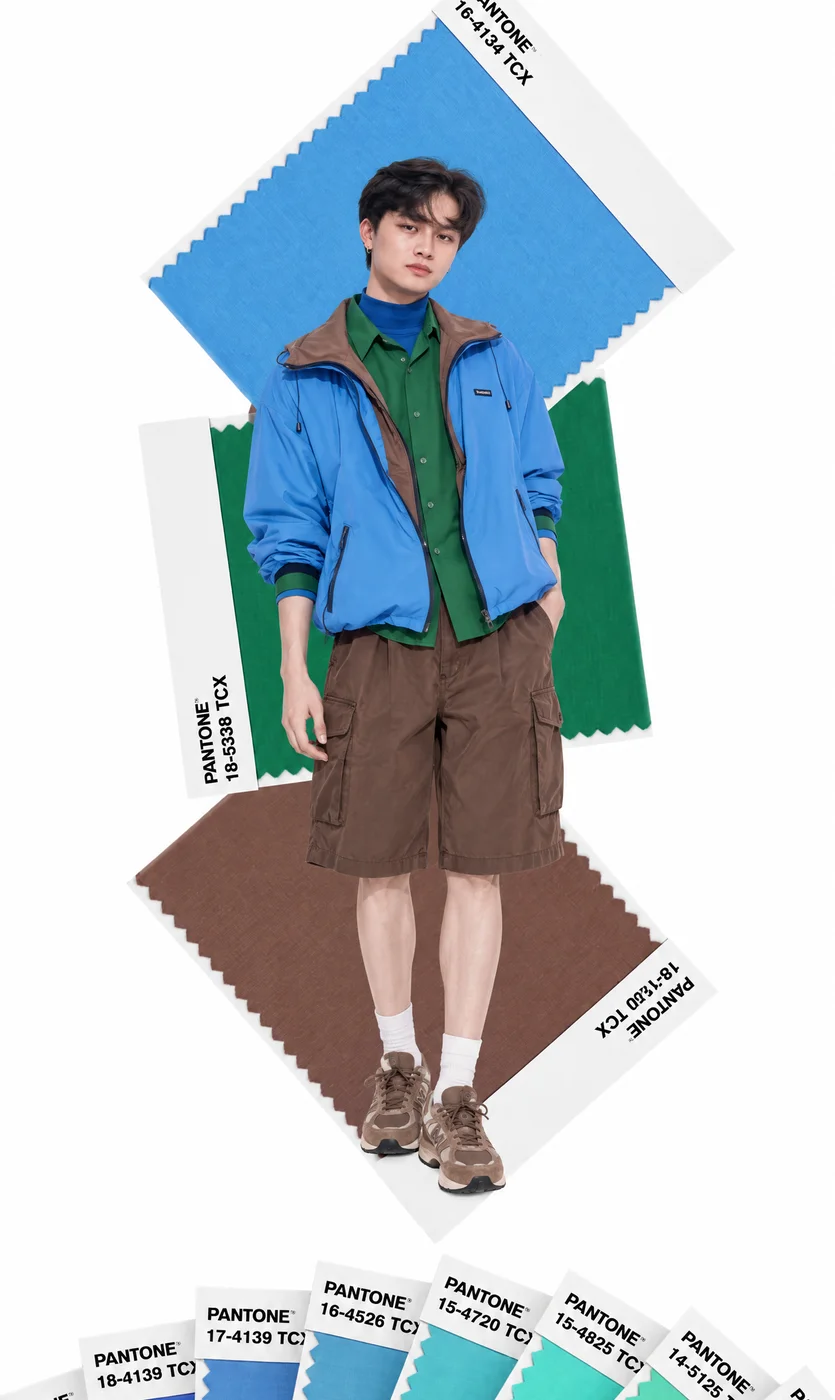
Look 5: generated image - 04
Add the motion reference
Download the reference video used for the transition.
- 05
Generate the transitions
- Open Video and select Seedance 2.5.
- Upload the five images and reference video. Paste the prompt and tag the files.
- Set the duration, aspect ratio, and resolution, then select Generate.
Show copyable prompt
Video prompt This prompt is for Male output. Please paste this whole prompt into ChatGPT and ask it to modify all the male aspect into your new female character, if you are recreating yourself as a lady. (Copy Below) Use @[Video 1](video_1) as the ABSOLUTE MASTER VIDEO for the entire output. Use @[Image 1](image_1), @[Image 2](image_2), @[Image 3](image_3), @[Image 4](image_4), and @[Image 5](image_5) as the exact male character, outfit, styling, and appearance references for each corresponding look in the video. OBJECTIVE: Replace ONLY the woman in @[Video 1](video_1) with the man shown in the reference images. This is a STRICT PERSON-REPLACEMENT edit. Everything in @[Video 1](video_1) other than the person must remain unchanged. REFERENCE MAPPING: Look / Scene 1 → @[Image 1](image_1) Look / Scene 2 → @[Image 2](image_2) Look / Scene 3 → @[Image 3](image_3) Look / Scene 4 → @[Image 4](image_4) Look / Scene 5 → @[Image 5](image_5) The same male identity must remain consistent throughout all five looks. CRITICAL MOTION RULE: The original woman in @[Video 1](video_1) is the ABSOLUTE MOTION MASTER. Transfer her exact: - body position - pose - posture - arm position - hand position - leg position - foot placement - head angle - head turns - body turns - walking or stepping motion - weight shifts - movement direction - movement speed - expression timing - orientation toward camera onto the male replacement. Do NOT invent new male poses. Do NOT change the choreography. Do NOT make him move differently from the original woman. The male character must occupy the same position, scale, depth and perspective as the woman at every frame. STRICT VIDEO PRESERVATION: DO NOT change: - video duration - pacing - timing - speed - frame rate - cuts - transitions - shot order - camera movement - zoom - rotation - framing - crop - camera angle - camera distance - lens perspective - subject position - subject scale - Pantone cards - Pantone text - Pantone colors - background graphics - background animation - white background - shadows belonging to the environment - composition Treat the entire background and all Pantone graphics as LOCKED, IMMUTABLE elements from the source video. Do not recreate, reinterpret, move, recolor, resize, rotate or rewrite any Pantone card or text. PERSON REPLACEMENT: Completely remove the original female character and replace her entire visible body with the male reference character. Do not leave any elements from the woman: - no female face - no female hair - no female body shape - no female legs - no original female clothing - no original female shoes The replacement must be a complete male body from head to toe whenever visible. Preserve realistic male anatomy while following the source woman's exact motion. MALE IDENTITY: Use the exact same young man shown across the supplied reference images. Maintain: - same facial identity - same face shape - same eyes - same nose - same lips - same hairstyle - same dark hair - same skin tone - same masculine proportions - same overall appearance Do not generate a different man between scenes. OUTFIT ACCURACY: SCENE 1 / @[Image 1](image_1): Grey oversized jacket, white mock-neck inner top, white baggy jeans, white sneakers. SCENE 2 / @[Image 2](image_2): Orange oversized jacket, white polo inner shirt, cyan mock-neck layer, cyan baggy pants, white sneakers. SCENE 3 / @[Image 3](image_3): Oversized light denim jacket, red hoodie, cyan graphic T-shirt, baggy cropped / three-quarter denim jeans, red high-cut sneakers. SCENE 4 / @[Image 4](image_4): Yellow knit short-sleeve top, light blue scarf, light blue shirt tied around waist, brown loose jeans, light blue boots. SCENE 5 / @[Image 5](image_5): Bright blue jacket, green collared inner shirt, blue mock-neck layer, brown knee-length baggy shorts, brown sneakers. Match each reference outfit closely in color, material, layering, fit and silhouette. IMPORTANT: Do not use the static pose from the reference images as the animation. The reference images define ONLY: - male identity - clothing - styling - body appearance @[Video 1](video_1) defines ALL: - motion - pose - animation - camera - timing - framing - transitions If the source character turns around, show the corresponding realistic back and side views of the male outfit while preserving the exact source movement. FINAL PRIORITY ORDER: 1. Preserve @[Video 1](video_1) motion and timing exactly. 2. Preserve @[Video 1](video_1) camera and framing exactly. 3. Preserve all Pantone backgrounds and graphics exactly. 4. Replace only the woman with the same male identity. 5. Match each male outfit to its corresponding reference image. NO creative reinterpretation. NO additional camera movement. NO additional cuts. NO pacing changes. NO background changes. NO graphic changes. NO pose changes. The final result should look exactly like the original video was filmed and edited with this man instead of the woman.
Select Seedance 2.5 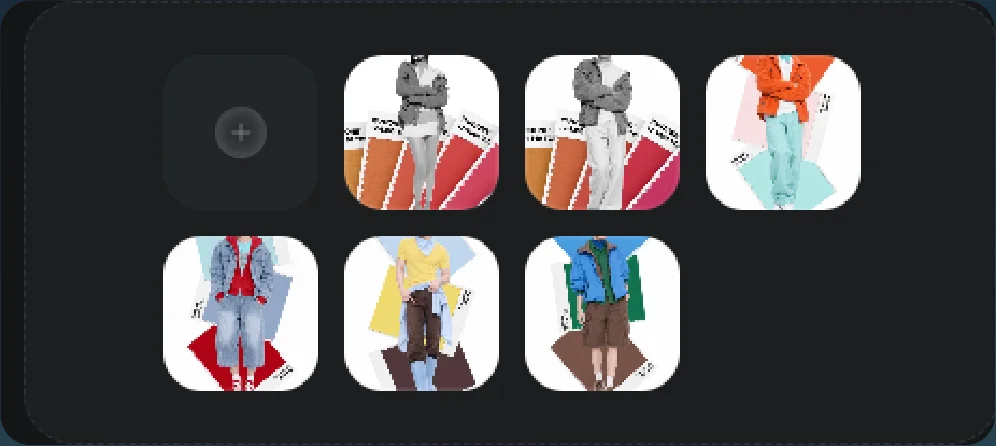
Uploaded palette images and motion reference 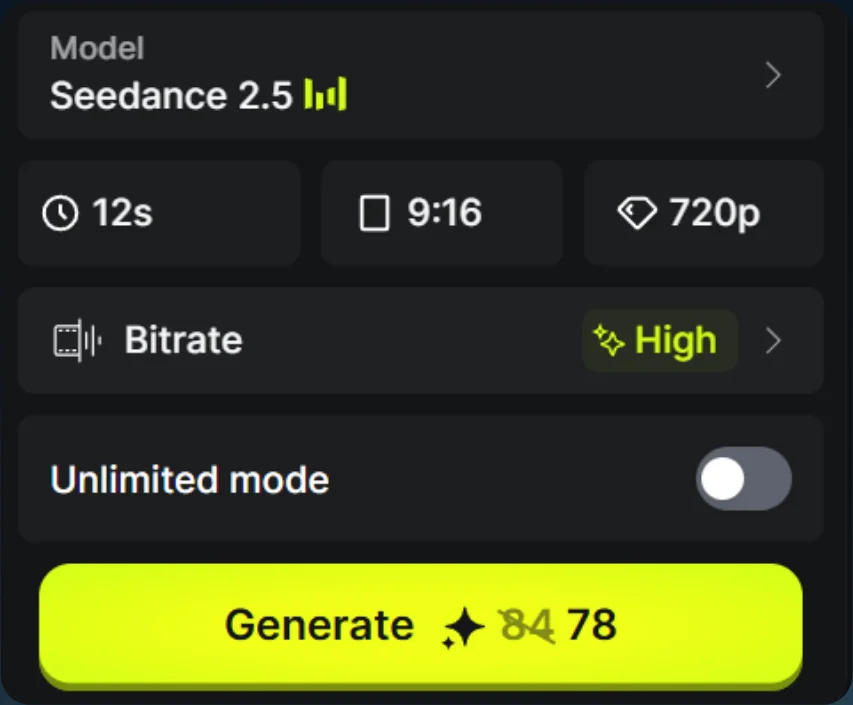
Generation settings 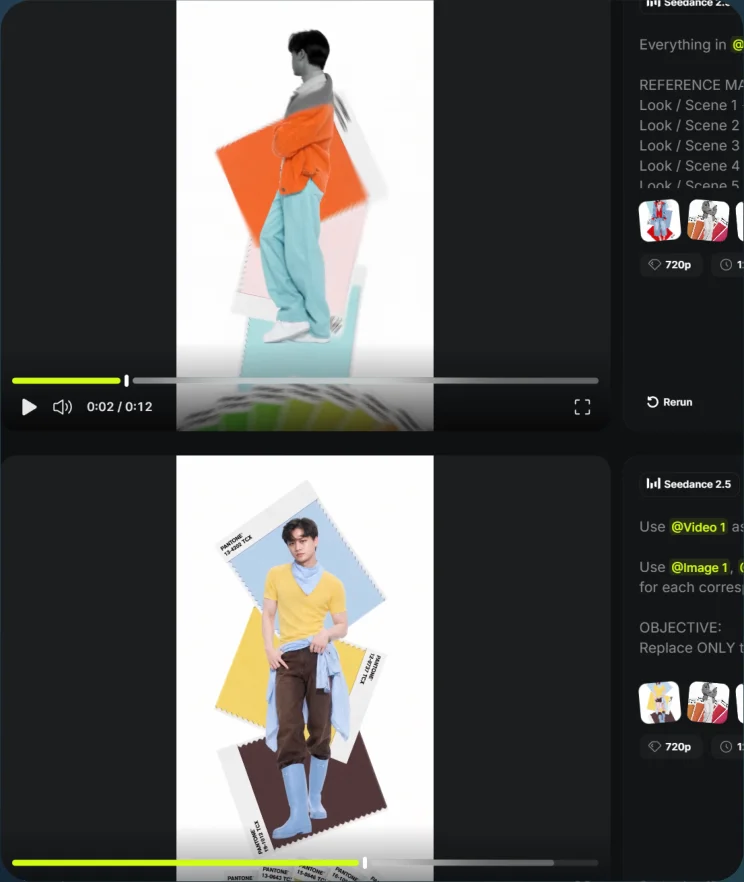
Palette-transition result