
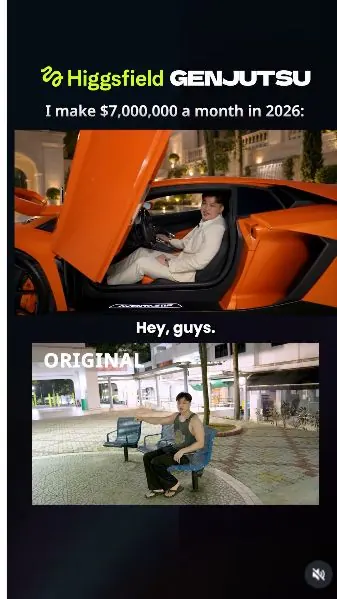
 Watch the original videoInstagram (opens in a new tab)
What you'll make
Replace the surroundings of your talking-head clip with a deliberately over-the-top luxury scene.
Who this is for
Creators making videos with their own reference assets.
Step by step
Run the workflow
- 01
Record the performance
Film your talking-head clip.
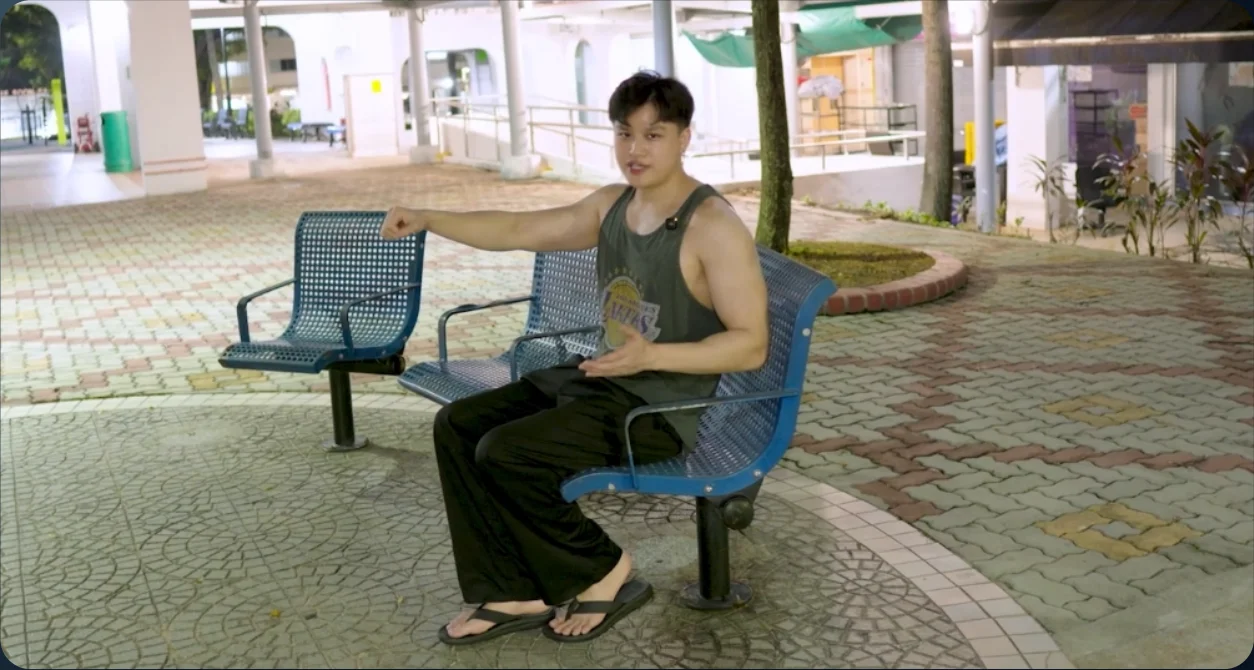
Original performance - 02
Open Genjutsu
Open Video in Higgsfield and select Genjutsu.
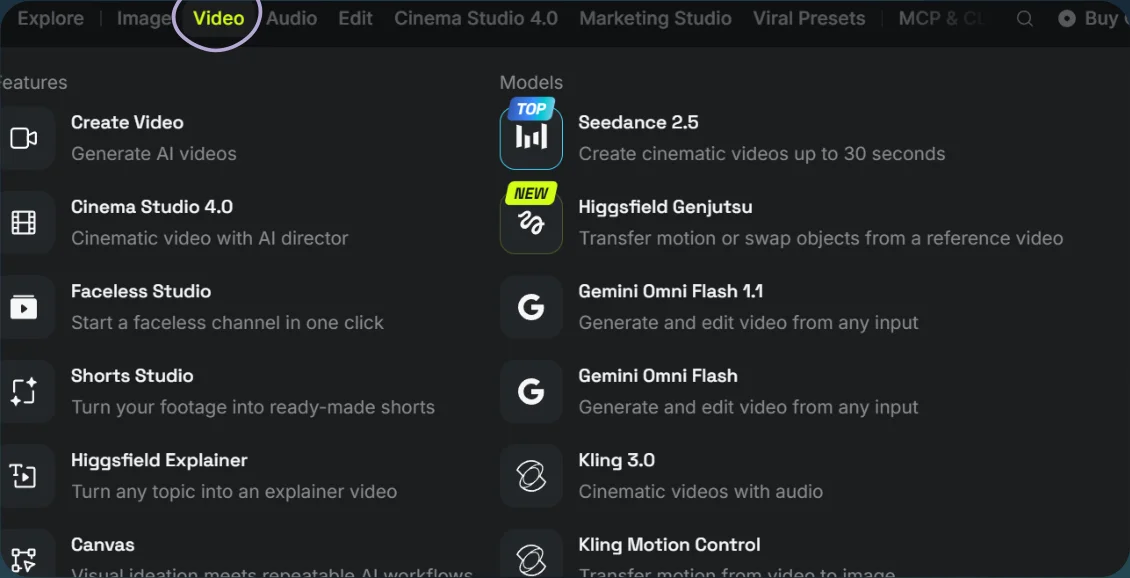
Open Video 
Select Genjutsu - 03
Generate the parody
- Choose Objects swap and upload your video. Add any clothing or scene reference you want to use.
- Adapt the supplied prompt to your clip, then select Generate.
Show copyable prompt
Video prompt STRICT VIDEO EDIT. PRESERVE THE ORIGINAL PERSON. Use as the actual footage to edit, not as inspiration for generating a new video. HIGHEST PRIORITY: DO NOT CHANGE THE MAN’S FACE. Keep the original man from throughout the entire video. Preserve his original face directly from the source footage, including every expression and speaking movement. Treat his entire head, hair, face, ears, neck, and exposed skin as protected areas. Do not replace, reinterpret, beautify, reshape, smooth, relight, or regenerate these areas. Keep his exact facial proportions, skin texture, skin colour, eyes, nose, mouth, jawline, and hairline. Do not generate a lookalike. Do not cast another actor. Do not apply a face swap. Do not transfer any human appearance from an image reference. ON THE MAN, EDIT ONLY HIS CLOTHING AND ADD THE TWO WATCHES. Fit the replacement garments around his existing body. Do not replace his body to fit the garments. Preserve his original hands and fingers. REFERENCES : original footage, sole source of the man’s identity and performance. @[Image 1](image_1): orange Lamborghini, vehicle reference only. @[Image 2](image_2): ivory-white jacket and trousers, garment reference only. @[Image 3](image_3): rainbow watch. @[Image 4](image_4): gold watch. @[Image 5](image_5): red Ferrari, vehicle reference only. @[Image 6](image_6): luxury garden, environment reference only. CLOTHING Replace only his existing clothing with the ivory-white jacket and matching trousers from @[Image 2](image_2). Match the plain ivory fabric, shawl lapels, single-button design, and trouser cut. Use a simple white shirt underneath and black formal shoes. The clothes follow the original man’s build and movements. His head, face, neck, hands, identity, and skin remain unchanged. Keep this outfit throughout. TWO CARS TOTAL Include exactly ONE orange Lamborghini and ONE red Ferrari. Replace his starting seat with the orange Lamborghini. Replace the entire other seating grouping he later points toward with ONE red Ferrari. Remove all remaining chairs and benches, including those in the background reference. Do not create one car per chair. No additional vehicles. OPENING POSITION Start with the original man seated inside the orange Lamborghini’s driver seat, speaking to the camera. Both legs and feet are inside the footwell. His hips rest on the interior seat, not the sill or exterior bodywork. The driver-side scissor door is already raised. Orient the Lamborghini broadly side-on, with the driver doorway facing the camera, its front toward screen-left and rear toward screen-right. Its length runs approximately horizontally across the frame. Adjust its horizontal rotation and perspective to fit the SOURCE CAMERA VIEW. Align the driver seat and doorway around the man’s original seated screen position. Preserve his original head position, face, expression, and speaking movements. Fit the car around the recorded subject, not a newly generated person. Use @[Image 1](image_1) for car design. Do not paste its photograph into the scene. Maintain realistic cabin geometry, scale, ground contact, and perspective. Keep the raised door clear of his face. EXIT AND WALK Begin his exit at the exact moment he begins standing in . Allow only the minimum lower-body adjustment needed to move his feet from the footwell onto the ground. Finish the exit on the original standing beat. Then match his original walking path, pace, gestures, pointing, and body movement. No added pause, extra steps, or door operation. The single red Ferrari is already parked where the other seating grouping stood. His existing pointing gesture indicates it. Both cars remain stationary and consistent throughout. WATCHES On the first wrist he presents while saying “check out the watches,” place the rainbow watch from @[Image 3](image_3). On the other wrist, presented second, place the gold watch from @[Image 4](image_4). Both watches are worn from the beginning, one on each corresponding wrist. Preserve the exact original reveal timing, wrist rotation, hand movement, and pointing fingers. Keep the watches attached correctly without changing his hands or skin. No swapping or morphing. BACKGROUND Replace the shops and buildings with the luxury garden from @[Image 6](image_6): pale stone architecture, arched entrance, greenery, warm lighting, and flowing wall waterfalls. Exclude its chairs and benches. Maintain the source spatial layout, ground geometry, walking route, and camera perspective. Keep consistent depth, parallax, shadows, and softly blurred background detail. Match the replacement environment and objects to the original lighting on the man. ORIGINAL PERFORMANCE LOCK Preserve the original audio, words, voice, pauses, delivery, and exact lip synchronization. Retain his original mouth movements directly from . Preserve the original duration, action timing, camera movement, framing, focus behaviour, and playback speed. No new shots, cuts, zooms, or retiming. Only the seated legs and exit mechanics may receive the minimum adaptation required by the car. All other performance follows the source. FINAL PRIORITY ORDER 1. Preserve the ORIGINAL FACE AND IDENTITY without alteration. 2. Preserve original speech, expressions, timing, and camera movement. 3. Replace clothing, add watches, replace seating with exactly two cars, and replace the background. If a replacement conflicts with preserving the original face, adapt the replacement. NEVER change the original man. Please make sure the motion of the original video match exactly to the newly generated video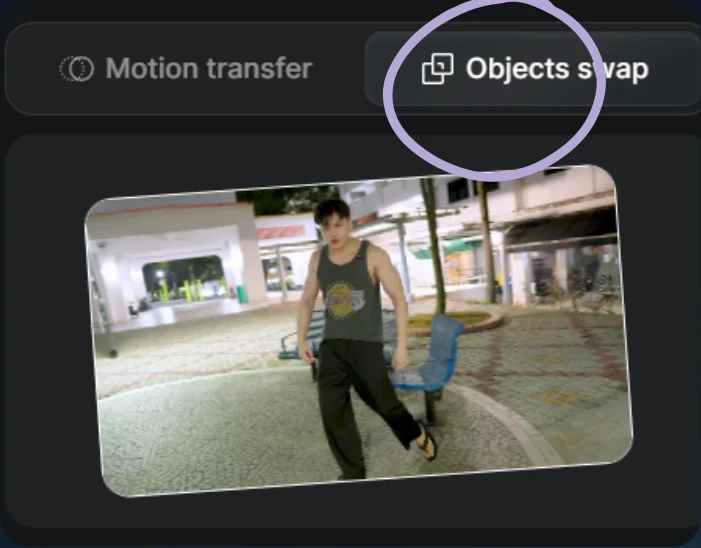
Choose Objects swap 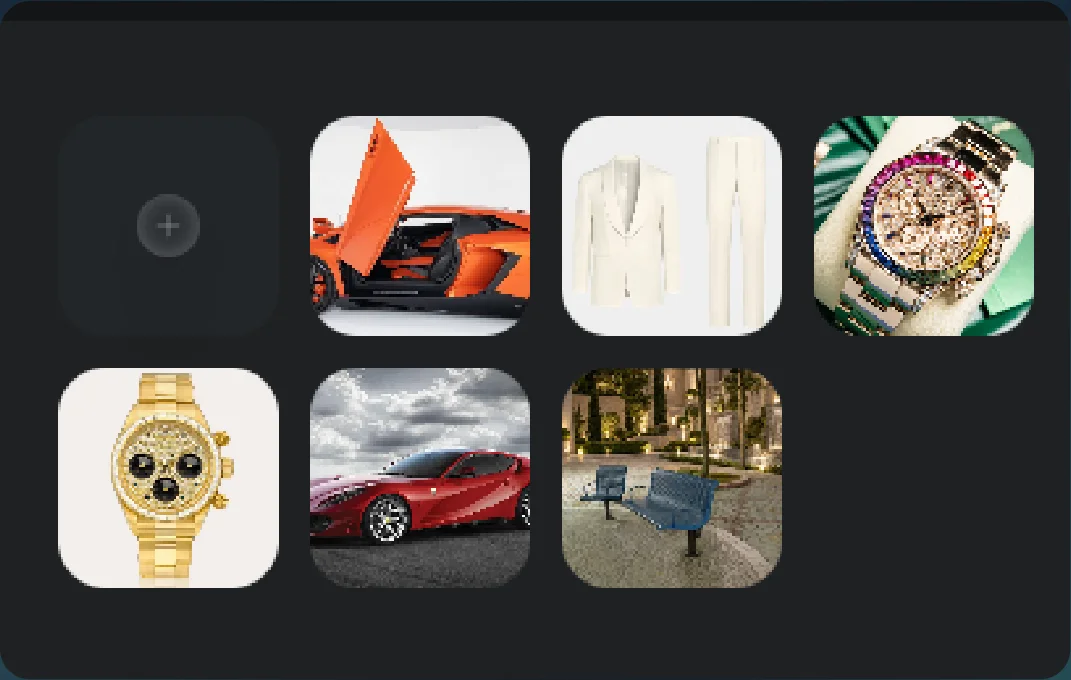
Image references - 04
See the result
Play the generated video.
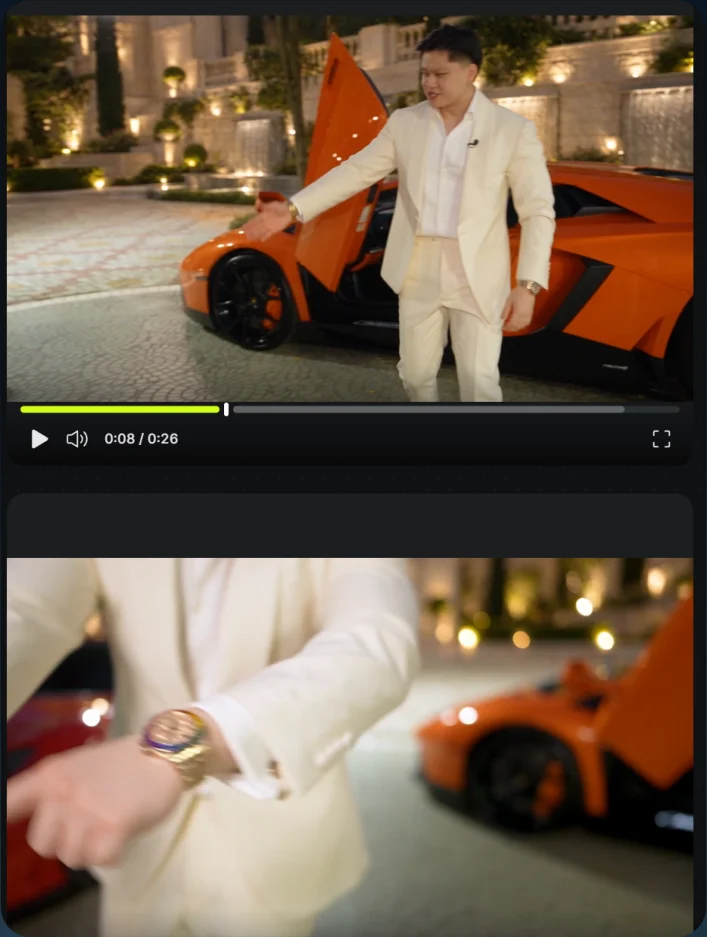
Parody result