
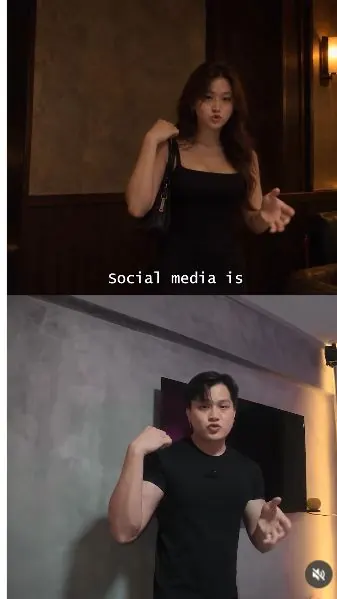
 Watch the original videoInstagram (opens in a new tab)
What you'll make
Transform a filmed performance into a different character and setting with Genjutsu.
Who this is for
Creators making videos with their own reference assets.
Step by step
Run the workflow
- 01
Record your performance
Film the clip that will guide the movement and timing.
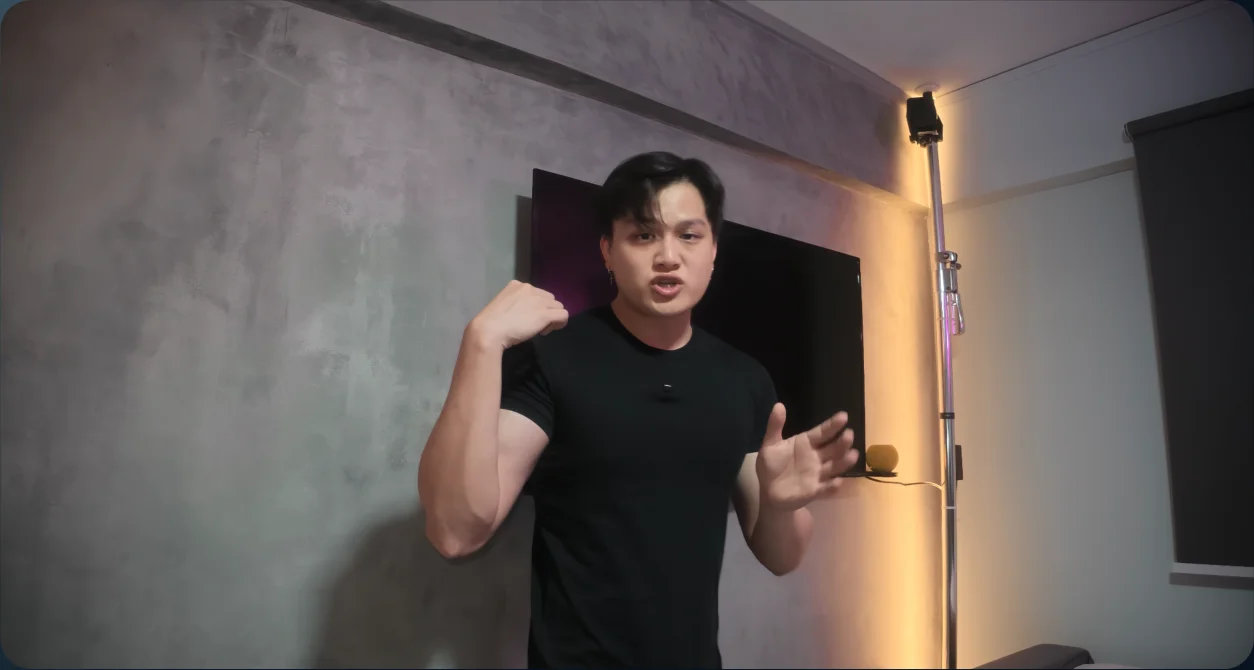
Source performance - 02
Open Genjutsu
Open Video in Higgsfield and select Genjutsu.
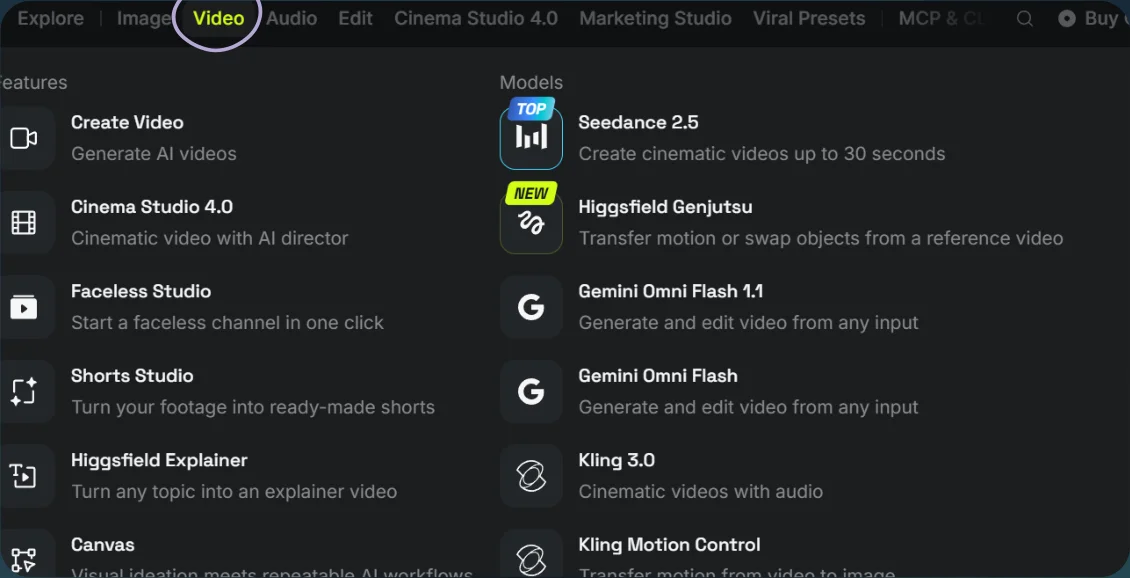
Open Video 
Select Genjutsu - 03
Upload and generate
- Choose Objects swap, upload your video, and add the character-and-setting reference image.
- Paste the timed prompt and select Generate.
Show copyable prompt
Video prompt Here’s the prompt i used for my video, please modify it for your own video: @[Image 1](image_1) , WOMAN AND BAR: exact reference for the adult Korean woman’s face, hairstyle, feminine proportions, black dress and shoulder handbag, plus the dim bar atmosphere. Use her actual appearance. The source video controls framing and movement. @[Video 1](video_1) , SOURCE: absolute master for camera movement, framing, subject placement, performance, expressions, speech, lip sync and timing. Also the exact source for restoring the original bedroom and original man. Edit the source as one continuous take. Change only the specified person, environment and objects. All timestamps refer to the original video timeline. SOURCE FRAMING, MOVEMENT AND LIP SYNC Every output frame follows the corresponding source timestamp. Preserve the original camera angle, field of view, headroom, subject size, screen position and changing composition. Follow the original walking path, speed, sitting motion, seated hip position, head turns, gaze, expressions, gestures and arm movements. Fit the bar, seat, waiter and cocktail around these existing actions. Do not crop closer, zoom, recenter or introduce new camera angles. No pose resets, repeated actions, frozen frames, skipped movements or jumps forward in time. Keep the original audio unchanged: exact voice, words, pacing, pauses, background sound, start time and duration. Match the woman’s speaking mouth movements to the corresponding source timestamps. The original male voice remains intentionally unchanged; it must not cause her visual appearance to become male. WOMAN THROUGHOUT 0.000–18.000s Show the exact adult Korean woman from the image reference in every frame before 18.000s, including walking, sitting, head turns, close views and the bedroom sequence. Preserve her recognisable face, eyes, nose, lips, cheeks, jawline, skin tone, hairline, hairstyle and hair colour. Maintain her reference feminine proportions, slender arms, black dress and shoulder handbag. Transfer the source performance onto her appearance. Do not transfer the original man’s facial structure, hairstyle, broad shoulders, muscular arms or clothing onto her. Do not blend their identities or gradually masculinise her as the reveal approaches. Her identity and proportions come from the image. Her movement, expression, gaze and lip timing come from the video. Maintain the source’s head position and body placement while retaining her reference appearance. The bedroom reveal at 14.000s changes only the environment and lighting. She remains the same woman until the single-frame restoration of the original man at exactly 18.000s. WAITER IDENTITY The waiter is a separate adult Asian man, approximately 30–35, with neatly side-parted black hair, a slim oval face, defined cheekbones and a clean-shaven appearance. He wears a crisp white dress shirt, fitted black waistcoat and black trousers, with a polished, professional look. Give him an original face clearly distinct from both the source performer and the reference woman. Do not copy, reuse or blend the original man’s face onto the waiter. Neither reference supplies the waiter’s facial identity. Keep his own face consistent throughout his entrance, handoff, smile, direct eye contact and wave. He is a separate person, never a duplicate of the main performer. BAR AND PHONE-VIDEO APPEARANCE From 0.000–14.000s, replace the bedroom with the referenced dim bar: dark wood, subdued bottle shelves, upholstered seating and warm practical lamps. Maintain one coherent layout throughout the camera movement. Match the woman, waiter, handbag, cocktail and furniture to the same perspective, illumination and exposure. Her face and arms are naturally dim, with subdued warm highlights and realistic shadows. Use low-quality phone-video texture: mild softness, modest compression, shadow noise, limited dynamic range and natural motion blur. No studio-lit faces, beauty filters, excessive grain or artificial background blur. 0.000–4.000s: WALKING AND SITTING The woman follows the source walking and speaking performance. Her handbag hangs from the shoulder shown in the reference, with natural strap contact and subtle movement. Around 4.000s, she sits using the original lowering motion. Position the bar seat beneath her original sitting trajectory and final hip position. Keep the handbag on her shoulder. AROUND 3.000–5.000s: WAITER ENTERS FROM THE LEFT The waiter starts completely outside the frame on camera-left, already holding one rainbow cocktail. Around 3.000s, he physically walks rightward into view through the left image boundary. Show his body progressively crossing that boundary in continuous movement as he approaches the woman. He reaches a standing position beside her on screen-left in time for the handoff around 5.000s. Choose this position so he remains visible within the source framing until 9.000s. Do not fade him in, materialise him, reveal him from behind the woman or suddenly place him beside her. Preserve the original camera framing. AROUND 5.000–6.000s: COMPLETE THE HANDOFF The waiter stops walking beside the seated woman and bends slightly to offer the drink into her existing reaching hand. Complete the transfer in this order: 1. The woman securely grips and supports the glass. 2. The waiter opens his fingers and fully releases it. 3. She takes the glass away along her source hand trajectory. 4. He retracts his empty serving hand toward his chest, leaving a clear gap between his fingers and the glass. Complete the handoff by approximately 6.000s. From then until 11.000s, the woman alone holds the cocktail. The waiter never touches it again. No shared grip after the transfer, tugging, duplicate glasses or glass attached to his withdrawing hand. 6.000–9.000s: WAITER STAYS, SMILES AND WAVES After the handoff, the waiter remains in the same standing position on screen-left. His feet stay planted. He does not turn away, step backward, walk away, leave the frame or duck out of sight. He straightens slightly from the serving bow while staying in place, turns his face toward the camera lens and makes direct eye contact with the viewer. He smiles warmly and raises his empty serving hand beside his own shoulder. Give a small, relaxed wave using only his wrist and fingers. Keep the gesture candid and friendly, with his open palm clearly visible. He stays beside her, smiling toward the lens and gently waving through the moment immediately before 9.000s. Allow natural blinking, breathing and small facial movements. Do not freeze him or make him drift across the scene. His final visible frame shows him still standing beside her and acknowledging the camera. There is no departure action before his disappearance. RAINBOW COCKTAIL Use one elegant, realistically sized clear cocktail glass with translucent red, orange, yellow, green and blue liquid layers, a few ice cubes and a small citrus garnish. Match reflections, refraction and condensation to the dim bar lighting. The liquid does not emit light. Maintain the same glass and contents throughout. 9.000s: WAITER DISAPPEARS WHILE STILL WAVING At exactly 9.000s, remove the waiter instantly from his standing position. Immediately before the change, he is still beside her, smiling at the lens with his waving hand raised. In the next frame, he is completely absent and the correctly aligned bar background is visible behind his former position. He does not walk away or finish an exit. His disappearance interrupts his ongoing wave. Remove only the waiter. The woman, cocktail, handbag, camera movement and speech continue uninterrupted. No fade, dissolve, transparency, flash or morph. AROUND 10.000s: PRESENT THE COCKTAIL Follow the source reach toward the lens and wrist rotation to present the drink. Preserve the original arm trajectory, hand position, distance and timing. No added close-up or presentation gesture. The glass moves rigidly with her grip. The liquid gently lags, sloshes and swirls as she moves it. The rainbow layers mix subtly along their boundaries, and the ice shifts slightly. Keep the liquid surface approximately level with gravity, with small temporary waves. No exaggerated splashing, spilling, floating liquid or distorted glass. 11.000s: COCKTAIL DISAPPEARS At exactly 11.000s, remove the entire glass, liquid, ice and garnish between consecutive frames. Her now-empty hand continues smoothly along the original trajectory. No snapping to another pose, dropping, releasing, shrinking or fading. The waiter remains absent. 14.000s: EXACT ORIGINAL BEDROOM, STILL THE WOMAN At exactly 14.000s, replace the bar with the actual bedroom from the corresponding source frames. Restore the exact original bed, bedding, television, blinds, desk, monitor, chair, belongings, walls and warm and pink lighting wherever visible. Match their source positions, scale, perspective and occlusion. Use the original room as the background plate. Do not generate a similar bedroom or leave any bar elements behind. Keep the same reference woman, black dress and shoulder handbag. Match her illumination to the original bedroom while preserving her female identity, face and proportions. Do not restore any part of the original man yet. 18.000s–END: RESTORE THE ORIGINAL MAN AND FOOTAGE At exactly 18.000s, switch directly from the reference woman to the actual corresponding original footage. Restore the original man’s exact face, hairstyle, black shirt, accessories and body, together with the original bedroom, lighting and image quality. Remove the woman’s dress and handbag. The frame immediately before 18.000s still shows the woman. The first frame at or after 18.000s shows the original man. No gradual blending or earlier male appearance. Continue the original footage and audio unchanged through the final frame. NO JUMP CUTS OR FADES The changes at 9.000s, 11.000s, 14.000s and 18.000s affect only the specified visual elements. Preserve the camera, framing, time progression, gestures and speech across each change. The waiter physically enters from the left, stops beside her, completes the handoff, stays in place, smiles and waves, then disappears at 9.000s. He never walks away. No editorial cuts, jump cuts, fades, cross-dissolves, morphing, ghosting, flashes or transition effects. The original shot continues uninterrupted.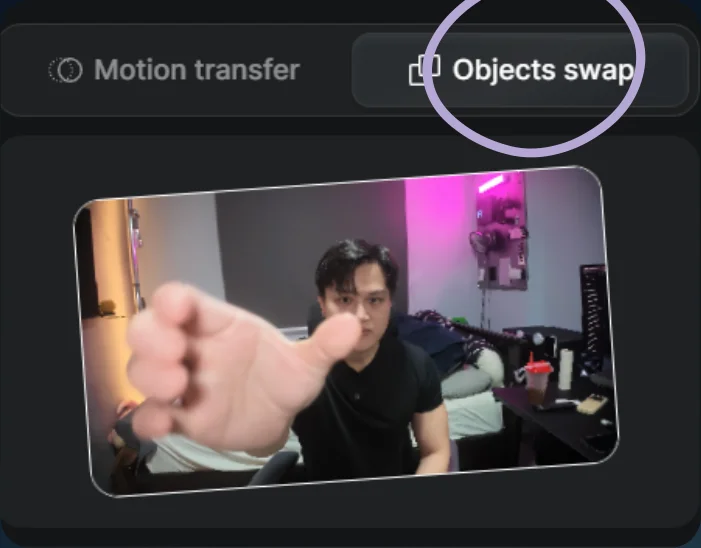
Choose Objects swap 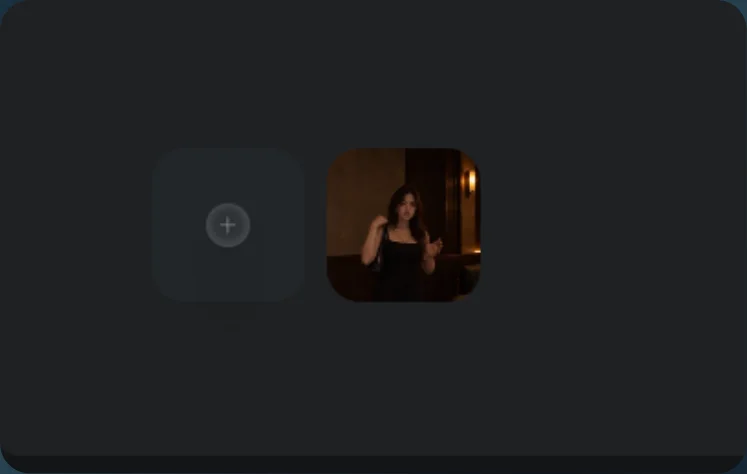
Add the scene reference - 04
See the result
Play the generated video. To change its voice, use Change voice and select a voice.
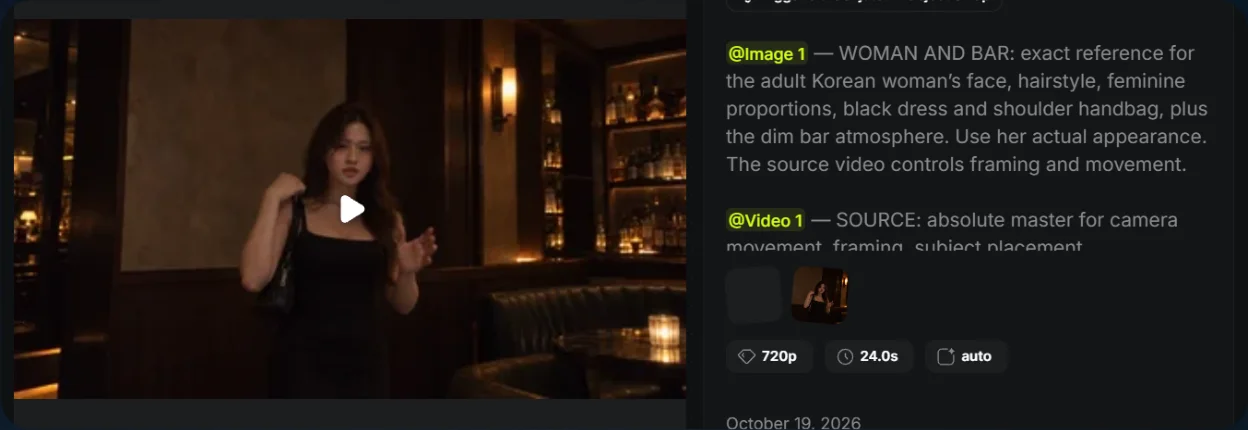
Identity-illusion result 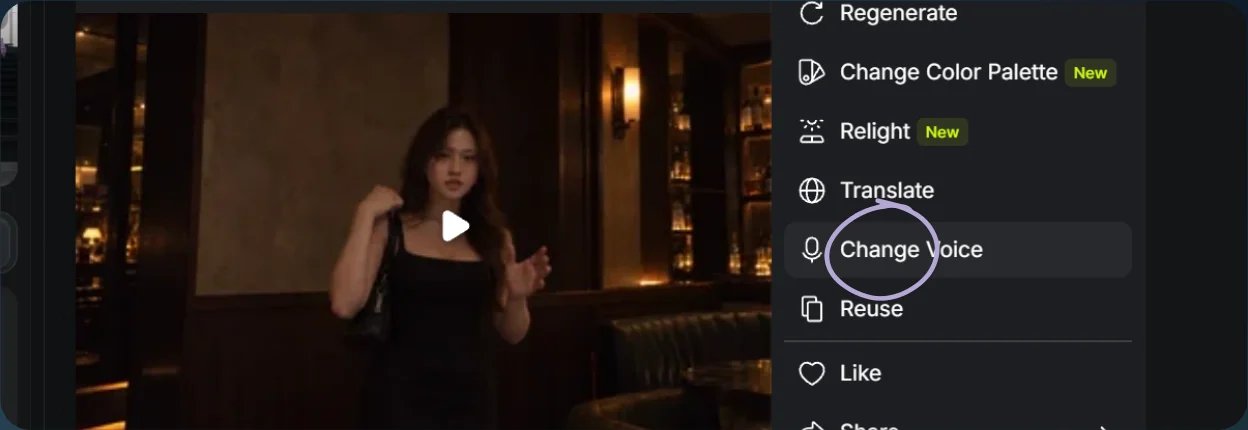
Open Change voice 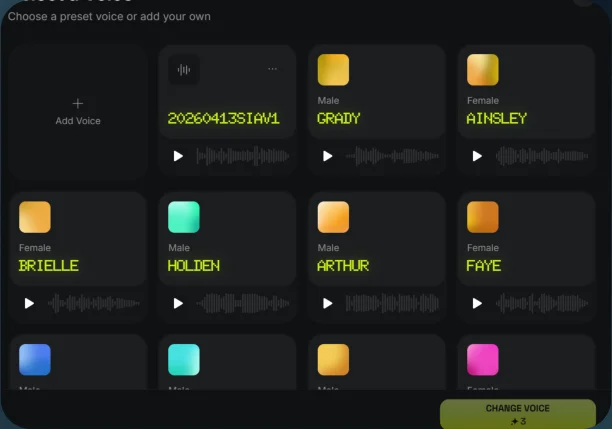
Select a voice