
What you'll make
Keep your recorded performance while the scene changes around you.
Who this is for
Creators making videos with their own reference assets.
Step by step
Run the workflow
- 01
Record your performance
Film the actions and timing you want to preserve.
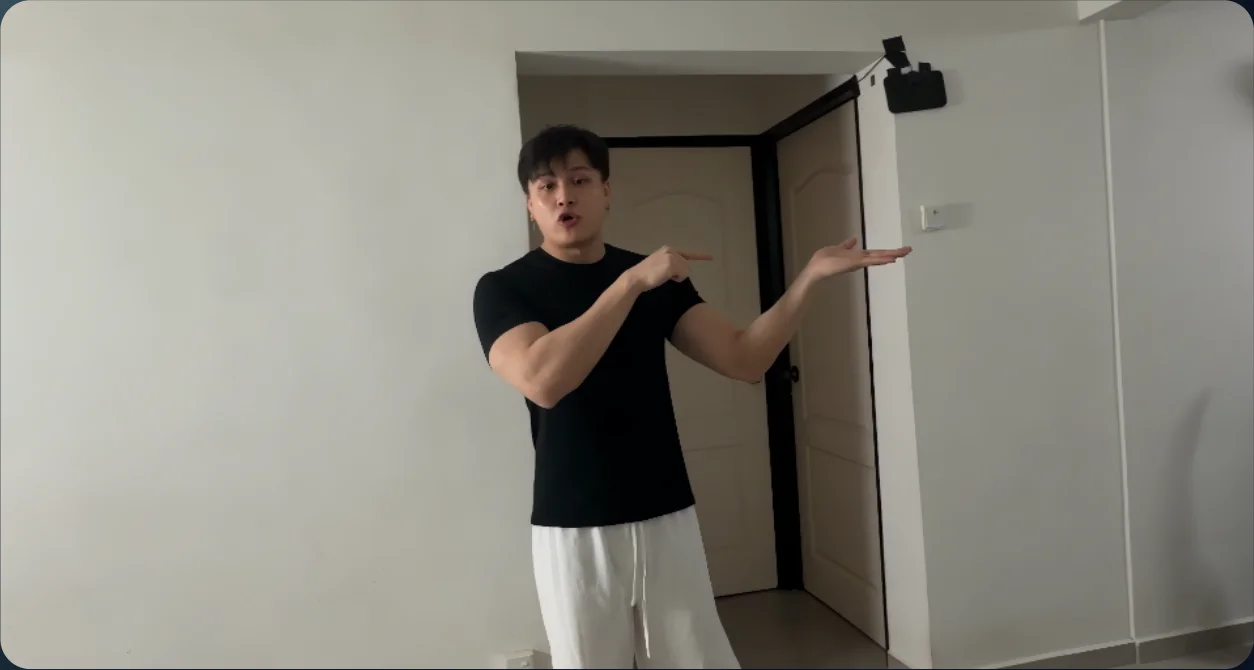
Source performance - 02
Open Genjutsu
Open Video in Higgsfield and select Genjutsu.
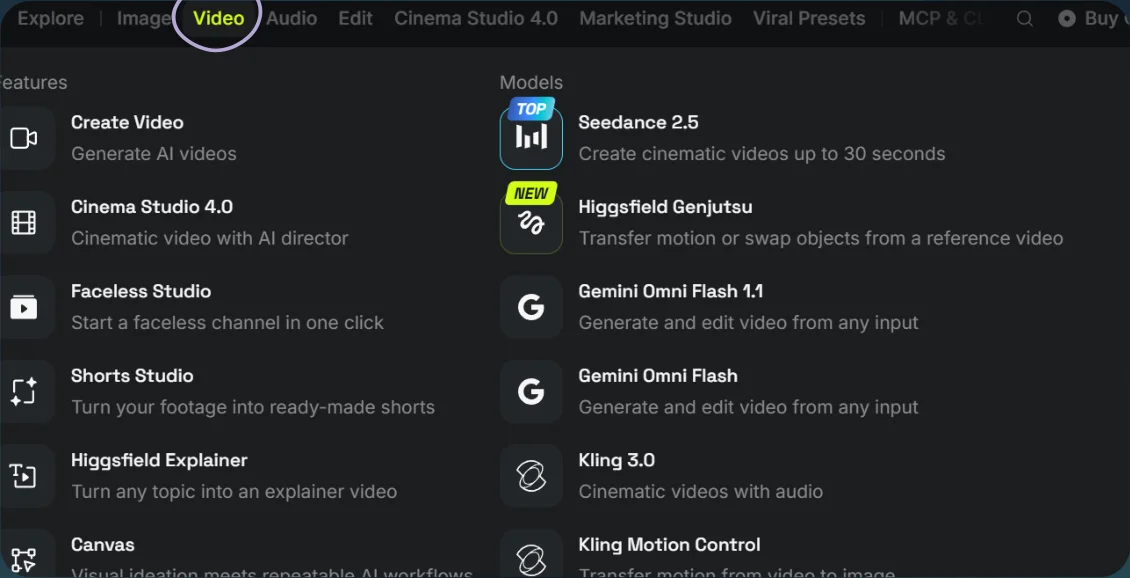
Open Video 
Select Genjutsu - 03
Add the scene reference
- Choose Motion transfer. Upload your video and a location-reference image, such as the night field shown below.
- Paste the timed transformation prompt and select Generate.
Show copyable prompt
Video prompt Modify the prompt and use it: @[Video 1](video_1): Master for the man’s identity, original clothing, performance, speech, timing, framing and camera movement. @[Image 1](image_1): Reference only for the nighttime grass field and casual phone-video appearance. Ignore the person’s face, pose, size and placement in this image. Edit the original video into one continuous phone recording in a grass field, with instantaneous object and environment replacements at the specified times. Preserve the original video’s duration, aspect ratio and frame-by-frame progression. Every output moment must correspond to the same moment in the source. Keep the man’s screen position, head size, body scale, pose, gestures, gaze and distance from the camera unchanged. Follow the existing camera movement precisely, including its pan to the left. Do not reframe to accommodate the new objects. Preserve the original man’s facial proportions, especially his face width, cheeks and jawline. Keep his original eyes, nose, mouth, hairstyle, hairline, skin texture and expressions. No fuller cheeks, wider jaw, beautification or body reshaping. Retain his original clothing. Use the original audio unchanged. Preserve every word, pause, breath and mouth movement at its original timestamp. No regenerated dialogue, added speech, music or sound effects. Do not retime the performance to fit the transformations. SCENE AND REALISM Replace the home with an ordinary empty grass field at night, following the reference’s atmosphere. Keep the ground plane aligned with the original floor and the camera’s perspective. The entire image should look like the same casual phone recording: modest detail, low-light noise, slightly soft edges, restrained colours and ordinary exposure. Match the environment and props to the existing light on the man. Use a plausible nearby light source with natural falloff into the dark field. The vehicles must occupy physical space in this field. Match their perspective, exposure, focus, motion blur and noise to the surrounding footage. Their wheels rest on the ground, grass partially overlaps the lowest edges, and subtle contact shadows anchor them. Paint, glass and chrome reflect the dark surroundings and the same nearby light illuminating the man. Keep reflections subdued, with small highlights appropriate to that light source. No bright studio strips, daylight reflections, glowing outlines or glossy product-photography finish. Vehicles remain stationary in the scene. Their apparent movement comes only from the original camera movement, with correct perspective and parallax. Preserve natural foreground occlusion whenever the man passes in front of them. TIMELINE Start–00:06.000 The man is in the nighttime field. One realistically sized pigeon perches on his presented hand. Its feet follow the surface and movement of his hand, with subtle natural balance adjustments. Preserve his exact original arm and finger movements. 00:06.000 Instantly replace the pigeon with one ordinary rock resting in the same palm. Only the held object changes. His hand, face, pose and ongoing movement continue uninterrupted. 00:08.000 Instantly remove the rock. His palm is now empty. Preserve the original gesture and speech without a pause or movement reset. Original leftward pan, before 00:12.000 Reveal a parked red Ferrari in the direction of the original stool. Its position is anchored to that part of the scene, with sufficient space beyond the left edge for a full-size car. Keep most of the Ferrari outside the frame on the left. Show only the portion naturally revealed by the existing pan, such as part of its front corner, bumper, headlight and wheel. Do not bring the whole car into view, enlarge it toward the camera or move the man aside. The Ferrari is already parked there before the pan reveals it. 00:12.000 Instantly replace the Ferrari with one parked Harley-Davidson motorcycle in the same area of the field. Position the motorcycle at a believable real-world scale and ground depth. Let the original framing determine how much is visible at the left edge. Only the vehicle and its corresponding shadow change. Keep the man, field and camera moving continuously through this moment. 00:14.000 Instantly replace the motorcycle with the original stool. Match the stool’s exact design, size, orientation and frame-by-frame placement in the source footage. It rests naturally on the grass. Preserve any original interaction with it. 00:17.500 Instantly change the same field from night to soft, overcast daylight. Preserve the field’s layout, grass features, ground plane, stool position and camera perspective. Use diffuse daylight that fits the man’s existing facial shading. Adjust illumination without changing his facial structure or introducing strong sunlight and conflicting shadows. His performance continues through the change without a skipped or repeated frame. 00:20.500–end Restore the original home as it appears at this exact timestamp in the source video. Continue with the original footage’s room, lighting, stool, actor position and camera movement through the final frame. Do not return to the opening composition or repeat an earlier action. CONTINUITY AT EVERY CHANGE All timestamps are measured from the beginning of the source video. Apply each substitution at its specified time without shifting the original action or dialogue. These are instantaneous changes within an uninterrupted recording. The frame after each change must continue the man’s movement and camera motion from the immediately preceding frame. No editorial cuts, pose resets, camera jumps, frozen frames, repeated frames, dissolves, morphing or transition effects. Prioritise the original man’s identity, placement, performance and speech. Fit the new surroundings and objects around the source footage.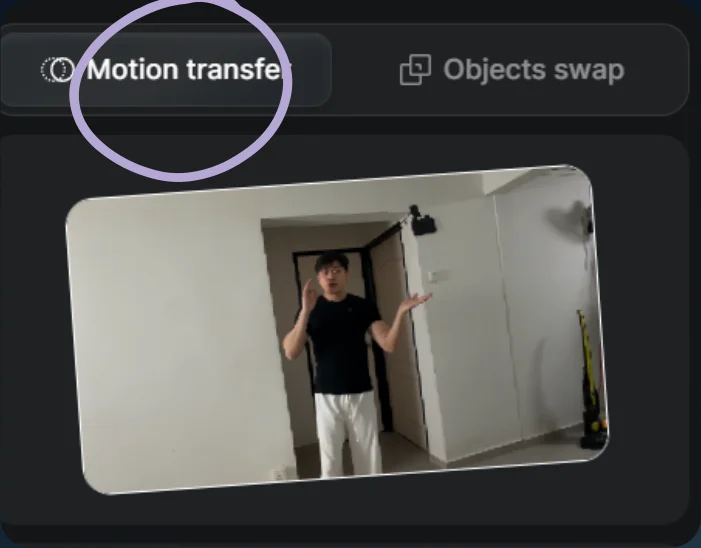
Choose Motion transfer 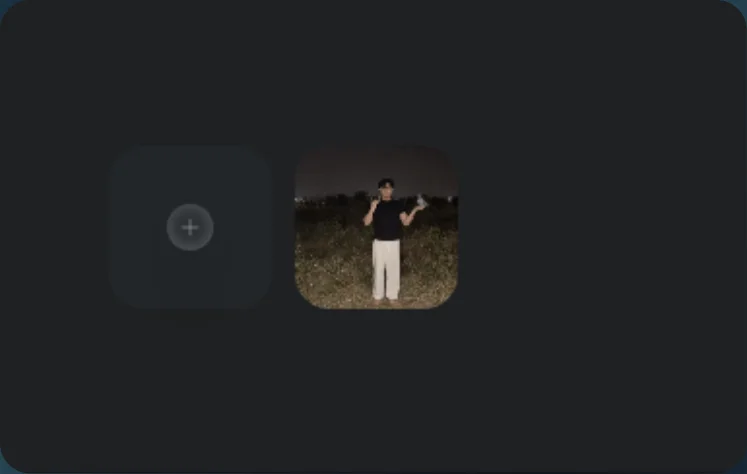
Add the scene reference - 04
See the result
Play the generated video.
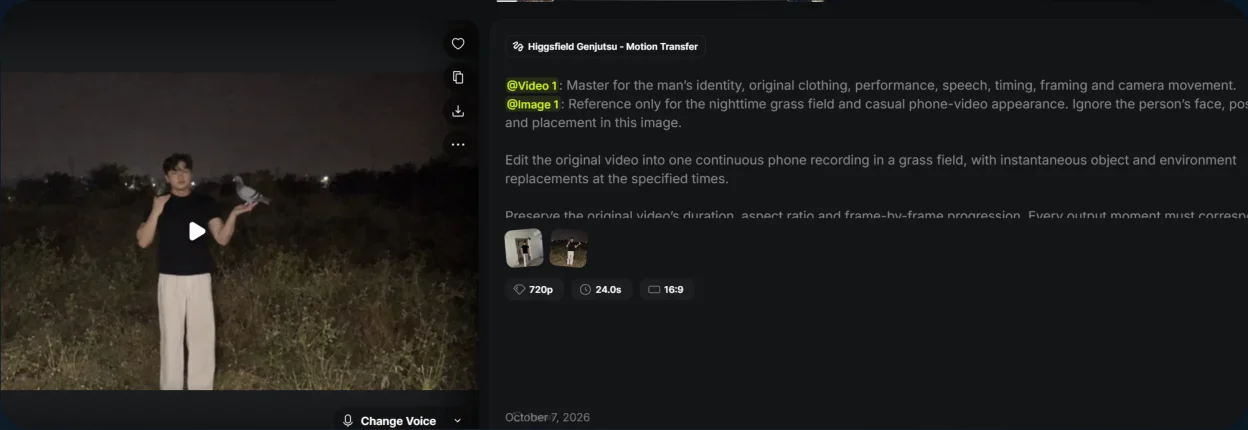
Scene-illusion result