
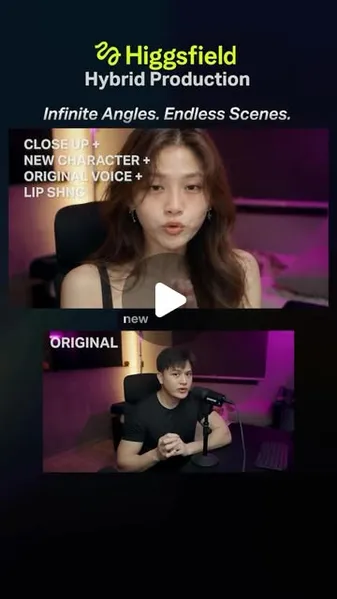
 Watch the original videoInstagram (opens in a new tab)
What you'll make
New camera coverage and scenes from your recorded performance.
All video examples use Seedance 2.5. The image steps create the references for the next shot.
Who this is for
Creators who want to turn a fixed-camera recording into multiple shots without filming every angle.
Step by step
Run the workflow
- 01
Camera lesson
Seedance 2.5
- Click here to open Higgsfield (opens in a new tab)Sponsored Reel.
- Use a clip filmed from one fixed tripod angle. Open Higgsfield, choose Video, then Seedance 2.5. Upload your recording as Video 1; no reference image is needed for this example.
- In every prompt, @Video 1 and @Image 1 refer to uploaded files. Add your files first, then match the tags in the prompt to those uploads. Use the original video for both movement and voice; no separate audio upload is needed.
- Copy the prompt, change the spoken lines and timestamps to match your clip, then generate. With generated audio off, keep your original voice track for the final edit.
Choose Seedance 2.5 for these examples. Camera lesson: input: 1280 × 720 · 7.4 s Camera lesson: result: 1280 × 720 · 8.1 s Exact prompt used
Exact prompt: Camera lesson
Exact prompt: Camera lesson @[Video 1](video_1) is the master. Keep his exact speech, lip sync, expressions, gestures and timing frame by frame. Do not create new speech or mouth movements. He says: 0.00–1.31 "This is a frontal shot." 1.66–3.27 "This is an establishing shot." 3.62–4.51 "This is a B-roll." 4.84–5.72 "This is a dolly." 5.88–7.37 "And this is an orbit." Only the camera changes, with hard cuts: 0.00–1.00s FRONTAL: static eye-level medium close-up, straight on, mouth clear of the microphone. 1.00–2.95s ESTABLISHING: static wide high-corner shot of the whole studio, him small in frame. 2.95–4.20s B-ROLL: 50mm side profile close-up of his face from his left while he speaks, lips clearly visible, shallow depth of field, static. 4.20–5.40s DOLLY: camera physically moves forward from medium to medium close-up with parallax, already moving at the cut. 5.40–7.37s ORBIT: camera arcs about 70 degrees around him at eye level, already moving at the cut. Same man, black T-shirt, earring, Shure microphone, room and magenta/warm lighting in every shot. No morphing, fades, frozen frames, pose resets, extra people or text. - 02
Twist: six more angles
Seedance 2.5
- Upload the next talking clip as Video 1. No reference image is needed.
- Use the six-angle prompt for low, high, profile, trucking, Dutch and crane shots. Replace its cut times with your own before generating.
Six angles: input: 1280 × 720 · 7.4 s Six angles: result: 1280 × 720 · 8.1 s Exact prompt used
Exact prompt: Twist: six more angles
Exact prompt: Twist: six more angles @[Video 1](video_1) — SOURCE: absolute master for the performance, speech, lip sync, facial expressions, hand gestures, body movement and timing. Recreate the source as six shots of the same continuous moment, cut at exact timestamps. Only the camera changes. The man, his performance, the room and the lighting stay identical to the source at every frame. 0.000–0.900s — LOW ANGLE. Static camera below his chest line looking up at him, medium shot, 35mm look. His raised index finger, face and the microphone are clearly visible, with the dark ceiling and magenta neon above him. He is centred horizontally. At exactly 0.900s, hard cut to: 0.900–2.130s — HIGH ANGLE. Static camera well above his head looking down at about 45 degrees, medium-wide, showing the top of the desk, the keyboard, the microphone stand and his gesturing hands, with his face turned up toward the lens and fully visible. He is centred horizontally. At exactly 2.130s, hard cut to: 2.130–3.710s — PROFILE SHOT. A completely static, locked-off camera at eye level, exactly side-on from his left, medium close-up. His face is in clean profile with the lips clearly visible, the microphone in front of him, and the warm vertical light strip glowing behind him. The camera does not move at all. At exactly 3.710s, hard cut to: 3.710–5.420s — TRUCKING SHOT. Medium close-up at chest height from his front-left. The camera is already sliding sideways on a smooth track from left to right, parallel to the desk, on the first frame after the cut. The microphone and desk edge pass in the foreground with real parallax while he stays in focus. At exactly 5.420s, hard cut to: 5.420–6.220s — DUTCH ANGLE. Static close-up from the front, with the camera tilted about 15 degrees clockwise so the horizon and the light strip sit diagonally. Face, mouth and microphone are clearly visible. He is centred horizontally. At exactly 6.220s, hard cut to: 6.220–7.370s — CRANE UP AND PULL BACK. Already in motion on the first frame after the cut, the camera rises and pulls back smoothly from a medium shot to a high, wide view of him at the desk in the purple room, keeping him near the horizontal centre. Preserve his exact identity in every shot: face, hairstyle, earring, black crew-neck T-shirt, build and skin texture. Keep the black Shure microphone on its desk stand, the keyboard, the black chair and the room layout physically consistent between shots. Extend any part of the room that comes into view naturally and consistently with the visible walls, floor, colours and light, keeping it the same small studio room. Keep the source lighting: magenta neon fill, the warm vertical practical light behind him, dark purple shadows and the same exposure and white balance. Seen from a new angle, the light falls on him exactly as it would from those fixed sources. No new colour grade, beauty filter or added sharpening. Every mouth movement matches the source at the same timestamp. Gestures, blinks and head movements continue exactly as in the source across every cut, with no pose resets. No fades, dissolves, morphing, frozen frames, repeated or skipped movement, extra people, added props, on-screen text or logos. - 03
Combining: Tokyo apartment image
Image generation in Higgsfield
- Take a frame from the start of the first segment and upload it as Image 1 in the image workspace.
- Paste the image prompt and generate. Keep the face, pose and framing, then save the Tokyo apartment result for the video step.
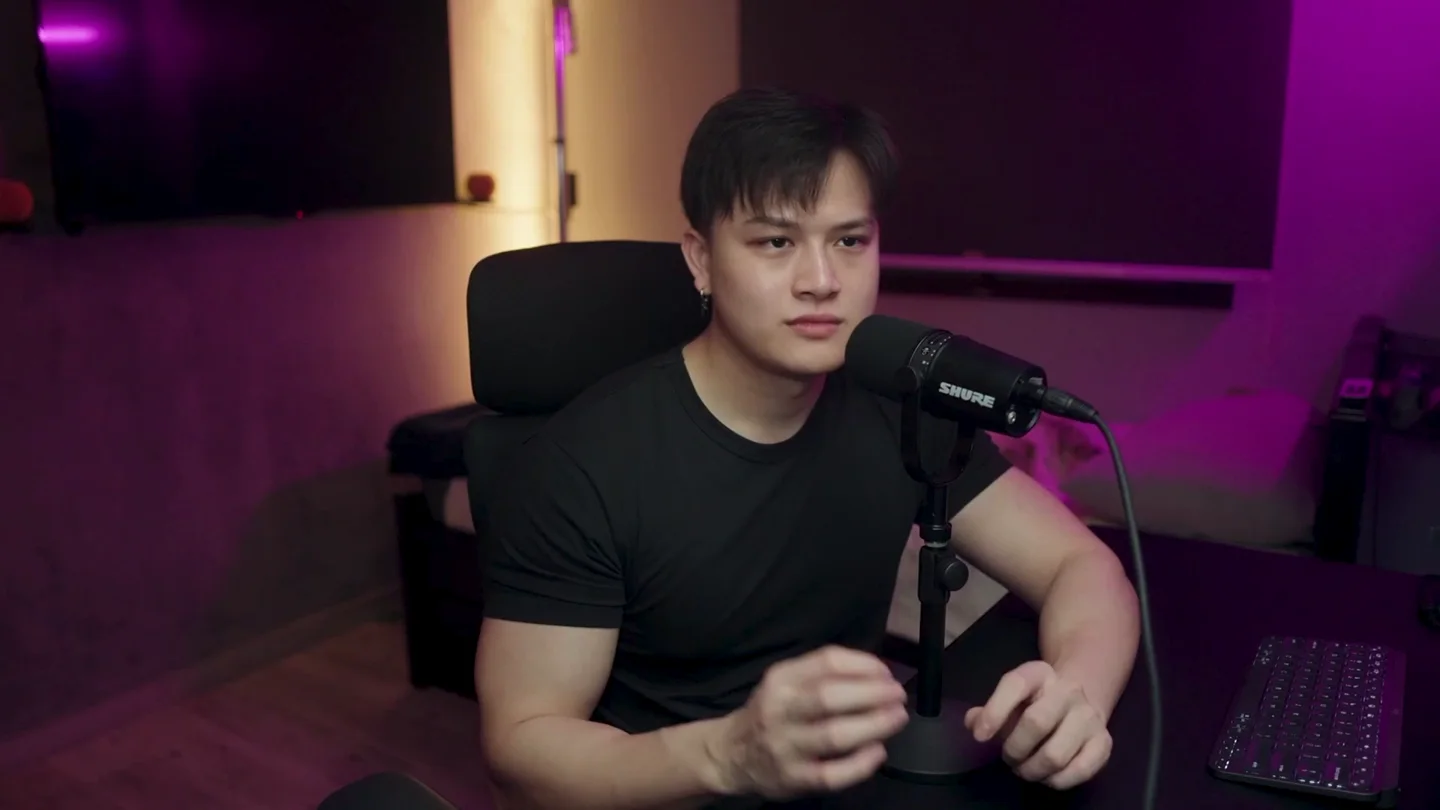
Image 1: input frame 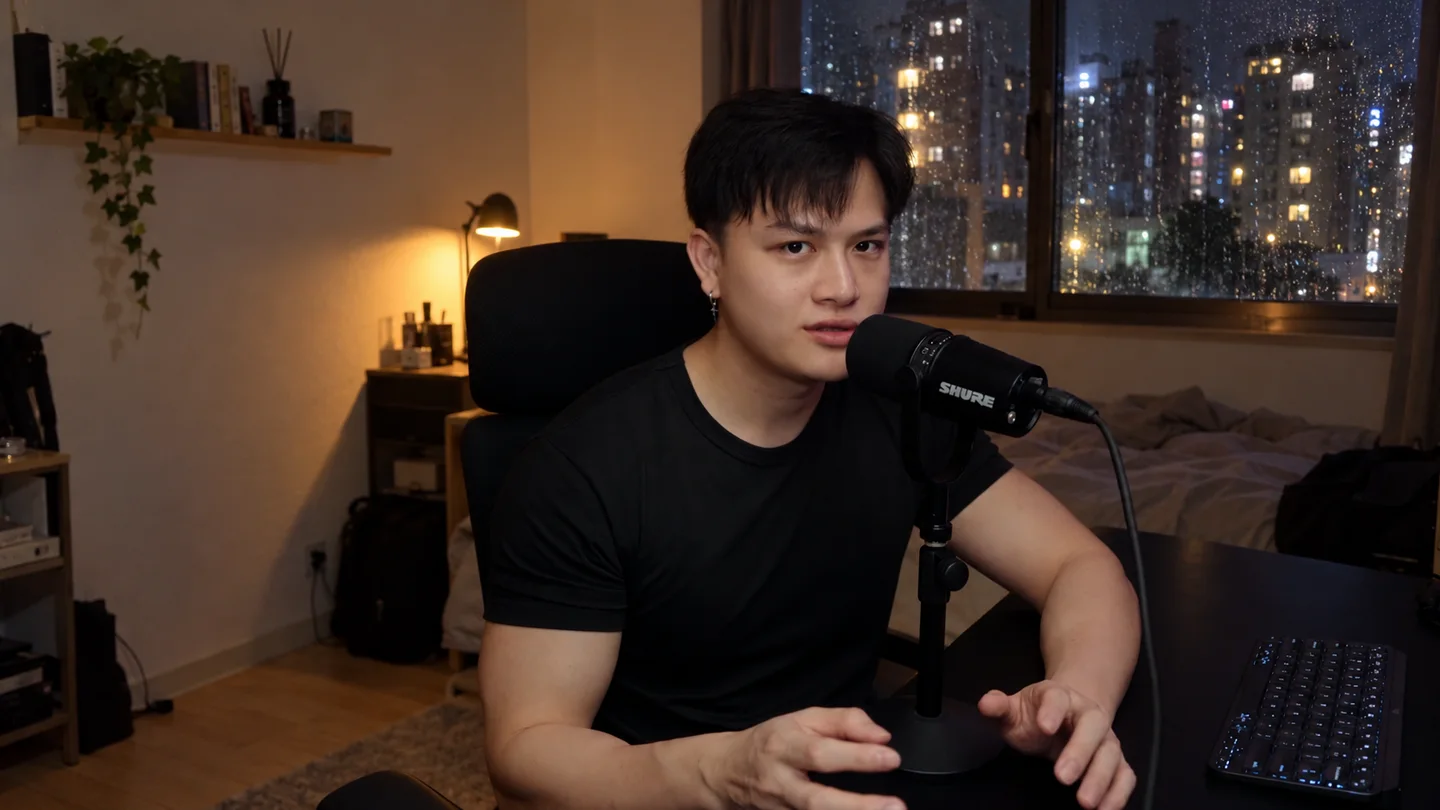
Tokyo apartment: generated reference Exact prompt used
Exact prompt: Combining: Tokyo apartment image
Exact prompt: Combining: Tokyo apartment image @[Image 1](image_1) — keep this man exactly: same face, hair, earring, black T-shirt, pose, hand position and expression, seated at his desk with the black Shure microphone on its stand. Same framing. Change only the room: a small, simple Tokyo apartment at night. Behind him, a window with rain drops and blurry city lights outside, and a plain wall with one shelf. A small desk lamp gives warm light on one side of his face, with cool blue light from the window on the other. Looks like a real photo taken on a phone at night: slight grain, a little soft, natural, imperfect lighting, not too sharp. Not cinematic, not CGI, no text. - 04
Combining: boutique studio image
Image generation in Higgsfield
- Upload a frame from your second segment as Image 1.
- Generate the brighter studio with the wider framing and cup. Save it as the second video reference.
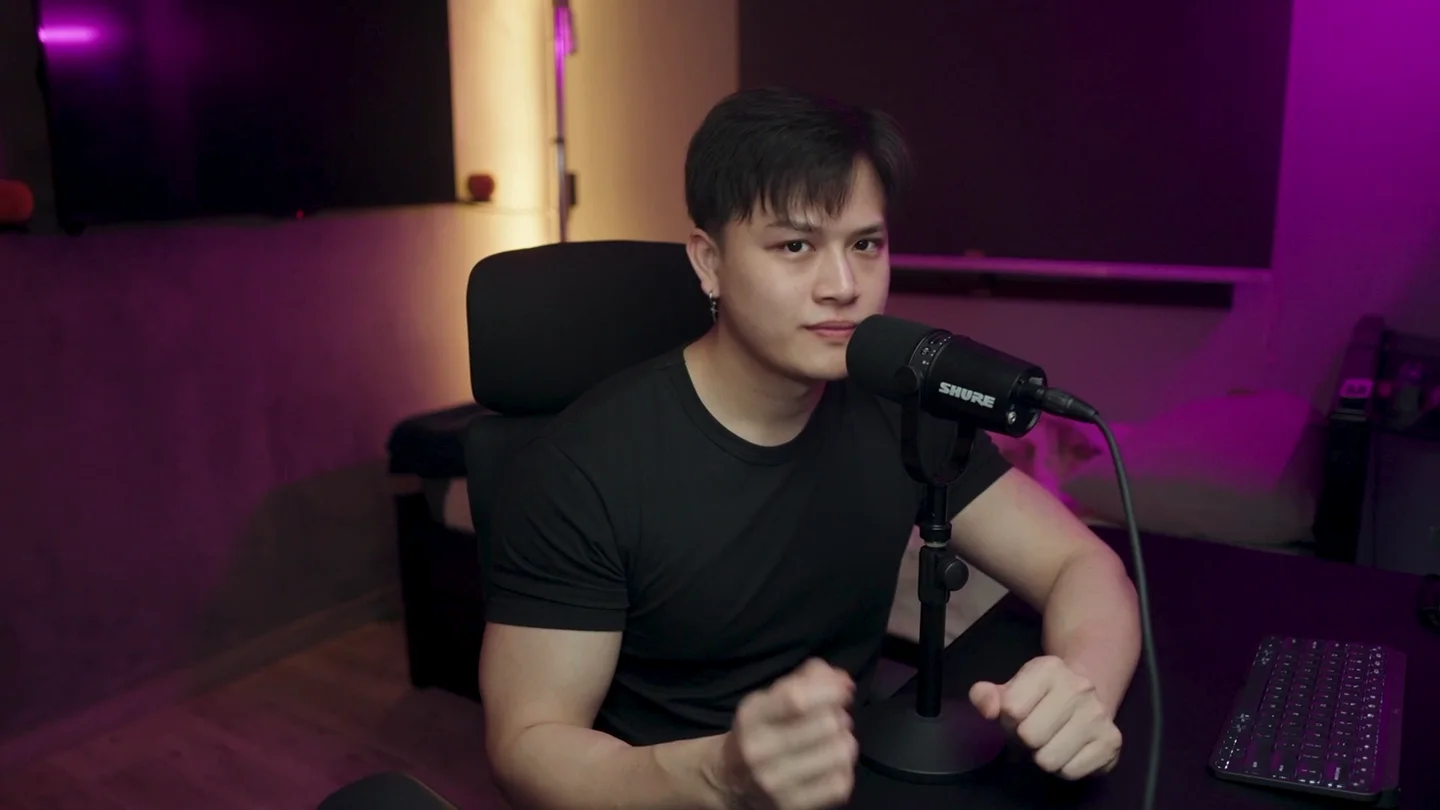
Image 1: input frame 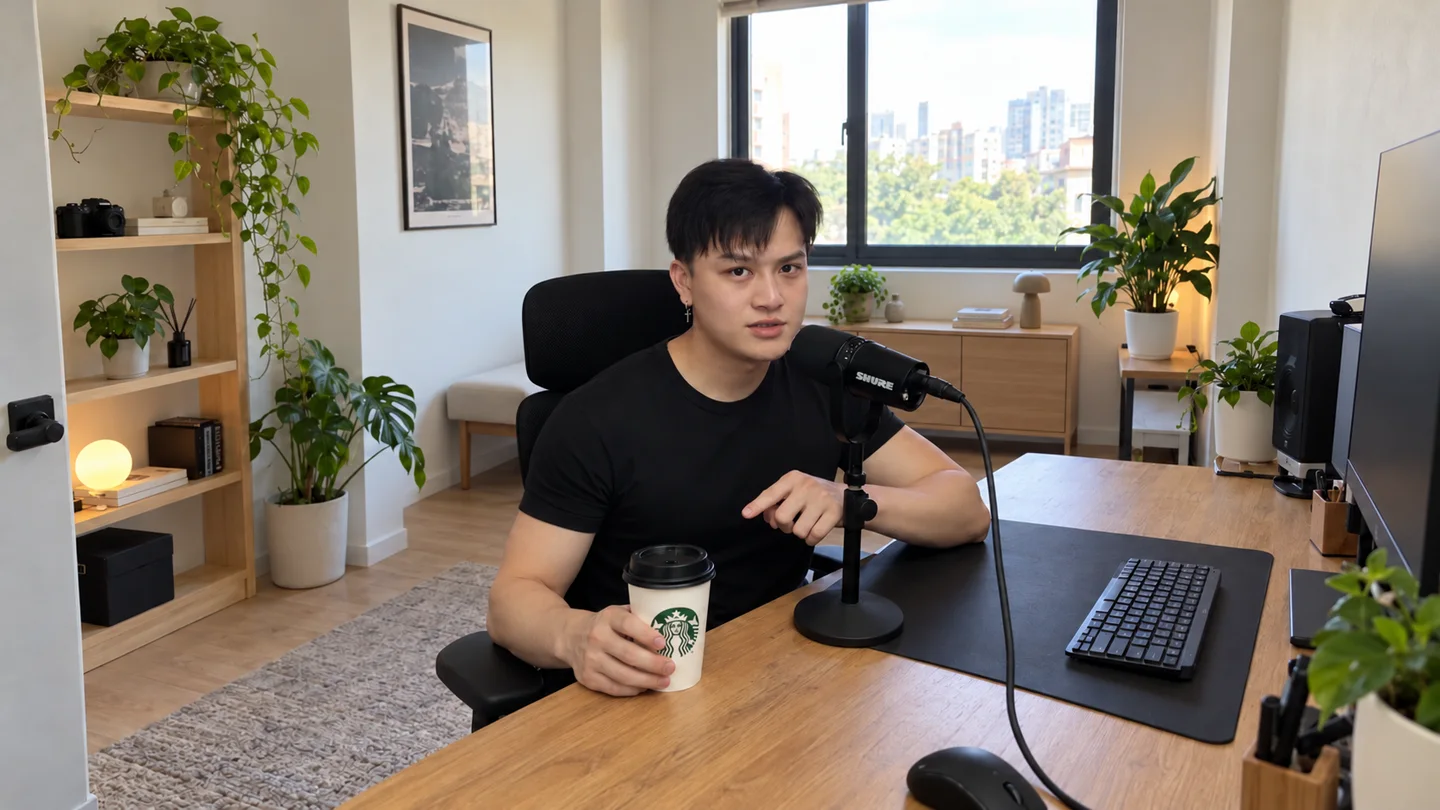
Boutique studio: generated reference Exact prompt used
Exact prompt: Combining: boutique studio image
Exact prompt: Combining: boutique studio image @[Image 1](image_1) — keep this man exactly: same face, hair, earring, black T-shirt, pose and expression, seated at his desk with the black Shure microphone on its stand. Pull the camera back to a wide shot so we see the whole room and him at his desk in the middle of the frame. Change the room to a small, bright boutique studio: white walls, a light wood shelf, a couple of green plants, and soft daylight from a big window. In his right hand, resting on the desk, he holds a white Starbucks takeaway cup with a black lid. Looks like a real photo taken on a phone: natural daylight, slight grain, a little soft, realistic colours, not too perfect. Not cinematic, not CGI, no text. - 05
Combining: crowded train image
Image generation in Higgsfield
- Upload a frame from your third segment as Image 1.
- Generate the train reference. Keep your expression and hand gesture, with the desk and microphone removed.
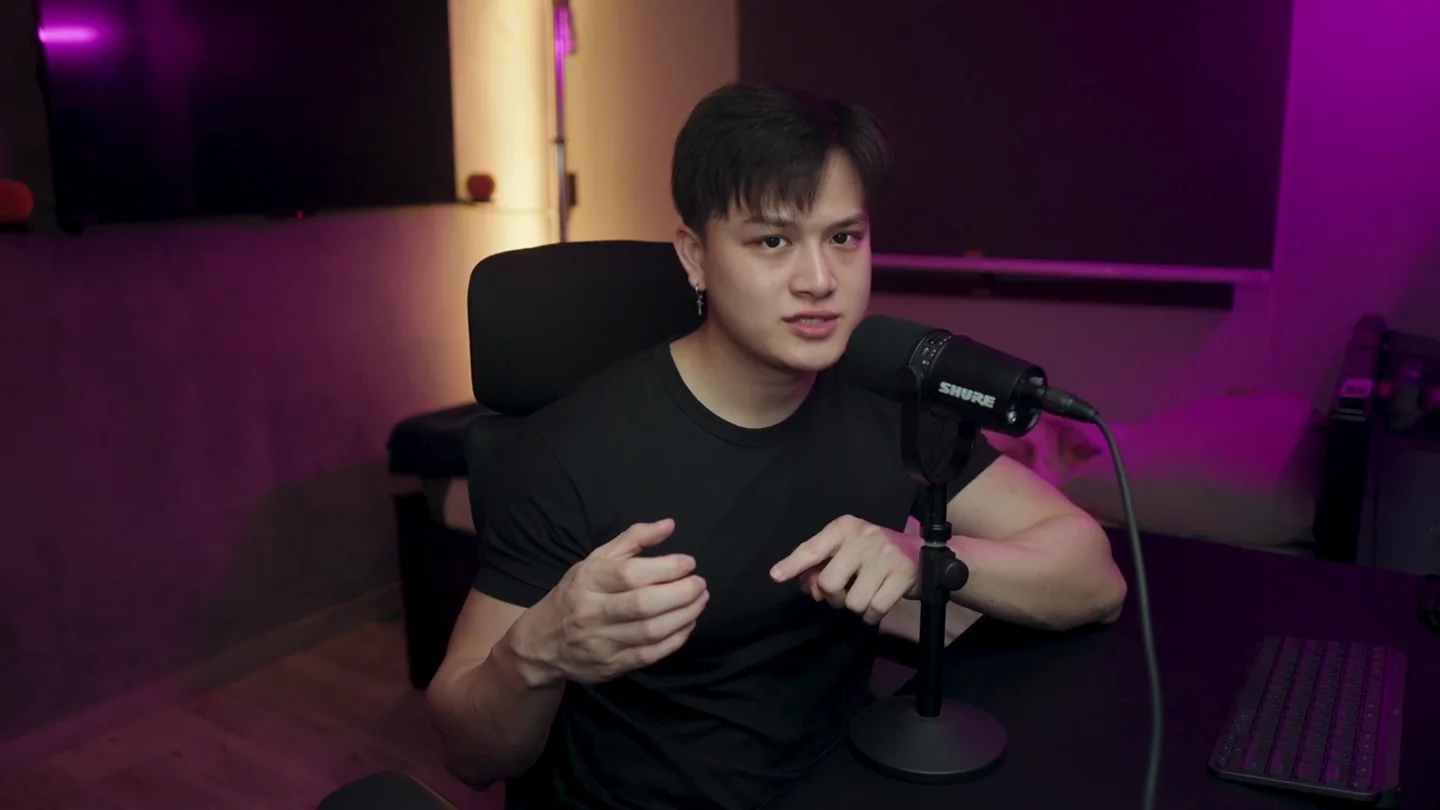
Image 1: input frame 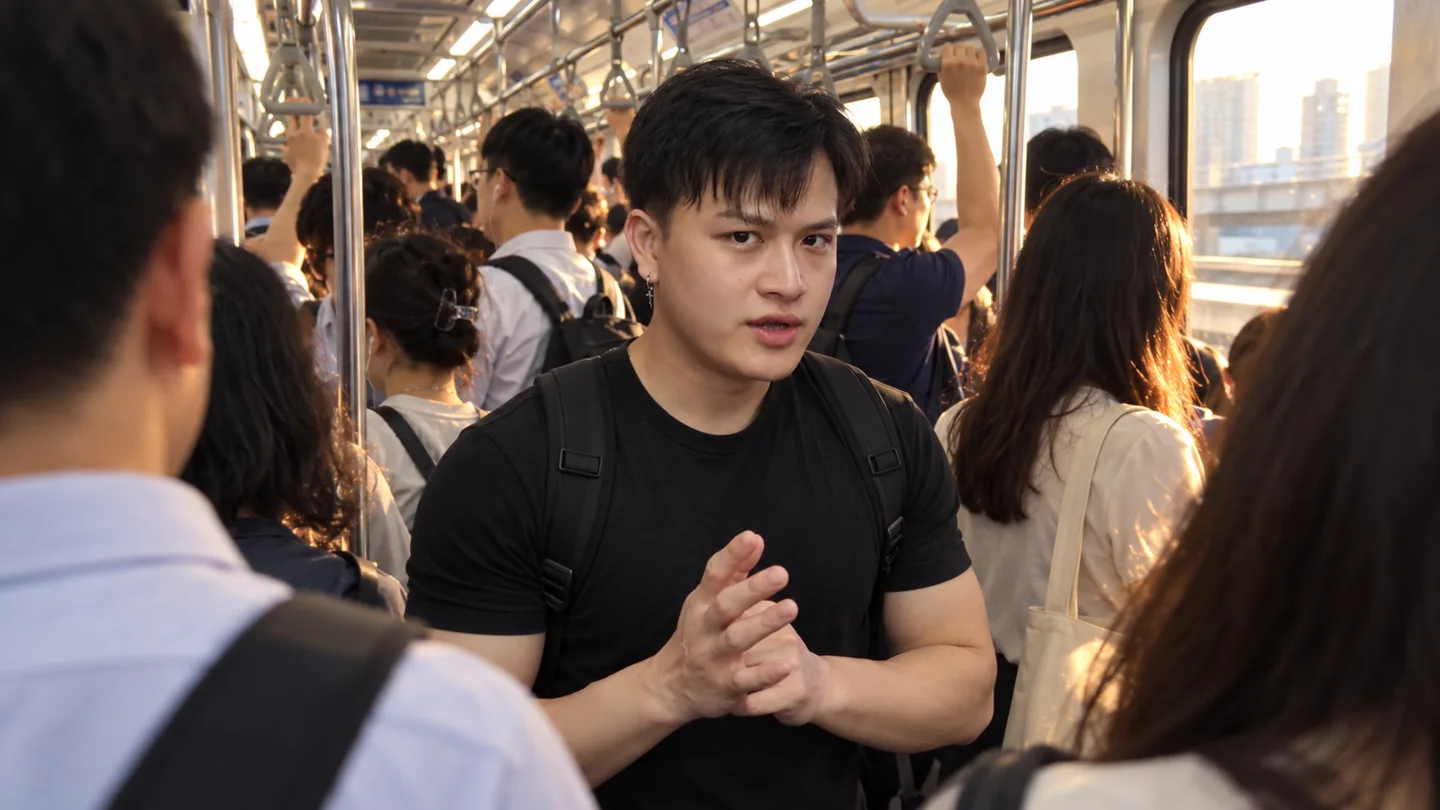
Crowded train: generated reference Exact prompt used
Exact prompt: Combining: crowded train image
Exact prompt: Combining: crowded train image @[Image 1](image_1) — keep this man exactly: same face, hair, earring, black T-shirt, expression, and both hands raised in front of his chest mid-gesture. Change the scene: he is standing in the aisle of a crowded commuter train, facing the camera, framed from mid-chest up. No microphone, no desk, no chair. The photo is taken over the shoulders of two commuters in the foreground, whose shoulders and backs of heads are blurry at the left and right edges. More passengers stand behind him holding grab handles. Warm late-afternoon sunlight comes through the train windows. Looks like a real photo taken on a phone: slight grain, a little motion blur, natural, imperfect light, not too sharp. Not cinematic, not CGI, no text. - 06
Combining: generate the three-scene video
Seedance 2.5
- Upload your combined performance clip with its original audio as Video 1.
- Add the Tokyo, studio and train images as Image 1, Image 2 and Image 3 in that order.
- Paste the prompt, adapt the two cut times and generate. The video controls the performance; the images describe the new scenes.
Image 1: Tokyo Image 2: studio Image 3: train Combined scenes: input: 1280 × 720 · 10.2 s Combined scenes: result: 1280 × 720 · 11.1 s Prompt
Uses the original video for both movement and voice.
Prompt: Combining: generate the three-scene video
Prompt: Combining: generate the three-scene video @[Video 1](video_1) is the master for his performance and timing: expressions, gaze, blinks, head turns and every hand gesture, frame by frame. @[Video 1](video_1) is his real voice. Lip-sync every mouth movement exactly to it. Do not create new speech. He says: 0.49–0.96 "Orbit." 1.10–2.09 "New location." 3.93–4.42 "Dolly." 4.50–6.37 "New location, new object." 7.58–8.39 "Over the shoulder." 8.78–9.42 "On a train." Three shots with hard cuts at exactly 3.00s and 6.40s. Each shot matches its image exactly: the same room, lighting, framing and look, and the same man. 0.00–3.00s: @[Image 1](image_1), the Tokyo apartment at night. The camera slowly orbits around him at eye level. 3.00–6.40s: @[Image 2](image_2), the boutique studio. He holds the white Starbucks cup. The camera moves in from a wide shot to a mid shot. 6.40–10.00s: @[Image 3](image_3), the crowded train. He stands facing the camera with his backpack on, while the foreground commuters and passengers sway slightly with the train. Handheld. Keep the natural phone-footage look of the images: slight grain, soft detail, imperfect light. Not glossy, not CGI. Same man, face, hair, earring and black T-shirt. No morphing, fades or text. - 07
New character
Seedance 2.5
- Upload your performance as Video 1 and the character reference as Image 1.
- Paste the close-up prompt and adapt the spoken lines and timing. Generate with Seedance 2.5, as used for this example.
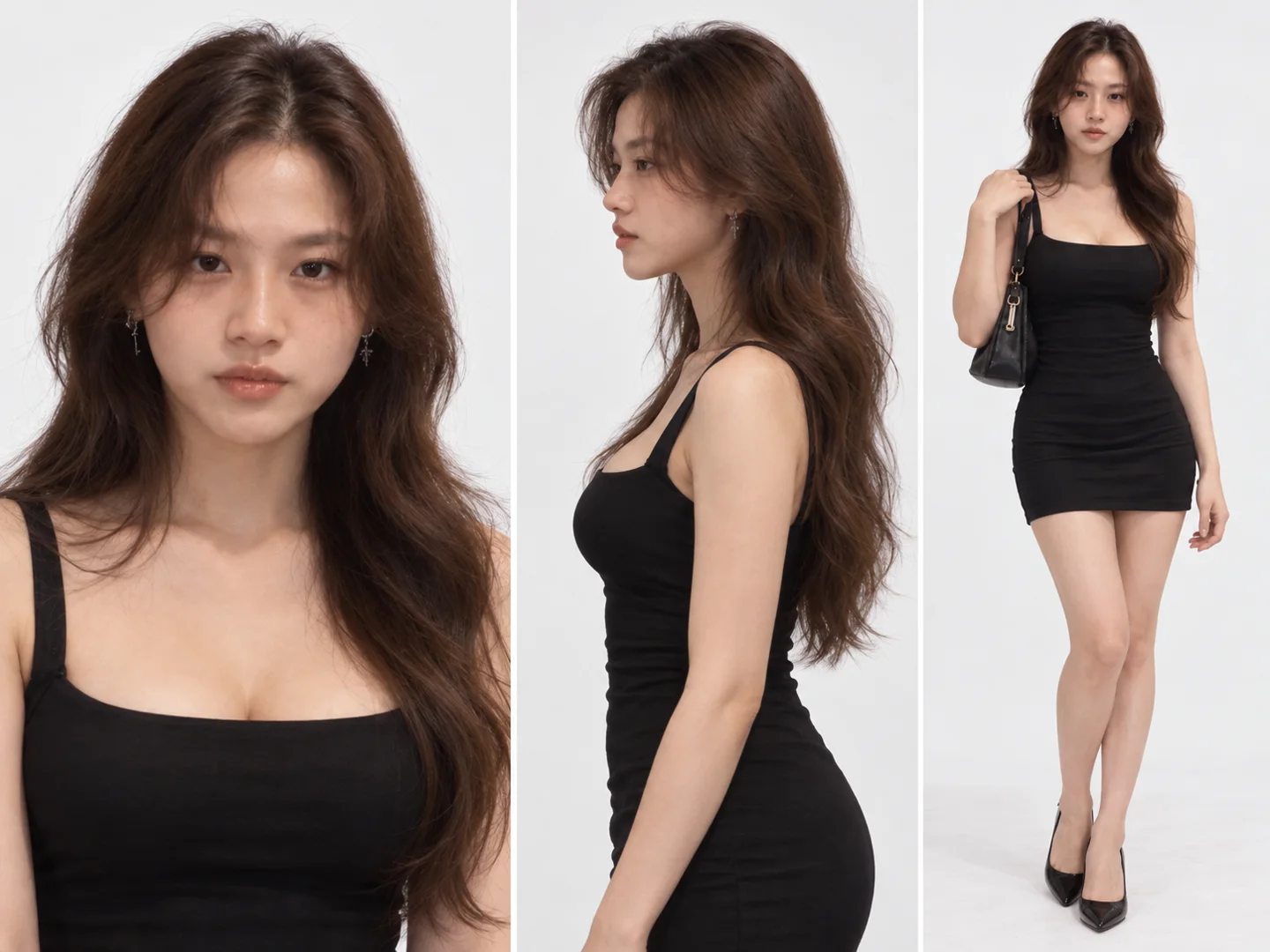
Image 1: character reference New character: input: 1280 × 720 · 4.5 s New character: Seedance result: 1280 × 720 · 4.1 s Exact prompt used
Exact prompt: New character
Exact prompt: New character @[Video 1](video_1) is the master for the performance: expressions, gaze, blinks, head turns, the clasped and rubbing hand gestures and their timing, frame by frame. @[Video 1](video_1) is also the real voice. Lip-sync every mouth movement exactly to it. Do not create new speech. The lines are: 0.13–0.57 "Close-up." 0.84–1.53 "New character." 1.70–2.28 "Same voice." 2.50–3.31 "Same lip sync." Then silence, with hands clasped, until the end. @[Image 1](image_1) is the new character: the young woman in the image. Use it for her exact face, hair, makeup, skin, clothing and build only, never for pose or framing. She replaces the man completely from the first frame and performs his exact performance and lip sync. Camera: from 0.00 to 0.60s the camera pushes in fast and decisively from a medium shot to a tight close-up of her face, framed from just below the chin to the top of the head, then holds that tight close-up, nearly static, until the end. The microphone is mostly out of frame and never covers her mouth. She sits in a small dark studio. Behind her, softly defocused: a magenta neon glow and a warm vertical light strip on a dark purple wall. Magenta fill and warm practical light on her face. Realistic skin, no beauty filter. One continuous shot. No cuts, morphing, frozen frames, pose resets, extra people or text. - 08
1997 footage: new angle
Seedance 2.5
- Upload the original camcorder clip as Video 1. All four 1997 examples use this same input.
- Generate the reverse-angle version with no reference image. Keep the camcorder texture while asking for the opposite view.
1997 footage: original input: 1280 × 720 · 9.6 s 1997 footage: new-angle result: 1280 × 720 · 9.1 s Exact prompt used
Exact prompt: 1997 footage: new angle
Exact prompt: 1997 footage: new angle @[Video 1](video_1) — this is the same moment filmed from the opposite side. The camera is turned 180 degrees from the source, so the output must not look like the source frame. Reverse angle: the camera stands where the posters are and looks back the other way. Now the red cartoon-dragon kiddie ride's head points to frame-right and the boy faces frame-right, seen from his right side. Behind him, instead of the posters, we see the other half of the shop: the glass shop entrance, the cashier counter, more wire racks of CDs and bright daylight from the street outside. A wide 24mm shot at the boy's eye level, with a slow handheld drift. The boy: a toddler about 2 years old with a round face, short black hair, a white printed T-shirt and light blue trousers, gripping the green handlebars and rocking gently, exactly as in the source. Filmed on a 1997 home camcorder: soft VHS detail, colour bleed and tape noise. No text. - 09
1997 footage: CCTV view
Seedance 2.5
- Reuse the original camcorder clip as Video 1, not the previous AI result.
- Paste the CCTV prompt and generate the fixed, high-corner black-and-white view. No reference image is needed.
1997 footage: CCTV result: 1280 × 720 · 9.1 s Exact prompt used
Exact prompt: 1997 footage: CCTV view
Exact prompt: 1997 footage: CCTV view @[Video 1](video_1) — re-film this exact moment from a security camera. Do not keep the original framing. New camera: fixed high in the corner of the ceiling, looking steeply down at a wide angle over the whole CD shop: all the wire racks, posters, counter and tiled floor, with the boy small in the middle of the frame riding the red kiddie ride. Same boy, same movement. The camera never moves. 1990s CCTV look: black and white, low resolution, heavy grain, fisheye distortion and a slightly choppy frame rate. No text. - 10
1997 footage: new location
Seedance 2.5
- Reuse the original camcorder clip as Video 1.
- Paste the boat prompt and generate. The location and ride change, while the prompt asks to retain the boy and his movement. No reference image is needed.
1997 footage: boat result: 1280 × 720 · 9.1 s Exact prompt used
Exact prompt: 1997 footage: new location
Exact prompt: 1997 footage: new location @[Video 1](video_1) — keep the boy, his face, clothes and movement, but move the whole scene somewhere new. Do not keep the CD shop. New scene: the boy rides at the front of a small red wooden boat sailing on a calm sea at sunset, gripping a small steering wheel in front of him and rocking gently with the waves. Warm orange sunlight on his face, a pink sky and sparkling water. Filmed from inside the boat, handheld. Keep the 1997 home camcorder look: soft VHS detail, colour bleed and tape noise. No text. - 11
1997 footage: make the film-look image
Image generation in Higgsfield
- Upload your prepared still as Image 1. This example uses the cleaned still shown below.
- Generate the cinematic lighting and lens treatment, then save the image for the final video step.
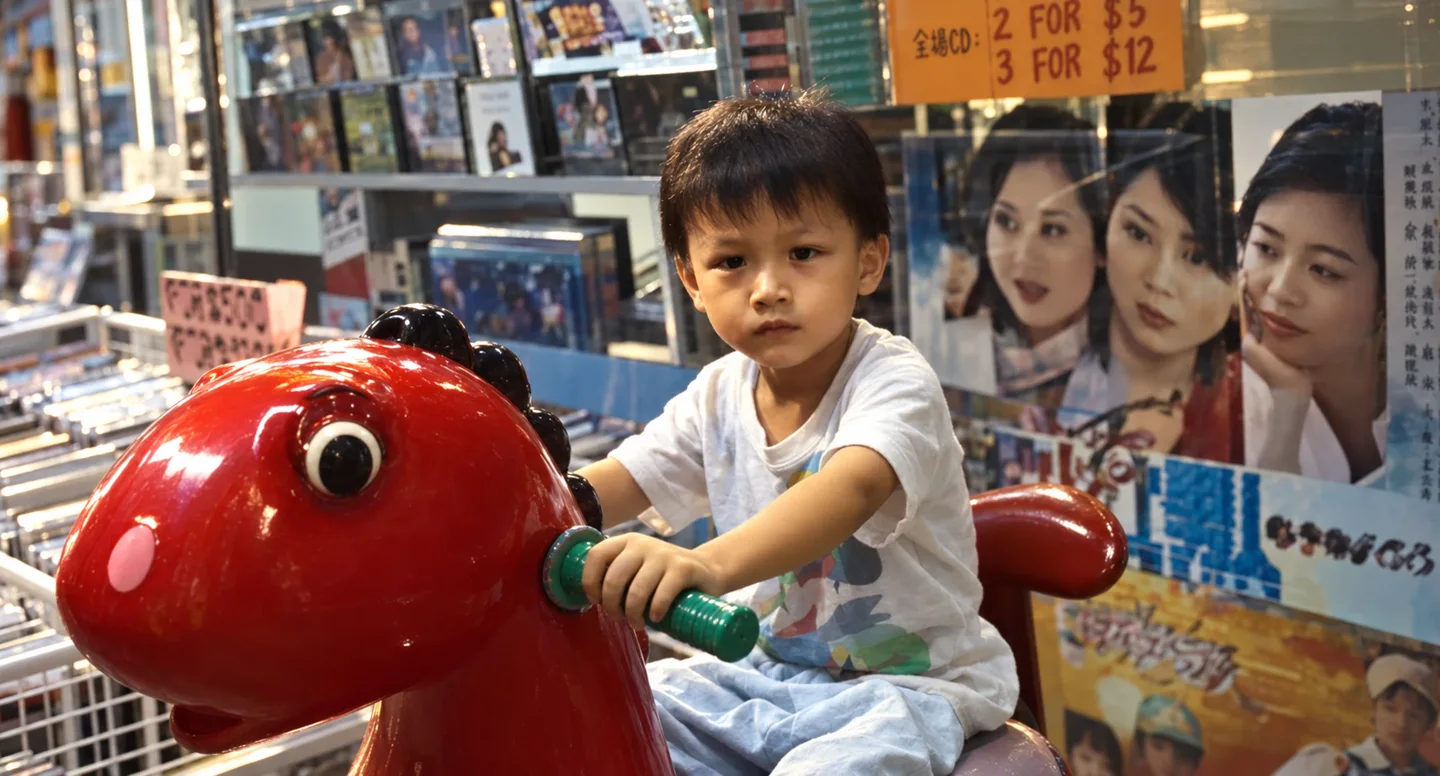
Image 1: prepared input still 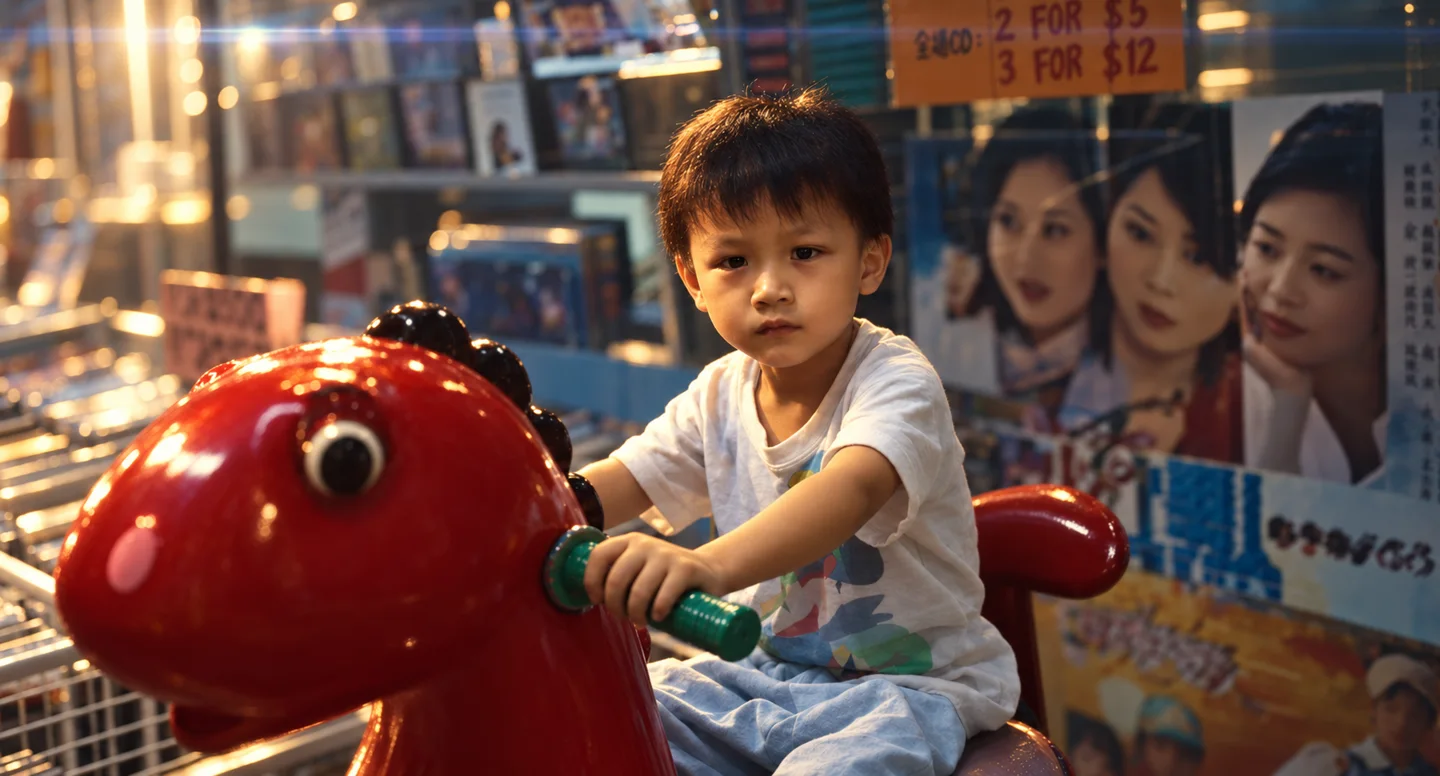
Generated start image Exact prompt used
Exact prompt: 1997 footage: make the film-look image
Exact prompt: 1997 footage: make the film-look image @[Image 1](image_1) — turn this exact frame into a cinematic film still. Keep the boy's face, expression, pose, white printed T-shirt, the red dragon kiddie ride with the pink cheek and green handlebar, and the composition exactly the same. Lighting: moody and directional. A warm amber key light from the upper left falls across his face, leaving soft shadow on the right side of his face. The shop is darker around him. Light atmospheric haze fills the shop, with soft volumetric light beams from the ceiling lights behind him. Lens: a 50mm anamorphic cinema lens at a wide aperture. Very shallow depth of field: the boy's eyes are tack sharp, the red ride's head softly out of focus in the foreground, the CD shelves, posters and orange price sign melted into creamy oval bokeh. A long horizontal blue-white anamorphic lens flare streaks across the top of the frame from a ceiling light, with gentle halation glow around the highlights. Grade: a teal-and-orange film grade. Warm orange skin, a rich deep-red ride, the background pushed to teal-cyan, deep blacks, soft rolled-off highlights and gentle contrast, like a still from a Wong Kar-wai or modern A24 film. Fine, subtle film texture, but clean and sharp. No text. - 12
1997 footage: generate the film-look video
Seedance 2.5
- Use the cinematic image from the previous step as the start image. Add the original camcorder clip as Video 1 for movement.
- Paste the final prompt and generate. Check that the cinematic appearance remains consistent as the boy moves.
Start image: cinematic reference 1997 footage: modern-film result: 1280 × 720 · 9.1 s Exact prompt used
Exact prompt: 1997 footage: generate the film-look video
Exact prompt: 1997 footage: generate the film-look video Start from the start image and keep its exact cinematic look in every frame: amber key light, haze and light beams, shallow depth of field with oval bokeh, the anamorphic flare and the teal-and-orange grade. @[Video 1](video_1) is only for the boy's movement: gripping the handlebar, rocking gently on the ride and turning his head. Do not copy its image quality or colour. A very slow push-in toward his face. The haze drifts slowly and the flare shifts slightly as the camera moves. No grain, no VHS look, no text.