
 Watch the original videoInstagram (opens in a new tab)
What you'll make
Create your character, add the motion reference, and generate the outfit transition.
Who this is for
Creators making videos with their own reference assets.
Step by step
Run the workflow
- 01
Create your character
- Open Video in Higgsfield and select Seedance 2.5.
- Open Upload Media, choose Elements, and create a character from your selfie.
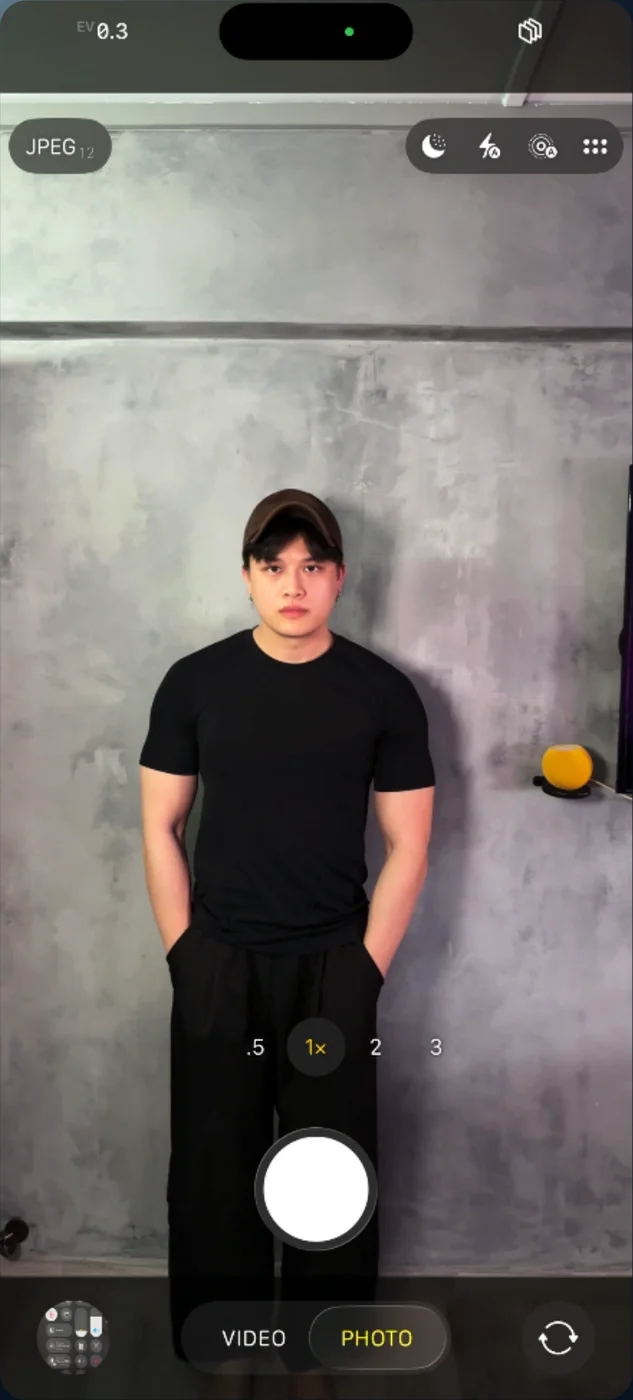
Portrait reference 
Select Seedance 2.5 
Open Elements 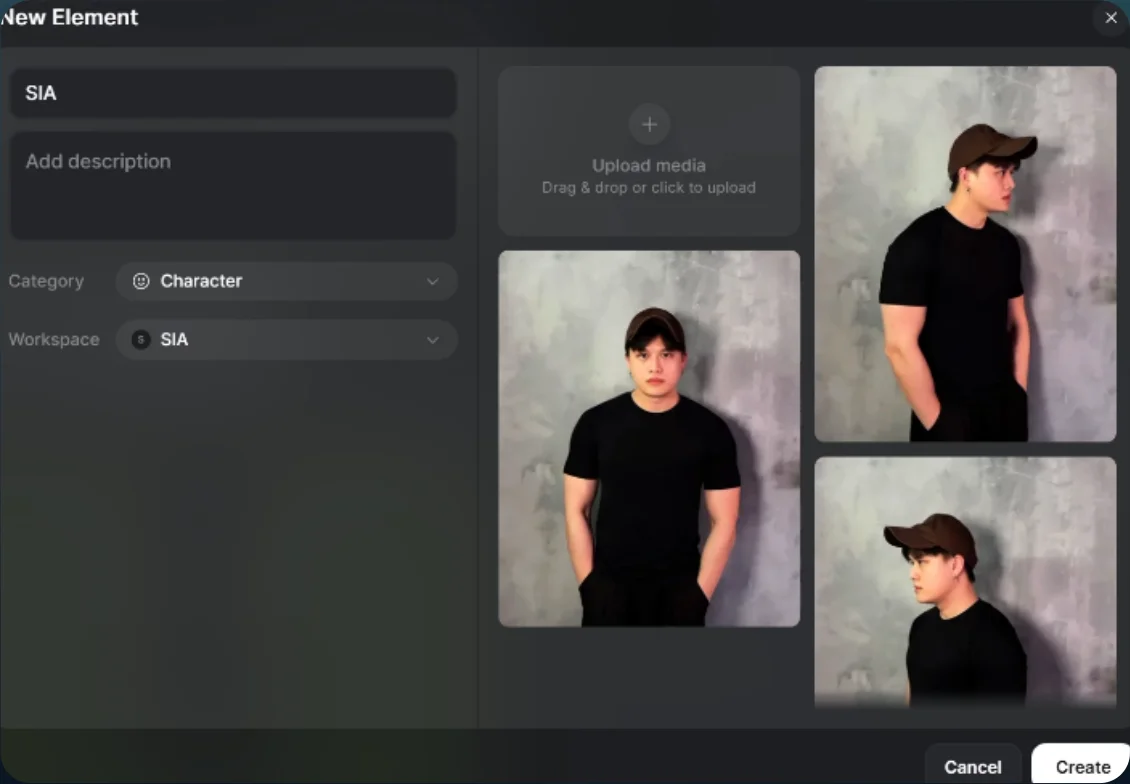
Create your character - 02
Add the motion reference
- Upload the reference video and select your character.
- Paste the prompt and tag your character and reference video.
Show copyable prompt
Video prompt Use the uploaded REFERENCE VIDEO as the absolute master for timing, camera movement, body motion, pose, facial-expression timing, interaction, transition rhythm, pixel effects, outfit-change effects, framing, and overall choreography. Replace the original woman with @YOUR_CHARACTER as the ONLY replacement human identity. From this point onward, refer to him only as THE MALE CHARACTER. CRITICAL REFERENCE PRIORITY: REFERENCE VIDEO controls: exact motion exact timing exact camera movement body choreography pose changes head movement hand movement facial-expression timing interaction with the other man transition timing outfit-change timing pixel effects digital clothing-change effects framing speed ramps movement through the pixels overall visual rhythm THE MALE CHARACTER controls: identity face hairstyle head shape skin tone body proportions gender presentation The original woman is NOT an identity reference. She controls motion only. The generated video must follow the reference video as closely as possible, but the woman must be completely replaced by the same male character throughout the entire sequence. ================================================== ABSOLUTE IDENTITY LOCK There is only ONE replacement identity throughout the video: THE SAME MALE CHARACTER. His identity must remain completely stable in EVERY FRAME. This includes: normal frames fast-motion frames motion blur transition frames pixel transformation frames clothing-change frames partially occluded frames close-ups profile angles extreme angles frames where another person crosses in front of him Never restore the original woman's identity. Never reveal the woman's face. Never reveal the woman's body. Never blend the male character with the woman. Never create a temporary female version. Never morph from male to female and back. Even if the transformation lasts only a few frames, those frames must still contain the SAME male character. ================================================== MOST IMPORTANT OUTFIT CHANGE RULE THE CLOTHING TRANSFORMS. THE HUMAN DOES NOT. Every pixel transformation, digital breakup, clothing replacement, color change, texture change, or outfit transition applies ONLY to the clothes. The male character underneath remains physically identical. Correct visual logic: SAME male character wearing Outfit A → pixel effect begins across clothing → clothing breaks into / passes through digital pixels → SAME male character remains underneath → Outfit B forms on the SAME body → SAME male character continues moving Never: male character → pixels → original woman → clothing changes → male character returns. The pixel effect must never act as an identity-change transition. ================================================== PIXEL EFFECT BEHAVIOR Recreate the original reference video's pixel effect as closely as possible. Match: direction density speed size timing breakup behavior digital fragmentation reassembly interaction with the body interaction with the other man moment when clothing changes The pixels should feel integrated into the physical scene. When the other man passes through the pixel field, preserve that original interaction exactly. His body should visibly move through / be partially occluded by the pixels in the same way as the reference video. Do not replace this with: smoke magic particles unrelated to the reference light beams portals generic dissolves morphing bodies Keep the distinctive pixel clothing-change effect from the source. ================================================== FACE LOCK DURING PIXEL TRANSITIONS The male character's FACE is permanently locked. If pixels move across the face or temporarily obscure part of it, the visible portions of the face must remain the same identity. When the pixels pass away, the exact same face must be underneath. Never reconstruct hidden facial areas using the original woman. Never allow: feminine facial features woman's eyes woman's jawline woman's hairstyle mixed male/female facial features The face before, during, and after every transformation is the same person. ================================================== BODY LOCK DURING OUTFIT CHANGES Keep the male character's body proportions stable continuously. The clothes adapt to HIS body. Do not reshape his body to match the woman from the source video. Maintain: male shoulder width torso proportions waist proportions arms legs height posture hand size overall silhouette The original woman's body is motion guidance only. The male character performs her movement while remaining physically himself. ================================================== MOTION MATCHING Follow the reference video's movement as closely as possible. Do not reinterpret the choreography. Match: exact body direction exact turns exact head movement exact timing exact pauses exact walking movement exact hand placement exact interaction exact acceleration exact deceleration exact movement through the pixel effect The character replacement should feel like the same footage was filmed with a different actor. Do not invent new gestures. Do not simplify the original performance. Do not change the rhythm. ================================================== FACIAL EXPRESSION Copy the original woman's facial-expression TIMING and emotional beats while keeping the replacement male identity. Match: gaze direction eyebrow movement smiles attitude reactions head tilts timing of expression changes The expression may follow the source, but the actual facial anatomy must always remain the male character. ================================================== OTHER MAN IN THE VIDEO Keep the other man from the original reference video unchanged. Do not replace him. Do not modify his identity. Do not alter his expression. Do not change his clothing unless the original reference itself changes it. Preserve his: exact facial expression body motion timing position interaction movement through the pixels reaction to the transformation He should behave exactly as he does in the reference footage. Only the original woman is replaced. ================================================== CAMERA Follow the reference camera movement exactly. Preserve: camera direction camera speed framing tracking rotation zoom distance perspective movement timing transition timing Do not redesign the shot. Do not make the camera more cinematic. Do not add extra camera movement. Do not remove original camera movement. The goal is maximum motion fidelity to the reference video. ================================================== TIMING The reference video's timeline is absolute. Every major action must happen at the same relative moment as the reference: character movement interaction pixel activation clothing transformation other man's movement through the pixels expression changes camera movement transition completion Do not stretch the sequence. Do not shorten the sequence. Do not insert extra pauses. Do not move outfit changes earlier or later. ================================================== TRANSFORMATION CONTINUITY During every outfit transformation: Frame before: male character wearing current outfit. Transformation frames: SAME male character remains present while pixels modify ONLY the clothing. Frame after: SAME male character wearing the new outfit. There must be continuous identity across all three stages. Imagine tracking the character's skull, face, skin, hands, arms, body and silhouette through every transformation frame. Those physical features must remain locked. Only fabric, clothing color, clothing shape and clothing texture are allowed to change. ================================================== OCCLUSION RULE When pixels or another person cover part of the male character, do not use that occlusion as an opportunity to regenerate the original woman. Hidden areas must remain mentally anchored to the same male body underneath. When the occlusion clears: reveal the SAME male character. Not the reference woman. This applies especially when: the other man crosses in front the pixel cloud becomes dense clothing changes rapidly motion blur increases the camera changes angle ================================================== REALISM Keep everything photorealistic and physically believable. Use: realistic skin texture natural hair realistic clothing fabric believable fabric folds realistic shadows proper contact between clothing and body natural motion blur correct lighting interaction consistent depth realistic pixel occlusion Do not make the character look: cartoon anime plastic over-sharpened game-rendered waxy ================================================== DO NOT CHANGE THE ORIGINAL EFFECT Preserve the visual concept of the reference exactly. Do not replace the pixel effect with a different transformation style. The important visual moment where the other man passes through / interacts with the pixel clothing-change effect must remain. Maintain the same sense that the digital pixels are occupying physical space and the other man is moving through them. ================================================== FINAL PRIORITY ORDER If Seedance encounters conflicting reference information, follow this order: MALE CHARACTER IDENTITY REFERENCE VIDEO MOTION + TIMING REFERENCE VIDEO CAMERA MOVEMENT REFERENCE VIDEO PIXEL / OUTFIT EFFECT REFERENCE VIDEO EXPRESSIONS OUTFIT DETAILS Identity must NEVER be sacrificed to recreate the transformation. If reproducing the source effect perfectly would cause the original woman to reappear, slightly simplify the effect instead. NEVER sacrifice identity continuity. ================================================== FINAL FAILURE PREVENTION DO NOT bring the original woman back during outfit changes. DO NOT use the woman as an intermediate transformation frame. DO NOT switch gender during pixel effects. DO NOT change face when clothes change. DO NOT change body when clothes change. DO NOT let pixels transform the person's identity. DO NOT alter the other man's expression or movement. DO NOT change the original camera choreography. DO NOT change the timing. DO NOT replace the source pixel effect with generic magic. The male character is permanently locked from the first frame to the final frame. OUTFIT CHANGES. PIXELS CHANGE. CLOTHING CHANGES. THE PERSON NEVER CHANGES.
Motion video and character references - 03
Generate the video
Set the duration, aspect ratio, and resolution, then select Generate.
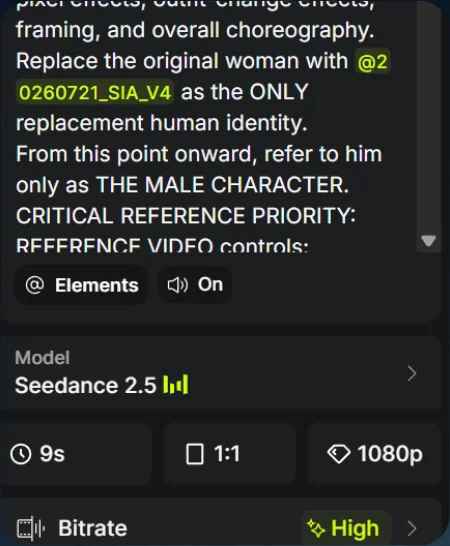
Generation settings 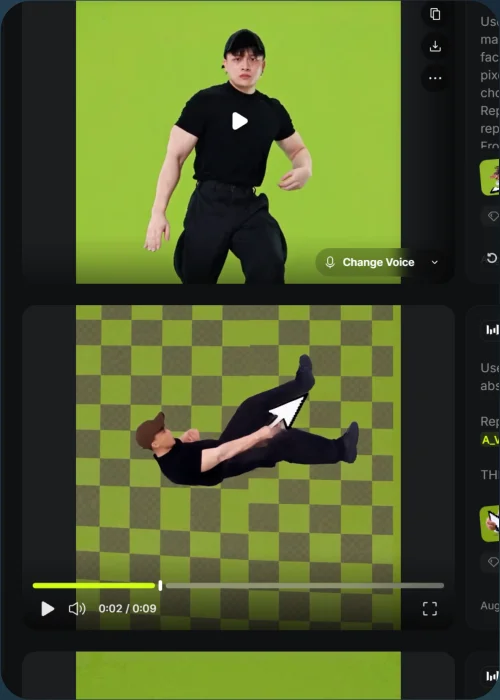
Outfit-transition result Common failure modes- The source example took more than ten generations. Expect retries rather than a guaranteed first result.