
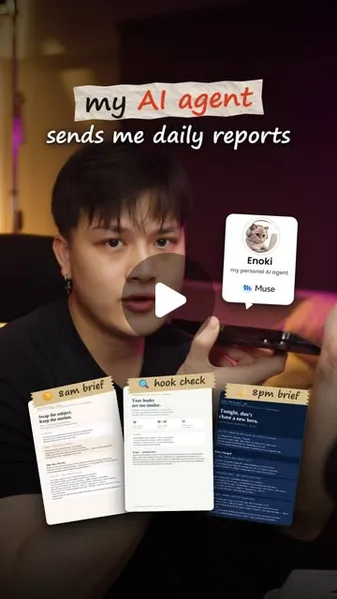
 Watch the original videoInstagram (opens in a new tab)
What you'll make
Your own agent identity, a reusable briefing prompt and one checked schedule.
Muse is Meta’s personal AI agent. Give it a task, connect only what it needs, and check the result before scheduling it.
Who this is for
Anyone who wants a repeatable research, inbox or reporting routine without coding.
Step by step
Run the workflow
- 01
Open Muse
- Click here to open Muse (opens in a new tab)Check availability and current plans when you sign up.
- Click here to get the Muse phone app (opens in a new tab)Available for iPhone (iOS) and Android. Use the official store links for your device.
- Check country rollout updates (opens in a new tab)Search “Muse” in Meta’s Newsroom for the latest country announcements.
Check your country below. Sign in on the web or phone app, then name your agent.
- 02
Review permissions and connect one app
- Open Settings → Permissions to review access.
- Open Connectors, choose one app and check the account and requested permissions before connecting. Mobile menus may differ.
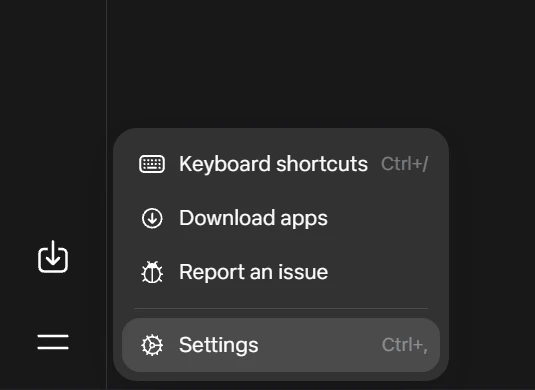
Muse web: open Settings · 28 October 2026 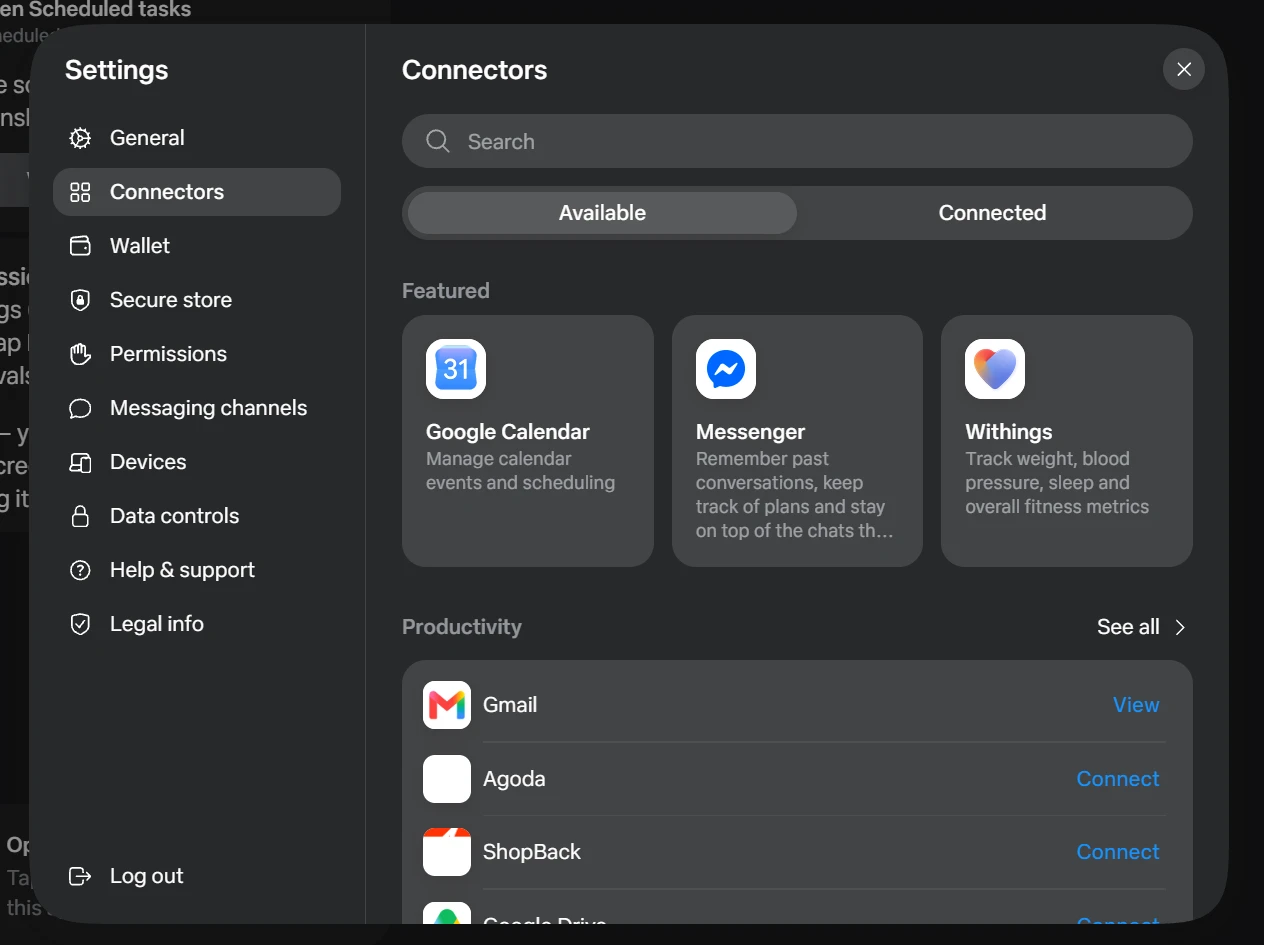
Muse settings: Permissions and Connectors · 28 October 2026 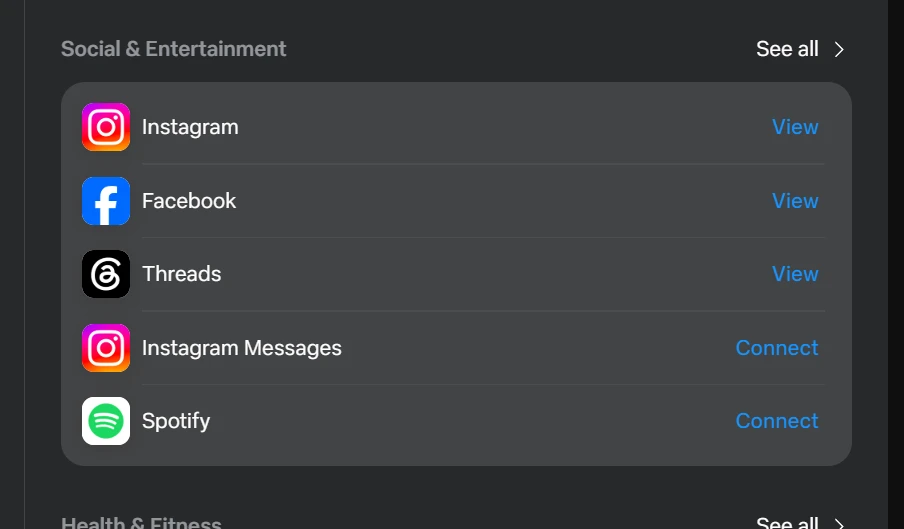
Muse connectors: social apps · 28 October 2026 - 03
Make the avatar your own
Attach your own photo and send the prompt below.
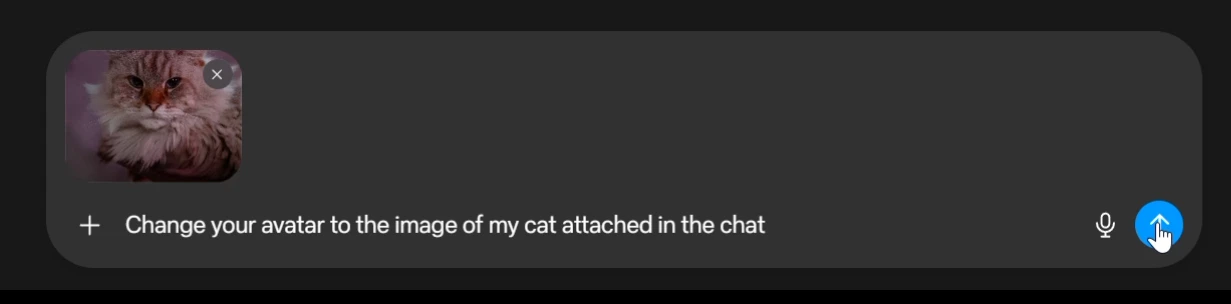
Muse chat: attach a photo and send · 28 October 2026 Working assetAvatar prompt
The exact request shown above. Use your own photo reference.
Avatar prompt Replace the highlighted text with your own.
Change your avatar to the image of my cat attached in the chat - 04
Choose a version and check the avatar
Select a version or reply with its number, such as “Option 2”. Open the avatar panel to check it.
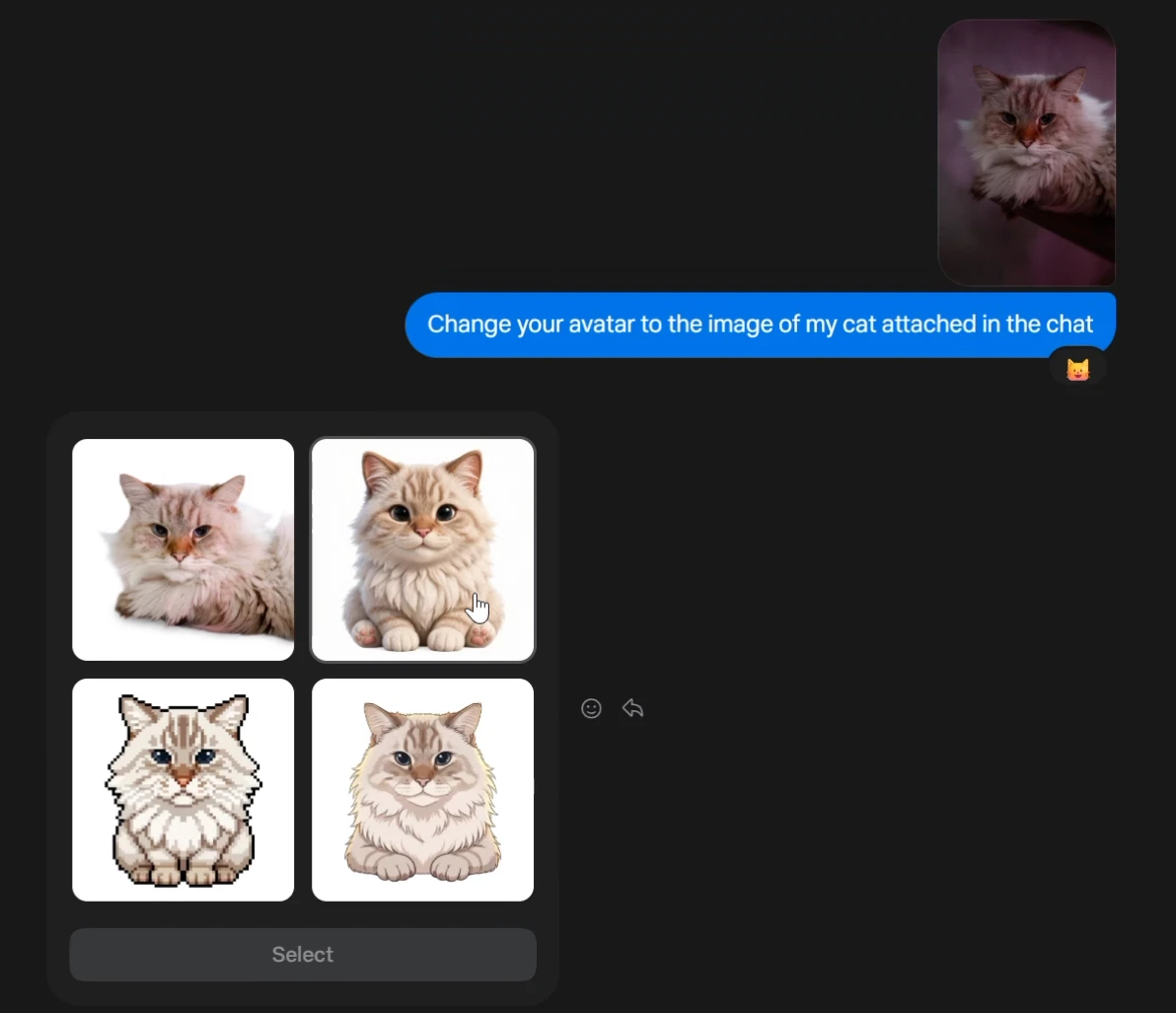
Muse chat: four avatar options · 28 October 2026 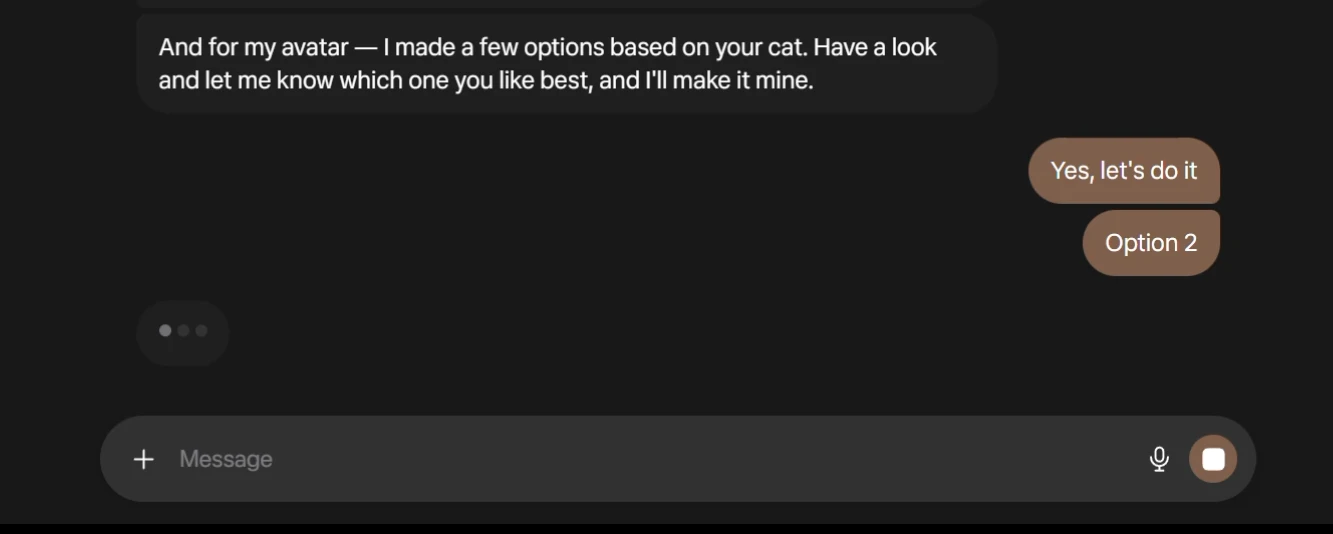
Muse chat: choose Option 2 · 28 October 2026 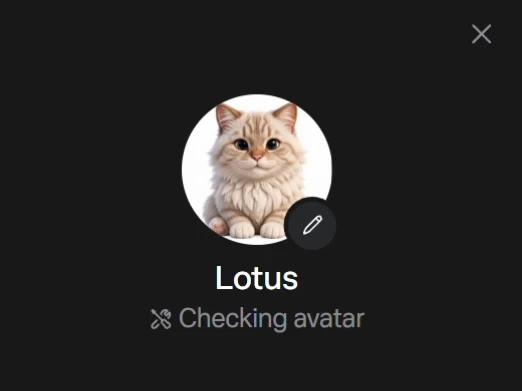
Checking avatar: still processing, check again when finished · 28 October 2026 - 05
Give it one clear, low-risk job
Try a public article summary. Replace the highlighted text and check the answer against the article.
Working assetName and communication style
Adaptable setup prompt. The name is yours to choose.
Name and communication style Replace the highlighted text with your own.
Call yourself [agent name]. Be direct, warm and evidence-first. No flattery or invented numbers. Say when you do not know. Keep drafts as drafts unless I explicitly approve an action.A safe first task
Adaptable example. Use a public article you can read yourself.
A safe first task Replace the highlighted text with your own.
GOAL: Summarise this public article: [article URL].
GOOD OUTCOME: Three accurate takeaways with the source link and publication date.
LIMITS: Do not invent facts or take any action on my accounts. If you cannot open the article, say so.
FORMAT: Three short bullets in this chat.
DEADLINE / RHYTHM: Once, now.
The reusable prompt structure
The reusable prompt structure Replace the highlighted text with your own.
GOAL: What I want, in one sentence. GOOD OUTCOME: What “done” looks like, and how I will check it. LIMITS: What NOT to do, send, post, buy, or invent. FORMAT: Exactly what to deliver (file type, length, where it goes). DEADLINE / RHYTHM: Once, or every day / week at a time, in my timezone. - 06
Choose your briefing prompt
- Copy one prompt and replace the highlighted text. Keep the evidence labels unchanged. Run it once before scheduling.
- For account or inbox reports, connect the app or supply an export. Check the report’s sources and numbers.
Working assetMorning briefing
Find up to three fresh ideas, then develop only the strongest. Needs your account data and selected sources.
Morning briefing Replace the highlighted text with your own.
Act as my briefing agent for [my niche / account].
Research, fresh today: (1) [platform 1] posts from the past 7 days,
(2) [platform 2] posts, (3) original announcements from the past
72 hours, official sources first.
First, pull my last 7 days of account totals and my last 10 posts.
Compute today's median likes and comments from those posts, state
it, and use that median for every breakout judgement — do not
reuse a stale median.
Pick up to 3 findings, ranked. For each: what is new, why my
audience cares, evidence with a direct link exactly as returned,
and an original angle — not a copy.
Develop ONLY the best idea into: a concept, one recommended hook,
a complete 45–60 second script in my voice, a short shot list,
prep needed, and ONE specific call to action.
Rules: do not post, like, comment, follow, or make live account
changes for me. Do not invent numbers, links, or capabilities.
Post rows are likes/comments only — never assign account views,
reach, saves, or shares to a single post.
Label every recommendation [account data] / [official guidance
with date and source] / [observed reference] / [hypothesis to test].
Deliver: a designed PDF, 2–3 airy pages, visual-first, with
selectable text and clickable links.
Night briefing
Compare with a morning briefing already in this chat. Bring that report into context first; use the same read-only limits.
Night briefing Replace the highlighted text with your own.
Compare today with this morning's briefing. Research ONLY what
changed since that edition across [platforms] and official
announcements. Pick up to 3 findings, or say plainly if little
changed and name the most useful existing priority instead.
Recommend ONE next move for tomorrow, with the prep that unblocks
it. Frame it as preparation for tomorrow, not a same-day post.
Before recommending a hero, check for a collision: is a post
already scheduled tomorrow on the same idea or format? If drafts
cannot be listed, say so — never claim an all-clear you cannot
verify. Same read-only, no-invention, and basis-label rules as
the morning briefing. Deliver a 2-page designed PDF.
Weekly insight report
Review your data and choose one thing to repeat, one to stop and one main idea for next week.
Weekly insight report Replace the highlighted text with your own.
Analyse my [account] for the past 7 days, fresh data only.
Start with a fresh median (middle post, not average) from my
last 10 posts, and use it for every breakout judgement.
Report account totals separately from individual posts: post
rows are likes/comments only — never assign account views,
reach, saves, or shares to a single post.
Tag every post by format, hook, and call to action, and report
medians BY format. Sample comments for quality: vote / question /
correction is signal; prompt-request-dominated is engagement
bait, not proof an idea worked.
End with ONE repeat, ONE kill, and ONE hero for next week.
Include a plain-words glossary on page 1 (define median, and
every format term you use) and real thumbnails for top posts
where available. Deliver a designed PDF, visual-first, and
check every page as an image before delivering: no orphan
headings, no cramped pages, no overlapping chart labels.
Trend check
Look for independent examples, not just one popular post. Missing metrics stay unknown.
Trend check Replace the highlighted text with your own.
Find up to 3 trends in [my niche] from the past 7 days.
A trend needs at least 2 independent creators — one strong
post is a reference, not a trend. Prefer independent creators;
label brand/official posts [brand/official] and seeded or
partnership posts [seeded/partnership].
For every example: creator, date, follower count, likes/comments,
a direct link exactly as returned, and a short comment sample
labelled vote/question/correction or prompt-request-dominated.
Judge by breakout relative to account size, not raw likes.
If there is no genuine trend, say so plainly.
Inbox summary
Use a connected inbox or a redacted export. Summaries and replies remain drafts.
Inbox summary Replace the highlighted text with your own.
Summarise new emails since [last summary] in three buckets
only: (1) new collaborations, (2) invoice / payment updates,
(3) [your key project] messages.
For each: sender, date, what they actually asked for, what is
missing (fee, timeline, usage, brief), and the next step — draft
only, never send without my approval.
Verify send-state before reporting a thread: a draft is not a
sent email. Do not invent a reply, a rate, or a deadline.
Research with sources
Start with a topic and original sources. This is a useful option without connecting private accounts.
Research with sources Replace the highlighted text with your own.
Research [topic] for my next video/post. Show the original source link and publication date for every claim, explain what is genuinely new, and suggest one thing I can actually demonstrate on camera. Avoid generic news summaries. Check official sources first, then secondary reporting. Vendor claims and leaderboards are secondary, never proof. - 07
Schedule only a prompt that works
- Set the time, timezone and frequency using the prompt below.
- Open your agent’s clock tab. Check the next run, then check the first delivered report. Edit an existing task instead of creating duplicates.
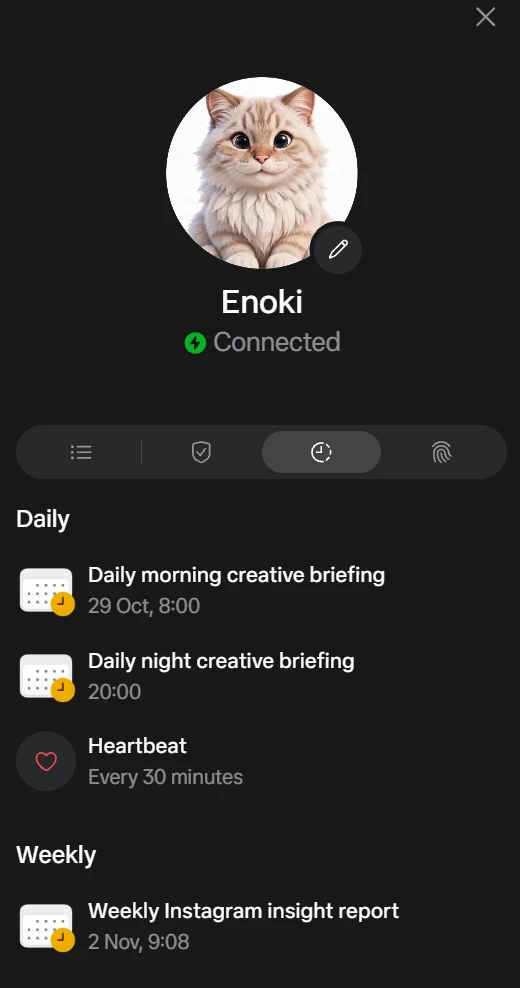
Muse status: upcoming daily and weekly tasks · 28 October 2026 Working assetSchedule the checked report
Use this after testing a briefing, not as a standalone research prompt.
Schedule the checked report Replace the highlighted text with your own.
Use the briefing prompt we just tested. Schedule it [every day / chosen weekdays] at [time] in [timezone]. Deliver the PDF in this chat with at most one short line of summary. Do not send, post, buy or change my accounts. If a required source is unavailable, say what is missing; do not invent a result. Before creating anything, check for an existing schedule for this job. Show me the proposed task, next run and timezone so I can check them. - 08
Give each report a clear look
Add the design prompt to your report request. Check the PDF’s text, layout and links before sharing.
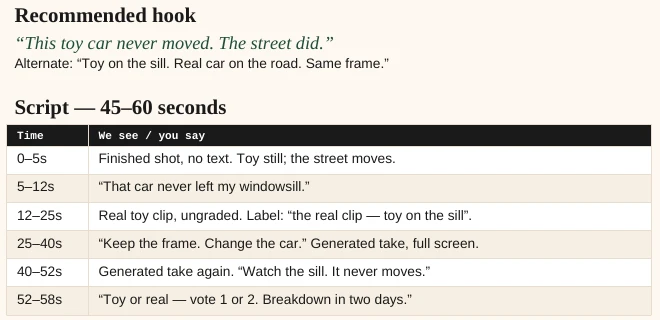
Morning PDF: actual hook and script excerpt · 28 October 2026 Working assetReport design instructions
Add to a tested report prompt when you want these styles.
Report design instructions Format the report as a readable PDF. Use the style for its edition: MORNING: paper #FDF8F0, ink #1A1A1A, coral #E85D3D, deep green #1E4D3B. NIGHT: full-page #0A1A33, body #E8EEF8, sky #7DD3FC, lavender #C4B5FD. WEEKLY: paper #F6F7F2, faint grid #DDE2DC, navy #14375A, steel #2F5D8A, ochre #C07A1A. Use a serif heading face and a clean sans-serif body face. For a web version, use system serif and sans-serif equivalents. Keep text selectable and source links clickable. Keep pages airy, with no duplicate headings or decorative charts. Label any sample data SAMPLE. Render and inspect every page for clipped text, overlapping labels and contrast before delivering. Deliver the PDF with at most one short line in chat. - 09
Try the first-week checklist
Optional: copy this checklist into your notes. Keep the routine that helps.
Working assetFirst-week checklist
A planning checklist, not a promise that you must finish setup in a fixed time.
First-week checklist [ ] Day 1: Name the agent, review permissions and test one low-risk task. Connect only what that task needs. [ ] Day 2: Run a morning briefing once and correct it. [ ] Day 3: Compare a night briefing with the morning report. [ ] Days 4–6: Try one other useful job. Keep the one that helps. [ ] Day 7: Review the week. Choose one repeat, one thing to stop and one main idea. [ ] Schedule only the report that worked. Check its next run and first delivered result.
Before you use it
Final checks
- Keep drafts, scheduled work and sent messages distinct. Check action details before approving a send, post or purchase.
- Connected apps do not expose every feature or metric. Check your account’s available tools and supply missing data yourself when appropriate.
- Screens and plan limits can change. The avatar screenshots show the app on 28 October 2026; check your own screen for other controls.