
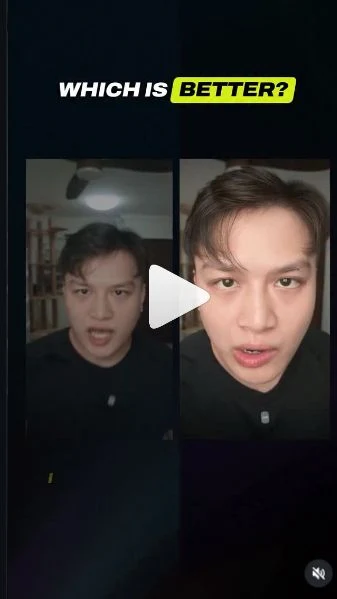
 Watch the original videoInstagram (opens in a new tab)
What you'll make
Your recorded performance, with a new character in your place.
Replace the main person in your recording with an AI character using a character sheet and Wan 3.0.
Who this is for
Creators making UGC, product demos or marketing creatives. An illustrated reference can also be a starting point for animation and motion-design experiments.
Step by step
Run the workflow
- 01
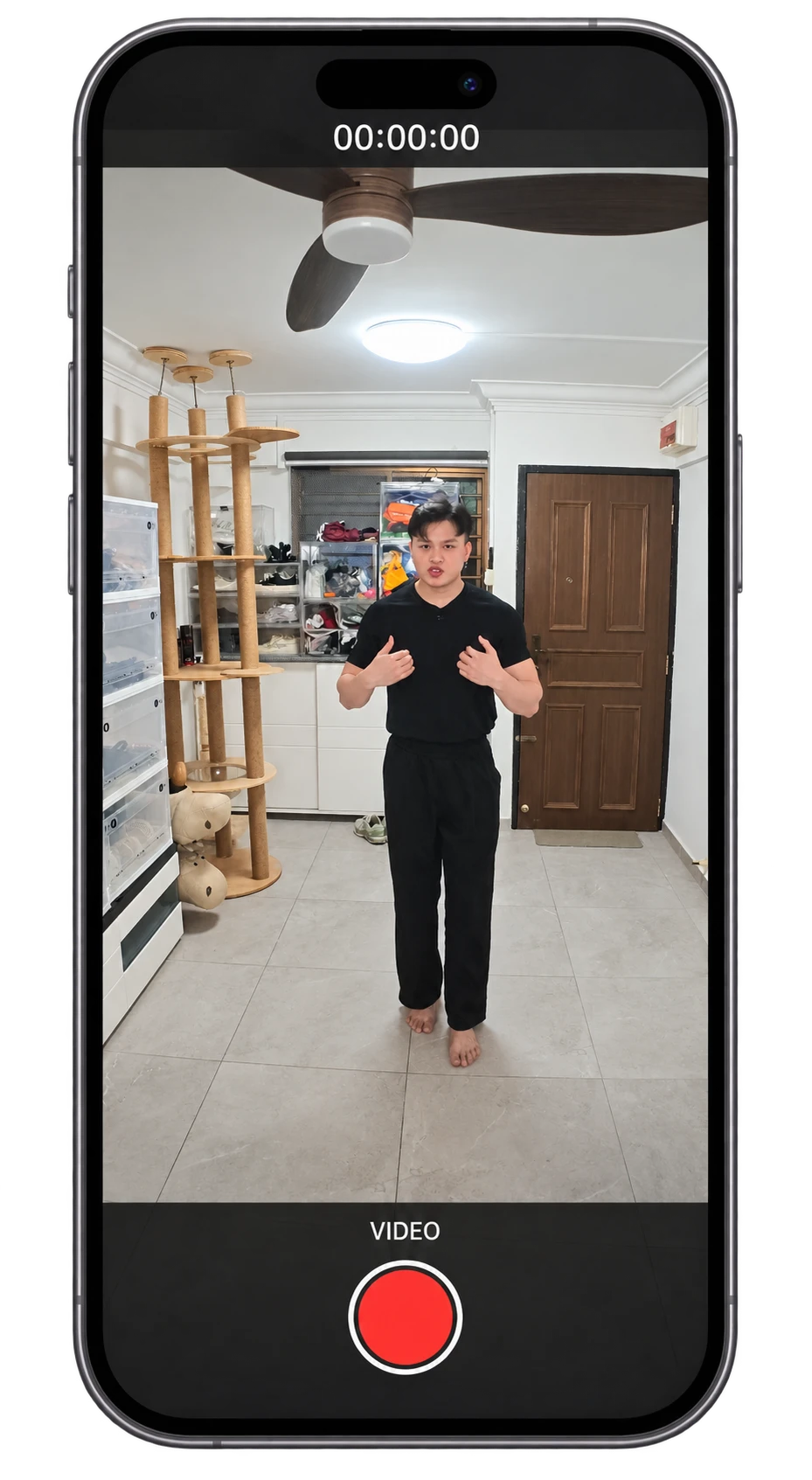
Record a video of yourself
Your recording supplies the movement, expressions and voice.
- Record your performance with your face clearly visible. Include any gestures or product interaction you want to keep.
- Use the clip's actual length when you choose the generation duration.
- 02
Create your character reference
Make one sheet showing the same character from several angles.
- Paste the prompt below into your image generator. Replace the highlighted character, outfit and style descriptions.
- Save the sheet once the face, hair and outfit match across all three views. This is the character image you will upload with your video.
Use this prompt and modify it
Describe the character you want to become. Replace the highlighted text, then remove the brackets.
Your editable character-sheet prompt Highlighted text in [brackets] = replace with your own.
Create a character reference sheet for one original adult AI influencer.

CHARACTER
[Describe the adult character's face, hairstyle, hair colour, build and distinctive features.]

OUTFIT
[Describe the clothing, shoes and accessories.]

STYLE
[Photorealistic, anime or another visual style.]

Show the same character in three side-by-side panels: a front-facing face close-up, a side-profile face close-up, and a head-to-toe full-body view.

Keep the face, age, hair, body proportions, outfit and accessories identical across all three views. Use a plain light background and even lighting. Keep the whole head and both feet visible in the full-body panel.

No text, labels, logos or extra characters.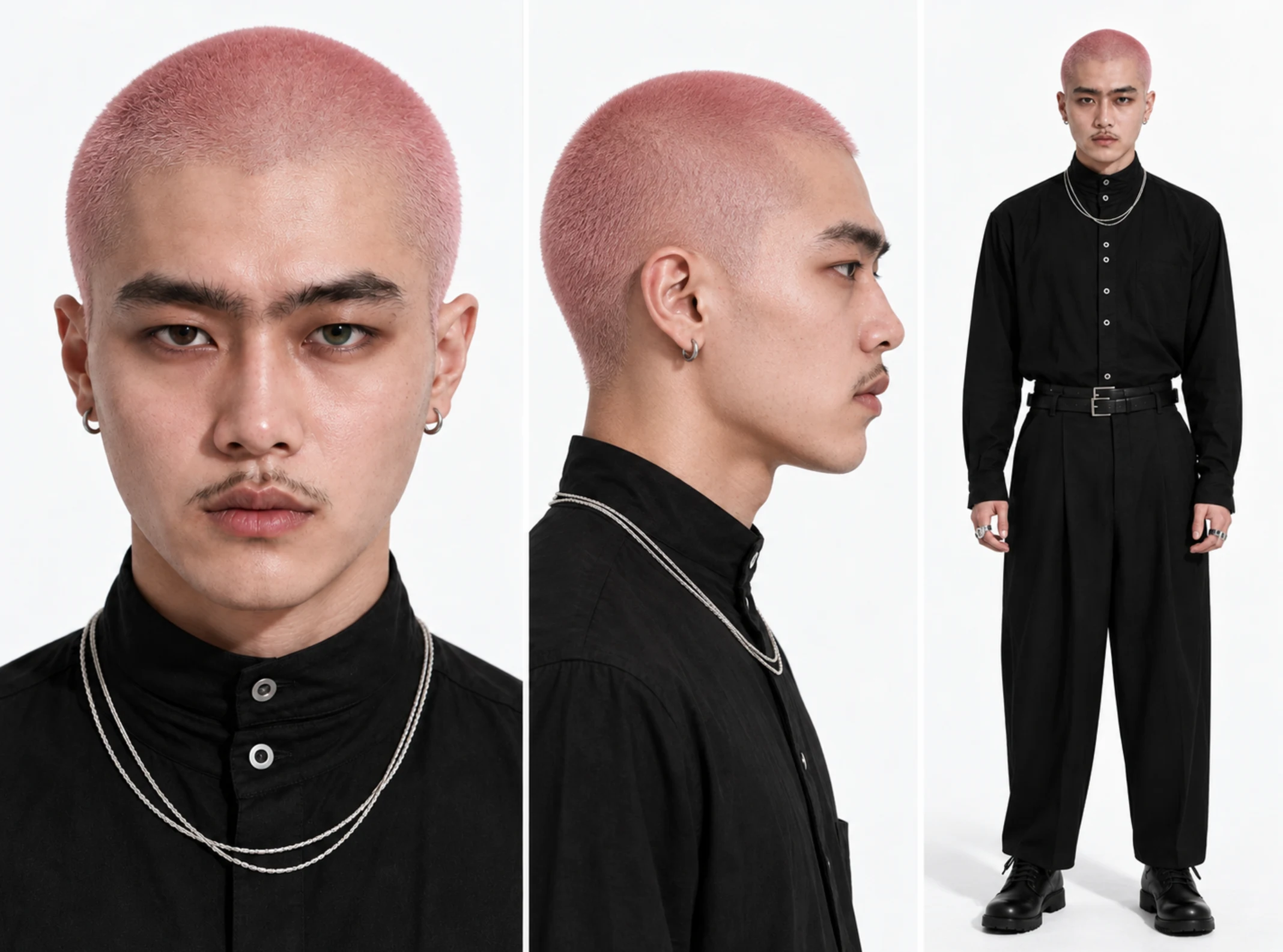
My character-sheet example. Use your own character for your video. - 03
Open Create Video and choose Wan 3.0
- Click here to open Higgsfield (opens in a new tab)This guide accompanies a Higgsfield partnership. Generation uses credits.
- Open Higgsfield using the link above, then choose Video → Create Video.
- Open the model selector and choose Wan 3.0, not Wan 3.0 Prime or Genjutsu Lite. The campaign link may open Genjutsu Lite first.
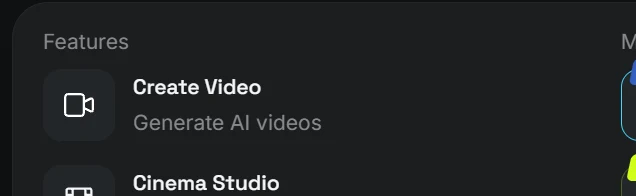
- Click here
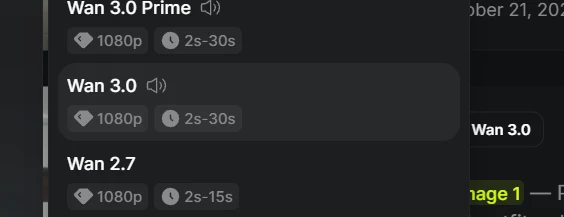
- Choose this
- 04
Upload your video and character image
Use References, not Frames.
- Select References and click + to upload your character sheet and your recorded video.
- Check the file labels. In the prompt below, @Image 1 means your character sheet and @Video 1 means your recording. Match them to your uploaded files.
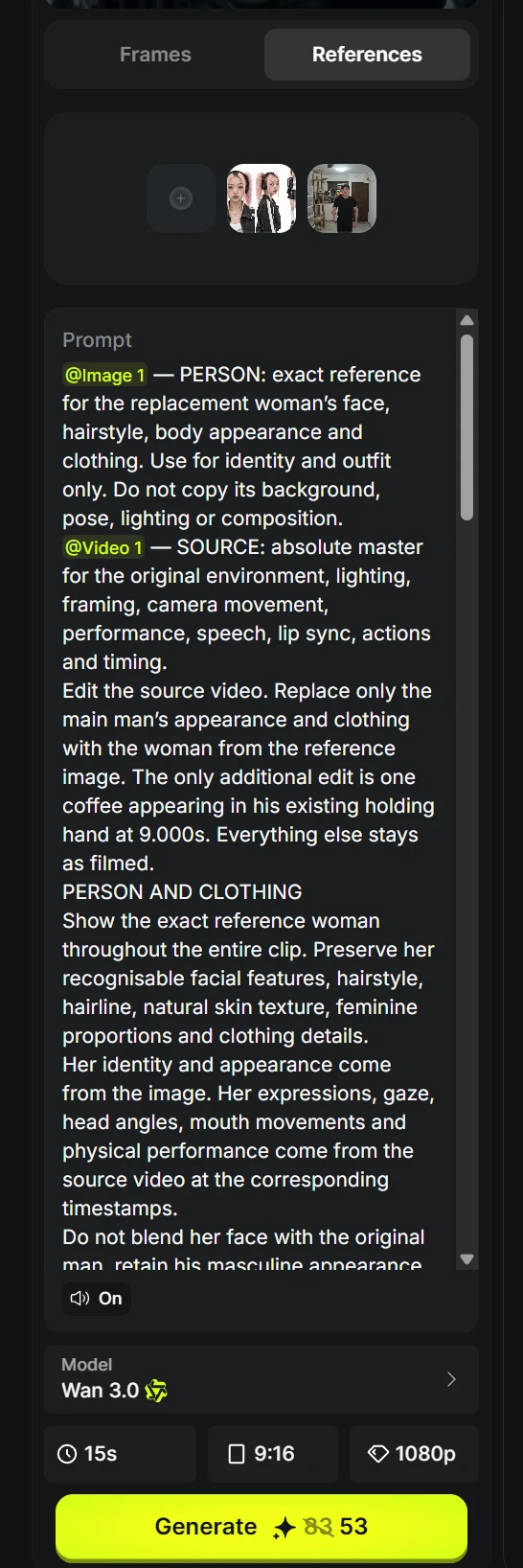
- Add both files
- 05
Copy the prompt and make it your own
- Copy Your editable transformation prompt. Fill in your clip length and aspect ratio, then remove the brackets.
- Paste it into the prompt box with your uploaded files. Use only this template; my original prompt below is for reference.
Use this prompt and modify it
This template changes your character while keeping your recorded performance.
Your editable transformation prompt Highlighted text in [brackets] = replace with your own.
@Image 1 is my CHARACTER reference. Use it for the replacement character's face, hairstyle, body appearance, clothing and visual style. Do not copy its background, lighting or pose.

@Video 1 is my SOURCE video. Use it for the setting, lighting, framing, camera movement, performance, speech, lip sync and timing.

Replace only the main person in the source video with the character from my image. Keep that character consistent from the first frame to the last. Do not blend the two faces or switch back to the original person.

Keep the original expressions, gaze, mouth movements, walking path, gestures and movement timing. Match any close-ups and changes in distance to the camera.

Keep the original background and camera framing. Match the character to the scene's lighting, shadows, focus and motion blur. Do not use the character sheet's plain background.

Keep my original recorded voice, words, pauses and background audio. Match the mouth movements to the original speech. Do not invent dialogue or replace my voice.

Duration: [YOUR CLIP LENGTH IN SECONDS].
Aspect ratio: [9:16 for vertical, or 16:9 for landscape].

Do not add props, new actions, extra people, cuts, transitions or camera movements. Change the person, not the performance.
The prompt I used, for your reference
This is my prompt for reference. Please don't use it directly. Take inspiration from how I describe the details.
My original character-replacement prompt
My example uses a female character and adds a coffee at 9 seconds. The template above works with your own character and does not add the coffee.
My original character-replacement prompt @[Image 1](image_1) — PERSON: exact reference for the replacement woman’s face, hairstyle, body appearance and clothing. Use for identity and outfit only. Do not copy its background, pose, lighting or composition. @[Video 1](video_1) — SOURCE: absolute master for the original environment, lighting, framing, camera movement, performance, speech, lip sync, actions and timing. Edit the source video. Replace only the main man’s appearance and clothing with the woman from the reference image. The only additional edit is one coffee appearing in his existing holding hand at 9.000s. Everything else stays as filmed. PERSON AND CLOTHING Show the exact reference woman throughout the entire clip. Preserve her recognisable facial features, hairstyle, hairline, natural skin texture, feminine proportions and clothing details. Her identity and appearance come from the image. Her expressions, gaze, head angles, mouth movements and physical performance come from the source video at the corresponding timestamps. Do not blend her face with the original man, retain his masculine appearance or revert to him. Keep her identity consistent during wide shots, movement and extreme close views. MATCH THE ORIGINAL ENVIRONMENT AND LIGHTING Keep the actual original room and its lighting unchanged. Relight the replacement woman to match that room at every frame. Match the source light direction, brightness, colour temperature, exposure and shadow softness across her face, hair, neck, arms, hands and clothing. Do not import the reference image’s lighting. As she approaches the lens and moves back, illumination and shadows must respond naturally to her changing position beneath the room lights. Maintain believable shadows around the eyes, beneath the chin, within clothing folds and at floor contacts. Match the source focus, motion blur, noise, sharpness and compression. Preserve natural skin texture, especially during close views. No beauty filtering, studio lighting, artificial sharpening, cutout edges or glowing outlines. She must look physically present in the original room. EXACT FRAMING AND MOVEMENT Preserve the source’s vertical 9:16 composition and actual duration of approximately 15.82 seconds. Do not extend it to 20 seconds because that duration is mentioned in the dialogue. Keep the original opening composition and surrounding space. Follow the source approach toward the camera, extreme eye close-up around 6 seconds, and retreat into the wider view afterward. During the eye close-up, preserve the same eye position, viewing angle, distance, facial crop and lens perspective, using the reference woman’s eye and facial identity. Do not replace it with a conventional portrait or pull the camera back. At every timestamp, preserve the original walking path, pace, foot placement, body position, head location, arm trajectory and gesture timing. Do not crop, zoom, recenter, stabilise or introduce camera movement. Do not add steps, pauses or new gestures. PRESERVE THE ORIGINAL ROOM Retain the actual ceiling fan, ceiling light, shelving, cat furniture, doors, flooring, belongings and all other background details. Preserve their exact positions, perspective, lighting and movement frame by frame. Do not redesign, relight or regenerate a different room. Keep the original footage’s image quality. No cinematic grading, artificial background blur or added grain. ORIGINAL SPEECH AND LIP SYNC Keep the original audio track unchanged: same recorded voice, words, pronunciation, pacing, pauses, background sound and timing. The supplied script is context only. Do not regenerate or rerecord the dialogue, correct its wording or retime the performance. Match every mouth movement and speaking expression to the corresponding source timestamp. Keep the original recorded voice while the woman performs the speech. The voice must not influence her visual identity. 9.000s: COFFEE APPEARS Before 9.000s, her hands are empty. At exactly 9.000s, add one normal-sized takeaway coffee cup with a fitted lid into the original performer’s right hand, on screen-left. Fit it to the existing hand position and holding gesture as that hand rises. The complete cup appears instantly between consecutive frames, already securely held. No fade, morph, growth, flash, handoff or reaching for a cup. Preserve the original arm trajectory and wrist movement. Allow only the minimal finger adjustment needed to grip the cup naturally. Keep fingers correctly wrapped around it with believable contact shadows and no intersections. From 9.000s through the final frame, the coffee stays in that same hand and follows its original movement. Match the cup’s perspective, room lighting, focus and motion blur to the scene. No duplicated cups, floating cup, drinking action, spilling or disappearance after its introduction. CONTINUITY Maintain the original uninterrupted performance from beginning to end. The woman appears from the first frame through the final frame, with no return to the original man. At 9.000s, only the coffee is added. Her position, expression, speech, background and camera continuity remain uninterrupted. No jump cuts, fades, dissolves, morphing, pose resets, frozen frames, repeated actions or skipped movement. Everything outside the person-and-clothing replacement and scheduled coffee addition remains exactly as in the source. - 06
Set your output and generate
In my Reel, Wan used 70 credits versus 320 for Seedance: about 4.5 times as many credits for Seedance. That was one test, not a fixed price or equal-quality guarantee.
- Match your clip's length and choose 9:16 for a vertical Reel or 16:9 for landscape. Wan 3.0 supports up to 30 seconds and 480p, 720p or 1080p; use the options available in your account.
- Keep audio On, check the displayed credit cost, then click Generate.
- Play the result to check the character, movement and voice. Click Download on the final result.
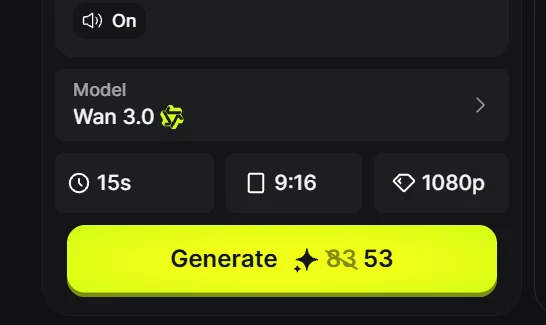
- Click Generate
Final result: 720p, 15 seconds.