
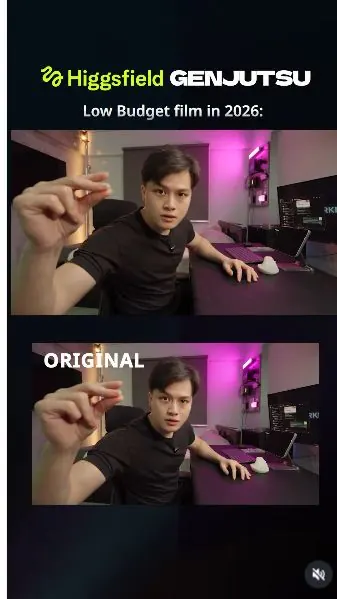
 Watch the original videoInstagram (opens in a new tab)
What you'll make
Create scene images, then apply them to your recorded performance with Genjutsu.
Who this is for
Creators making videos with their own reference assets.
Step by step
Run the workflow
- 01
Record the source clip
Film your performance in the room.
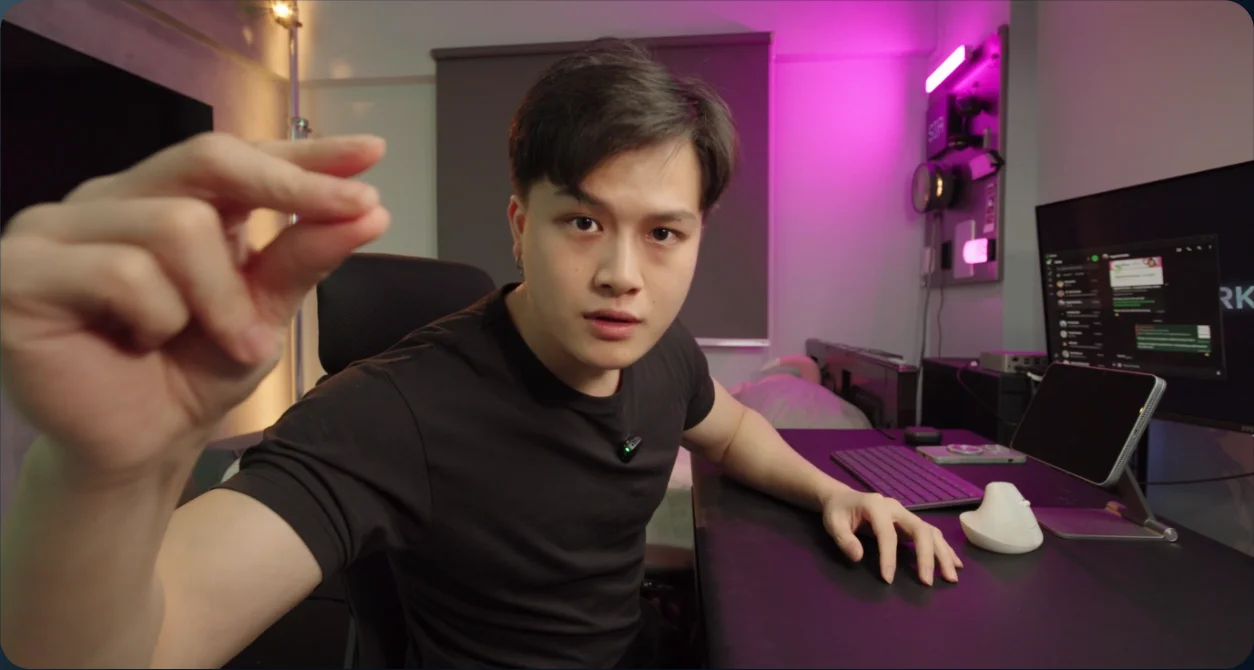
Source performance - 02
Create the scene references
- Open Create Image and choose GPT Image 2.5 Sunburst.
- Upload a frame from your video, use each scene prompt separately, and save the results.
Show copyable prompt
Image 1 Use the uploaded image as the absolute reference for the man’s identity, pose, and composition. Preserve his exact facial features, face shape, eyes, nose, lips, hairstyle, earrings, expression, body proportions, black T-shirt, clasped hands, and seated position. Keep the original camera angle, framing, and 16:9 aspect ratio. Do not replace, beautify, reshape, or reinterpret his face. Transform the room into a high-end cyberpunk penthouse with a gritty, lived-in edge: dark brushed metal, smoked glass, premium stone surfaces, distressed leather, exposed industrial details, and subtle cyan and magenta accent lights. Replace the existing bedroom furnishings and workstation surroundings with luxurious futuristic equivalents, maintaining the desk’s perspective and the man’s contact with the chair and desktop. Behind him, introduce expansive floor-to-ceiling glass windows overlooking a dense futuristic city at sunset. One large, realistically engineered spaceship hovers outside, clearly visible through the glass, positioned beside his silhouette without obscuring his face. Include detailed metal hull panels, restrained engine glow, atmospheric depth, and believable scale. The spaceship must remain entirely outside the apartment. Warm orange sunset light enters through the windows, creating natural rim lighting on his hair, shoulders, and arms. Soft reflected interior light illuminates his face, with subtle cool accents in the shadows. Adjust the lighting on his existing face to match the new environment while preserving his underlying skin tone and exact facial identity. Match exposure, light direction, reflections, and shadows across the person and room. No overly bright face, artificial skin smoothing, or pasted-on appearance. Photorealistic live-action cinematic still, physically believable materials, natural skin texture, realistic glass reflections, subtle atmospheric haze, rich shadows, controlled highlights, and sophisticated cinematic colour grading. No illustration, anime, video-game rendering, excessive neon, text, or watermarks.Image 2 Use the uploaded image as the absolute reference for the man’s identity, pose, and composition. Preserve his exact facial features, face shape, eyes, nose, lips, hairstyle, earrings, expression, upward gaze, body proportions, black T-shirt, trousers, and original hand and arm positions. Keep the elevated camera angle looking down at him, original camera tilt, wide-angle perspective, subject placement, and 16:9 framing. Do not reshape, beautify, or replace his face. Transform the surroundings into the same high-end cyberpunk penthouse as the previous scene, viewed from this elevated angle. Dark brushed metal, smoked glass, premium dark stone, distressed leather, exposed industrial details, and dim cyan and magenta accents. Luxurious but gritty and lived-in. Replace the bed on the left with a low dark leather lounge sofa and the workstation behind him with a sleek futuristic desk. Remove the large overhead softbox, all studio lights and stands, curtains, and bedroom accessories. Replace them with finished apartment architecture. Behind the man and workstation, create expansive floor-to-ceiling glass windows overlooking a dense futuristic city at sunset. One large spaceship hovers entirely outside the glass, visible beside his silhouette without covering his head. Maintain the same spaceship design, apartment materials, and colour palette as the previous scene. Adapt all architectural lines and exterior elements to the original downward camera perspective. Create dramatic sunset BACKLIGHTING and a strong partial silhouette. The low orange sun is outside the windows BEHIND him, never in front of him or above the camera. Golden shafts of sunlight enter from the rear, cutting through subtle atmospheric haze around his body and across the floor toward the foreground. His body and the window frames naturally interrupt the beams, casting long directional shadows toward the camera. Expose for the bright exterior, leaving his face, chest, and camera-facing arms distinctly underexposed. A thin amber rim catches the edges of his hair, shoulders, and arms, separating his dark silhouette from the glowing windows. His face remains predominantly in shadow, with only faint indirect bounce revealing enough of his exact features and expression to recognise him. Preserve his identity through unchanged facial structure, not through bright facial lighting. No frontal key light, overhead softbox illumination, beauty lighting, glowing skin, or automatic shadow lifting. Completely replace the original lighting. Photorealistic live-action science-fiction film still. Strong contrast, luminous sunset rays, deep charcoal shadows, restrained amber highlights, realistic glass reflections, natural skin texture where visible, subtle highlight bloom, and fine film grain. Keep neon and monitor light faint so the sunset remains dominant. No illustration, anime, video-game rendering, excessive fog, extra people, text, or watermarks.Image 3 Use the uploaded image as the absolute reference for the man’s identity, pose, and composition. Preserve his exact facial features, face shape, eyes, nose, lips, hairstyle, earrings, expression, upward gaze, body proportions, black T-shirt, trousers, and hand and arm positions. Keep the original elevated camera angle looking down at him, camera tilt, wide-angle perspective, subject size, and 16:9 framing. Do not replace, beautify, or reshape his face. Replace the entire room with a photorealistic lunar landscape in outer space. He is standing firmly on rugged grey moon-like ground covered in fine powdery dust, scattered angular rocks, shallow impact craters, and subtle footprints. Preserve the original crop without zooming out to reveal his feet. The terrain must follow the camera’s downward perspective and extend naturally in every direction. Remove all furniture, walls, monitors, curtains, and filming equipment. Where the upper edge of the composition permits, reveal a distant barren ridge against the blackness of space, with a partially illuminated planet beyond it. Keep the ground dominant because of the elevated camera angle. Do not lower the camera or reposition the man to show more sky. Keep his original black outfit, with no spacesuit or helmet. Create dramatic cinematic backlighting from a low sun behind him. Hard sunlight grazes the lunar terrain, illuminating rock edges and creating long, sharply defined shadows toward the foreground. A narrow pale-gold rim outlines his hair, shoulders, and arms. His face and chest remain darker as a partial silhouette, with faint light reflected from the grey ground revealing his unchanged facial features. Match the lighting and contrast across his skin, clothing, and surroundings. Remove the original magenta room lighting completely. Use a crisp sunburst and restrained optical lens flare to suggest the intense sunlight. No atmospheric light shafts, fog, or clouds in the vacuum of space. Photorealistic live-action science-fiction film still, detailed lunar textures, natural skin, deep black shadows, controlled highlights, subtle film grain, and a cinematic sense of isolation. No illustration, video-game rendering, plastic skin, extra people, text, or watermarks.Image 4 Edit ONLY the man’s outfit in the uploaded image @[Image 1](image_1). Replace his clothing with a photorealistic astronaut spacesuit: off-white technical fabric, realistic padded sections, reinforced joints, fitted gloves, chest controls, life-support connections, and a compact backpack. Fit the suit naturally around his existing body and exact pose. Preserve his hand positions and gestures. Add a realistic astronaut helmet with a clear, transparent visor. His original face must remain clearly visible through the glass. Preserve his EXACT facial identity, features, proportions, expression, gaze, and visible hairstyle. No face replacement, reshaping, beautification, or identity changes. Keep visor reflections subtle and away from his eyes, nose, and mouth. No mirrored or opaque visor, dark tint, or bright internal helmet light. Keep the existing lunar environment, terrain, sky, background objects, camera angle, framing, and 16:9 composition completely unchanged. Preserve the original lighting direction and cinematic exposure. Apply the scene’s existing backlight and shadows naturally to the spacesuit and helmet, with matching rim highlights. Keep his face in the same lighting as the source image, recognisable through the visor without artificially brightening it. Please add some reflection on helmet so it looks natural. Strict wardrobe and helmet edit only. Photorealistic materials, believable suit construction, natural glass refraction, and seamless integration. No added flags, logos, text, watermarks, extra people, or changes to the surrounding scene. He has the same exact pose as the reference image @[Image 2](image_2)Image 5 Use the uploaded image as the absolute reference for the man’s identity, pose, and composition. Preserve his EXACT facial features, face shape, eyes, nose, lips, hairstyle, expression, mouth shape, gaze, and body proportions. Maintain his extended hand gesture on the right of the image, including its position and natural motion blur. Keep the original close framing, slightly elevated camera angle, perspective, and 16:9 aspect ratio. Do not change his face, head size, or position. Replace the entire room with the same photorealistic lunar landscape as the previous scene: grey powdery terrain, scattered angular rocks, shallow craters, and distant barren ridges beneath black outer space. Remove the television, bed, walls, blinds, and all indoor objects. Match the lunar terrain, colour palette, and sunlight direction across scenes, adapting the background perspective to this closer camera position. Show a partially illuminated distant planet only where the framing naturally allows. Do not zoom out or reposition him to reveal more scenery. Replace his black clothing with the same off-white astronaut spacesuit: textured technical fabric, padded sections, reinforced joints, chest controls, life-support connections, and a compact backpack. Cover his arms and hands with matching sleeves and articulated astronaut gloves while preserving the exact original pose and finger gesture. Remove the clip-on microphone. Add a realistic astronaut helmet with a completely clear visor, keeping his original face clearly visible inside. Preserve his facial identity and expression without distortion through the visor. Keep reflections subtle and mainly around the glass edges, leaving his eyes, nose, and mouth unobstructed. No opaque visor, mirrored coating, dark tint, or bright internal helmet lighting. Let the helmet extend naturally around his existing head without shrinking or moving his face; preserve the original crop even if the helmet approaches or crosses the top edge. Use strong directional sunlight from behind him, matching the previous lunar scene. Create a narrow pale-gold rim around the helmet, shoulders, and extended arm, with crisp highlights on the suit and long shadows across the ground. Keep his face and the front of his suit in cinematic partial shadow, with faint reflected light from the lunar surface revealing his unchanged features. His face must remain recognisable through the visor without appearing artificially illuminated. Remove all original magenta and indoor lighting. Please add some reflection on helmet so it looks natural. Photorealistic live-action science-fiction film still, realistic suit construction, natural skin texture, detailed lunar dust, controlled highlights, deep shadows, restrained lens flare, and subtle film grain. No atmospheric sunbeams, fog, clouds, illustration, video-game rendering, extra people, logos, text, or watermarks.Image 6 Use the uploaded image as the absolute reference for the man’s identity, pose, and composition. Preserve his EXACT facial features, face shape, eyes, nose, lips, expression, gaze, and head position. Keep the original tight close-up, elevated camera angle, wide-angle perspective, body position, and 16:9 framing. Do not beautify, reshape, replace, or reinterpret his face. Do not zoom out. Replace the entire room with a cinematic fantasy grassland: lush grass, scattered wildflowers, weathered stones, and rolling green terrain. Suggest distant mountains and an ancient stone castle only where the existing framing allows. The downward camera angle should reveal mostly grass behind and around him. Remove all bedroom furnishings, walls, television, and filming equipment. Use gentle background softness to create depth while keeping his face the focal point. Dress him in realistic medieval fantasy armour from head down: weathered silver steel with restrained engraved details, an articulated neck guard, layered shoulder plates, fitted breastplate, chainmail beneath the joints, and leather fastenings. Let the armour continue beyond the frame naturally; do not widen the shot to show the full outfit. Remove the clip-on microphone. Create dramatic golden-hour backlighting from a low sun behind him. Warm sunlight outlines the shoulder plates, catches individual blades of grass, and produces subtle rays through light haze in the distant field. Keep his face in cinematic partial shadow, with soft sky fill and gentle reflected light from the grass revealing his unchanged features. Replace the original magenta indoor lighting completely. Match skin exposure, metal reflections, and shadow direction to the outdoor setting. No bright frontal beauty light or artificially glowing face. Photorealistic live-action fantasy film still, believable steel weight and construction, fine scratches, natural skin texture, rich green shadows, warm golden highlights, restrained lens flare, and subtle film grain. No illustration, anime, video-game rendering, oversized armour, face-covering visor, extra people, text, or watermarks.Image 7 Use the uploaded image as the absolute reference for the man’s identity, pose, and composition. Preserve his EXACT facial features, hairstyle, earrings, expression, open mouth, gaze, body proportions, black T-shirt, and trousers. Keep his forward lean and hand reaching toward the lens, including the original foreshortening and soft foreground blur. Maintain the same camera angle, subject size, and 16:9 framing. Do not replace, beautify, or reshape his face. Transform the bedroom into a dark, decaying room filled with vintage CRT televisions. Behind him, build a dense floor-to-ceiling wall of dozens of old televisions stacked unevenly on top of one another. Mix wood-panel cabinets, yellowed beige plastic sets, and battered black portable TVs, with thick curved glass screens, tuning knobs, scratches, dust, and tangled cables. Extend the stacks across the background and around the room’s corners. Remove the bed, modern flat-screen, hanging clothes, and studio lighting equipment. Reveal small patches of cracked plaster and stained concrete between the stacks. ALL televisions must be completely TURNED OFF. Every screen is dark, unlit glass, with only faint reflections of the room’s external light. No static, images, scan lines, screen glow, illuminated power indicators, or light emitted from any television. Keep the stacks irregular and physically believable. Completely replace the original lighting with extremely dark, moody, low-key cinematic illumination. A single weak source of cold moonlight enters from an unseen narrow opening high to one side. It grazes one edge of his face, his reaching hand, and a few television casings, leaving most of the room in deep shadow. Use strong light falloff and minimal ambient fill. His face is naturally underexposed but recognisable, with one side barely revealed and the opposite side falling into darkness. No frontal beauty lighting, bright skin, television lighting, or original magenta and warm bedroom illumination. Let the television wall emerge subtly from the darkness through occasional dim reflections on curved glass, worn knobs, and cabinet edges. Keep the corners nearly black while preserving enough shadow detail to recognise the stacked TVs. Add faint atmospheric haze, restrained bloom only on the few existing highlights, and visible organic 35mm film grain. The screens themselves must never glow. Deep charcoal blacks, desaturated blue-grey shadows, subtle skin tones, and heavy, unsettling atmosphere. Photorealistic live-action psychological thriller still, realistic aged materials and natural skin texture. Keep his face in focus and his foreground hand softly blurred as in the reference. No illustration, video-game rendering, neon, duplicated person, altered hand anatomy, text overlays, or watermarks.Image 8 Use @[Image 1](image_1) as the LOCKED BASE IMAGE for the entire environment. The finished image must show the EXACT room from @[Image 1](image_1), with the same camera position, perspective, framing, walls, floor, cables, and television arrangement. Preserve every TV’s number, position, size, stacking order, orientation, and casing design. Only change the screen content and resulting lighting as described below. Use @[Image 2](image_2) ONLY for the PERSON: his appearance, clothing, backward-facing stance, outstretched arms, and open palms. Treat everything outside his body silhouette in @[Image 2](image_2) as excluded reference material. Do not copy its bedroom, door, bed, furniture, walls, floor, lighting equipment, background, or camera perspective. Do not blend the two rooms. Replace any person in @[Image 1](image_1) with ONE instance of the man posed as in @[Image 2](image_2). Position him naturally on the existing floor in front of the television wall, matching the scale and perspective of @[Image 1](image_1). Preserve his hairstyle, body proportions, black T-shirt, and trousers. His back faces the camera, both arms extend outward, and his palms are open. Do not turn his head or reveal his face. Keep the environment fixed around him. Output in 16:9. Switch EVERY existing television ON. Randomly distribute the exact words “COMMENT” and “AI” across the screens, one word per screen, repeating both in an irregular arrangement. Place both words on several prominent screens unobstructed by the man. Use large, bold, uppercase retro monochrome lettering over black-and-white analogue static. Keep the static dimmer behind the letters so the words remain clearly readable. Include varied snow patterns, fine scan lines, subtle interference, natural CRT screen curvature, and soft phosphor glow. The words are displayed within the screens, following their individual angles and perspective. Exact spelling only: “COMMENT” and “AI”. No other text or imagery. The television wall provides the dominant silver-blue illumination. Keep his back in deep shadow, with luminous edges along his hair, shoulders, arms, and fingers. Allow faint reflected light to reveal clothing folds. Other room lights remain off. Relight the existing surfaces from @[Image 1](image_1) without changing their geometry or materials. Create dreamy cinematic bloom around the screens, overlapping halos through thin haze, delicate highlight halation, subtle floor reflections, and visible organic 35mm film grain. Preserve readable lettering, distinct TV casings, and deep blacks. Photorealistic live-action science-fiction thriller atmosphere, cool muted colours, strong contrast, and controlled optical softness. FINAL ENVIRONMENT RULE: Every visible environmental object must come from @[Image 1](image_1). No door, bed, bedroom furniture, or other background element may be imported from @[Image 2](image_2). No new room features, rearranged TVs, extra people, duplicated limbs, text outside the screens, or watermarks.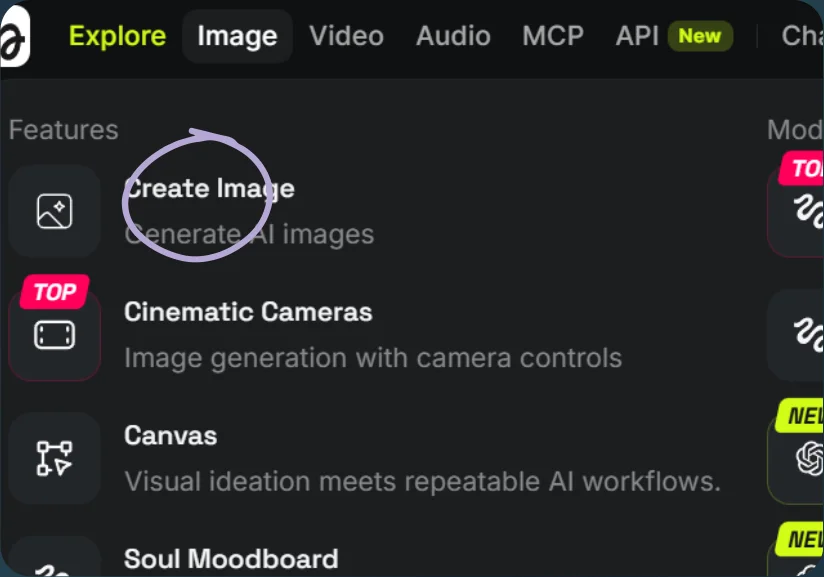
Open Create Image 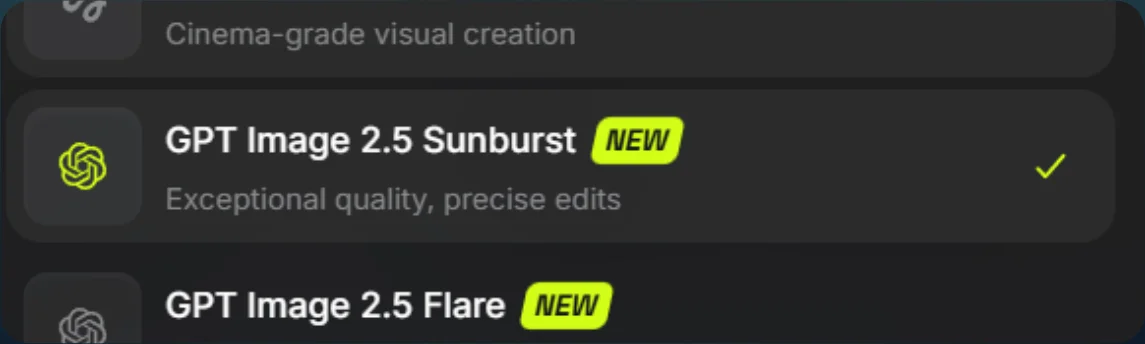
Select GPT Image 2.5 Sunburst 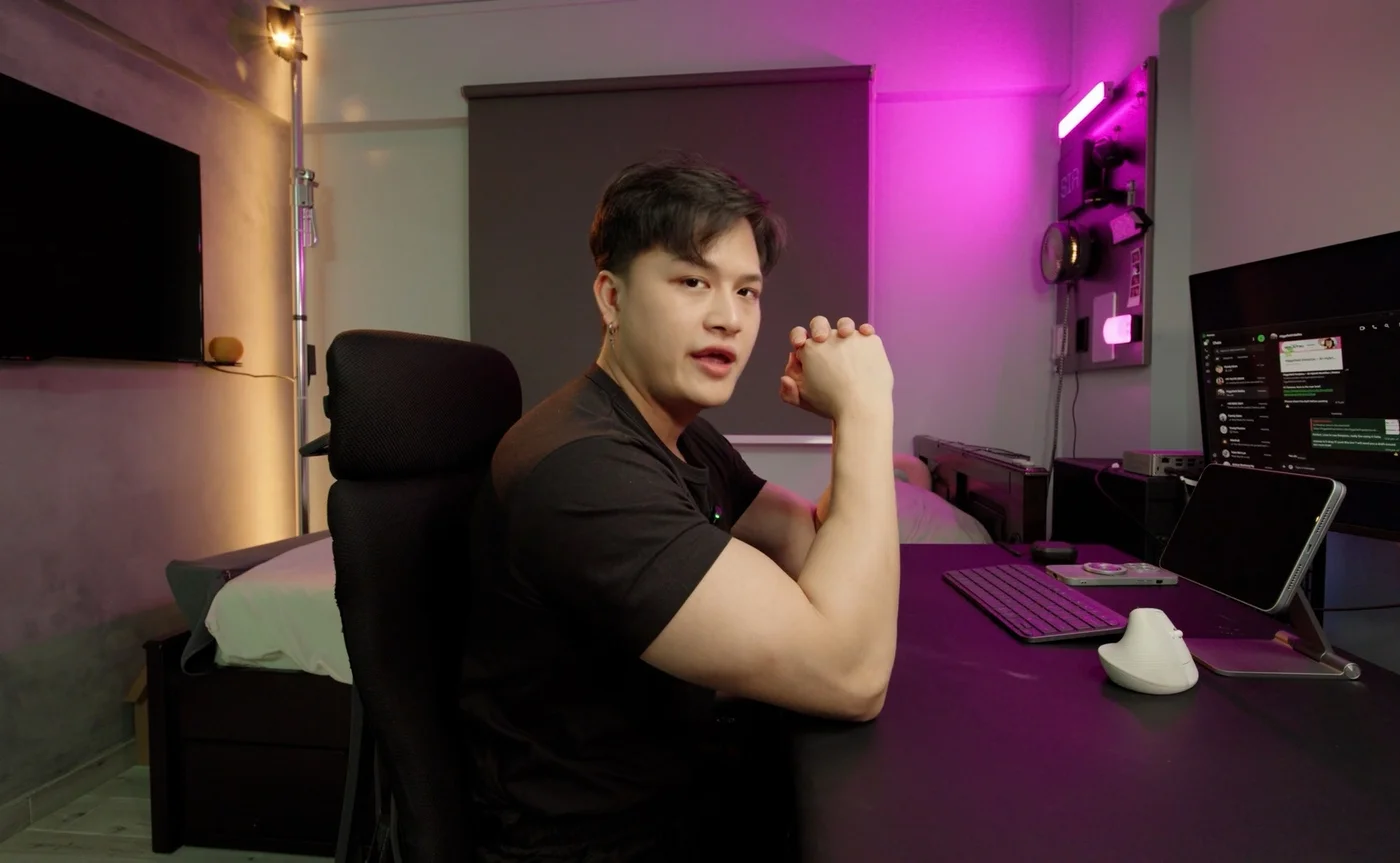
Scene 1: original frame 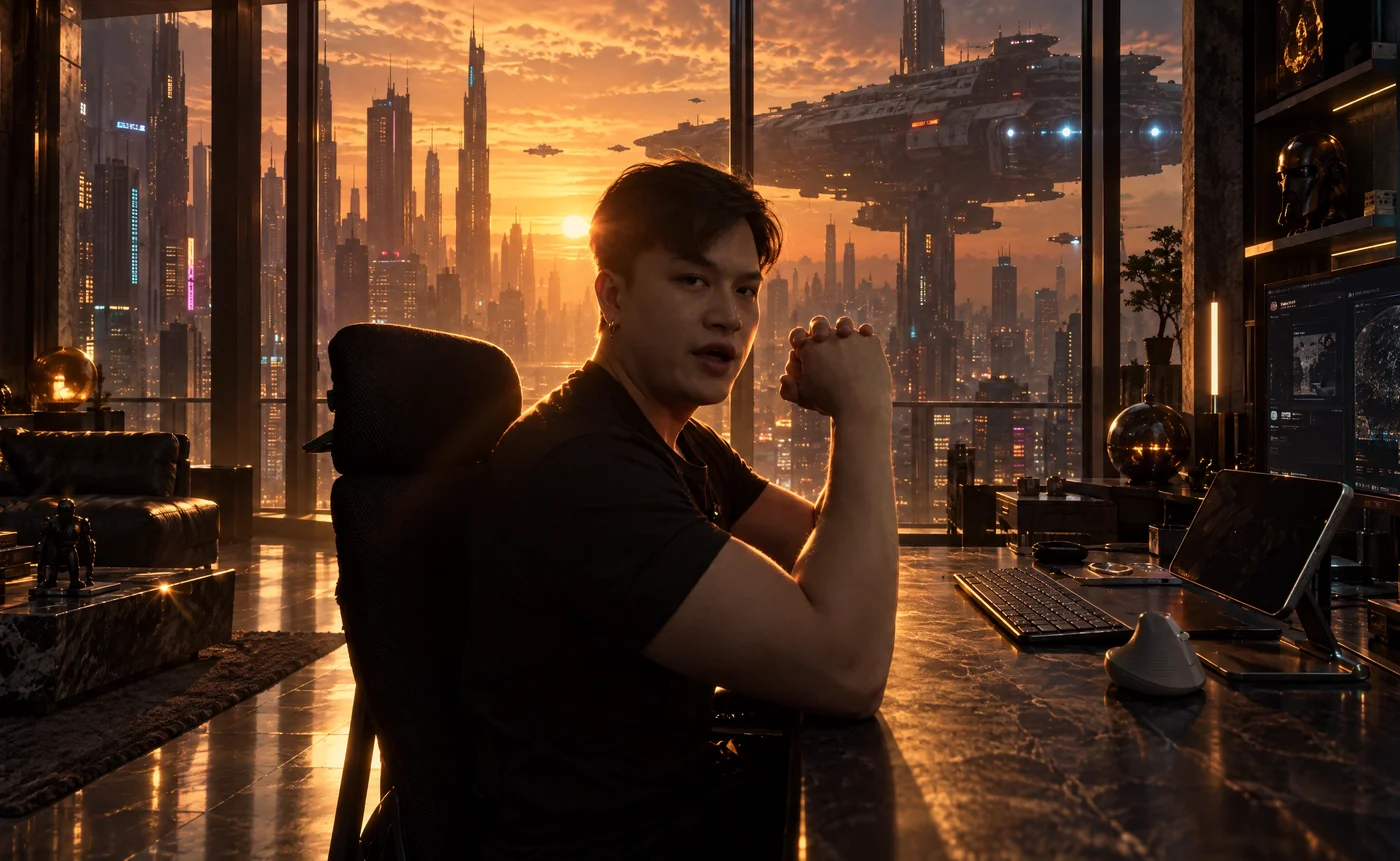
Scene 1: generated reference 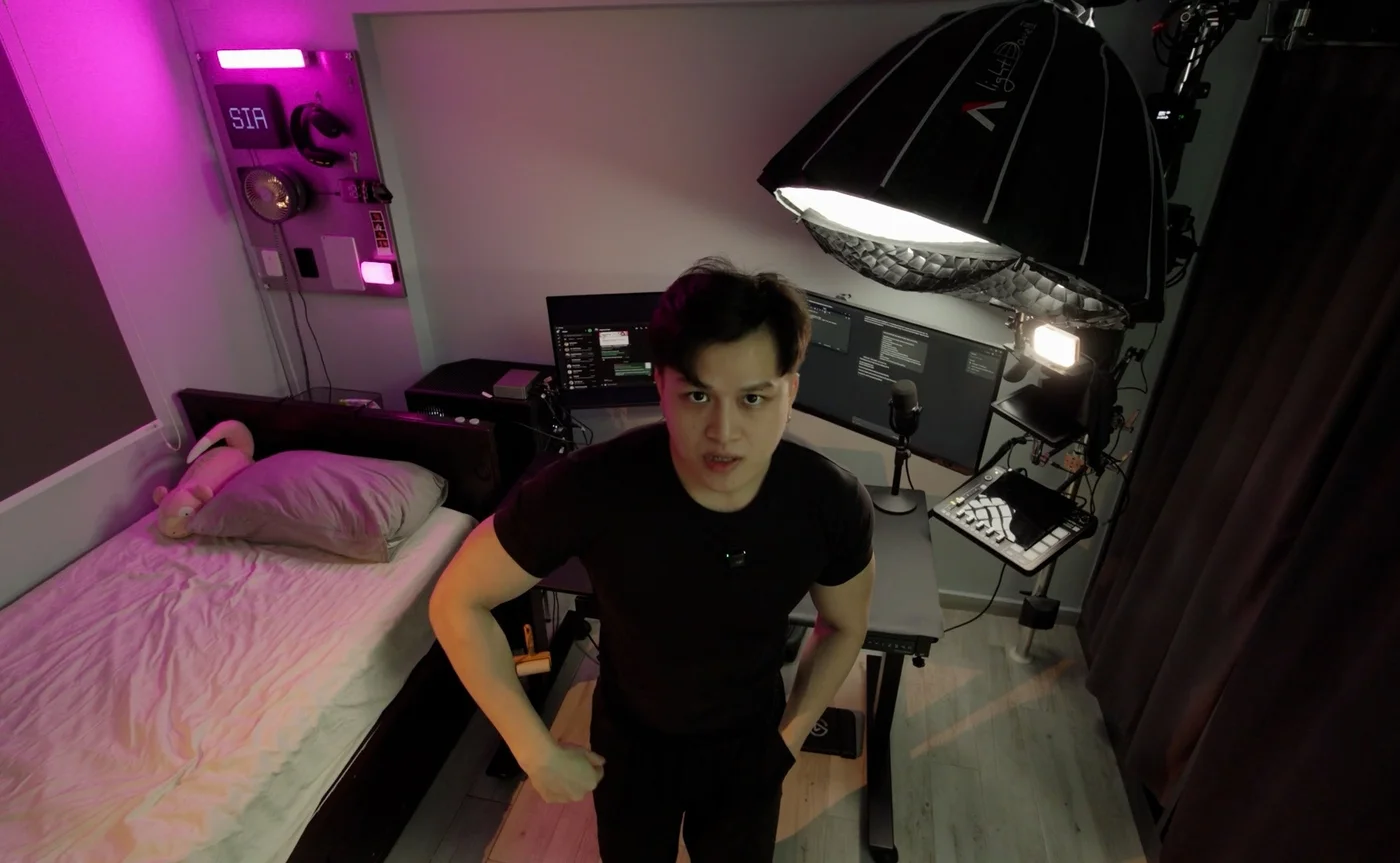
Scene 2: original frame 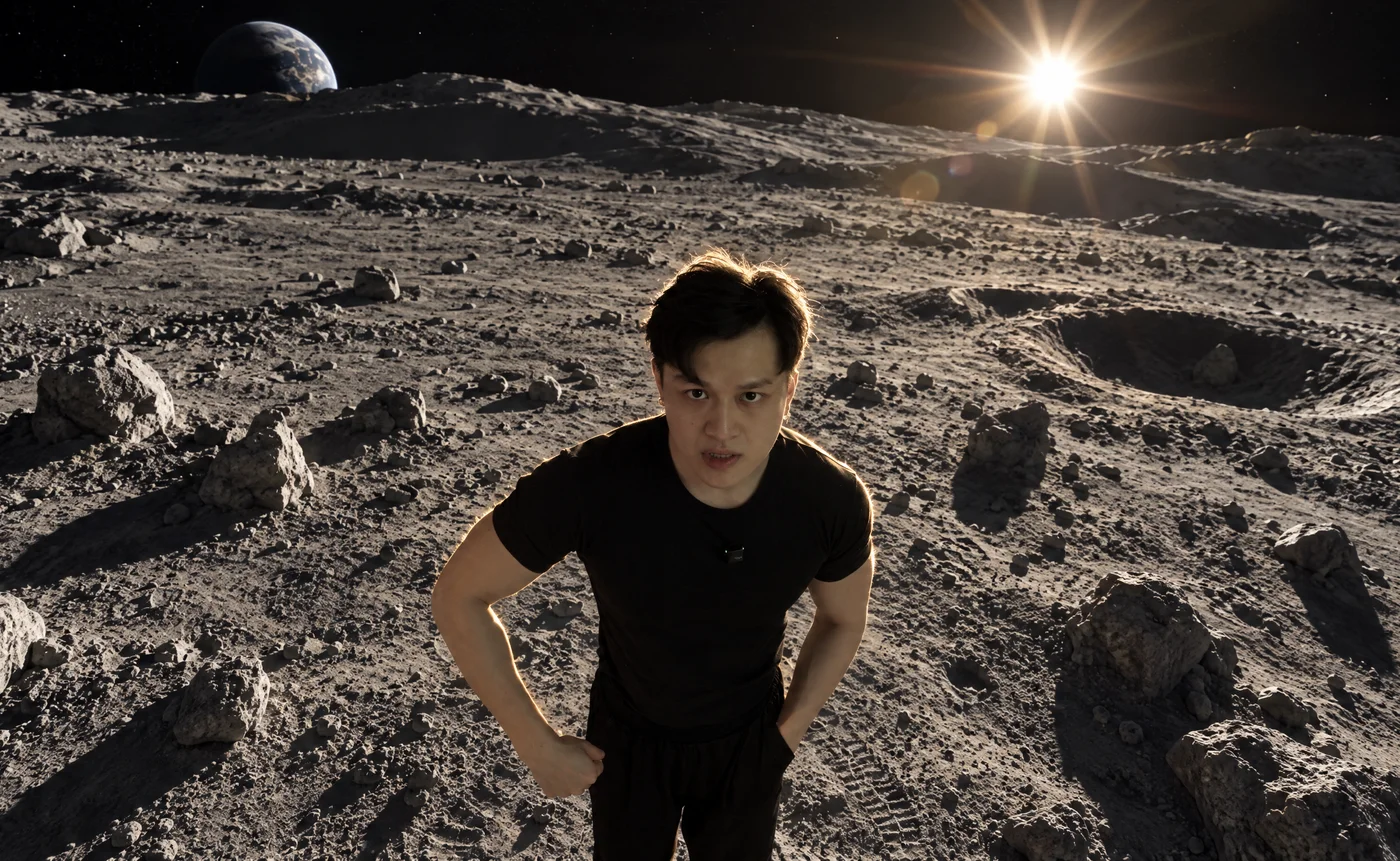
Scene 2: generated reference 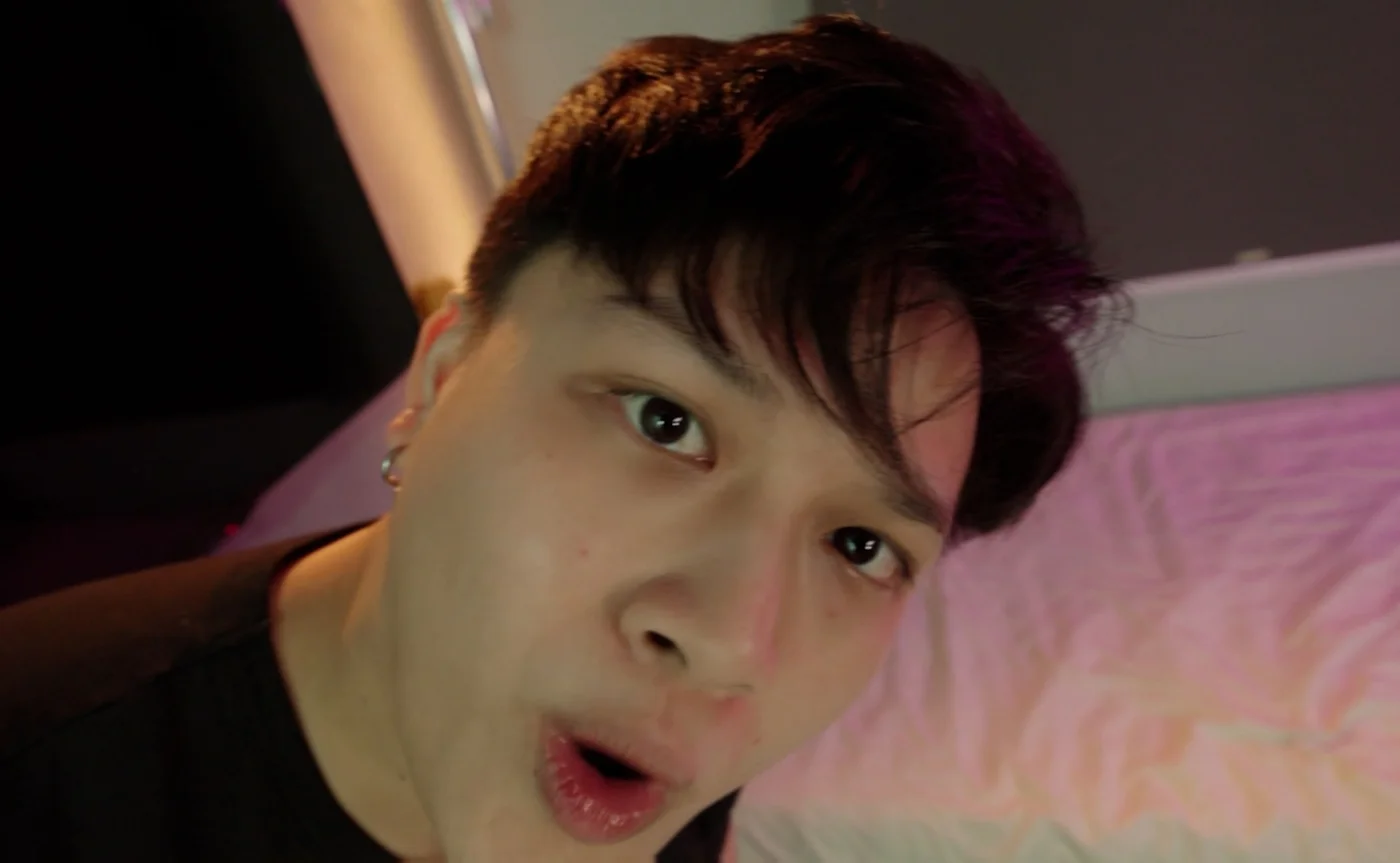
Scene 3: original frame 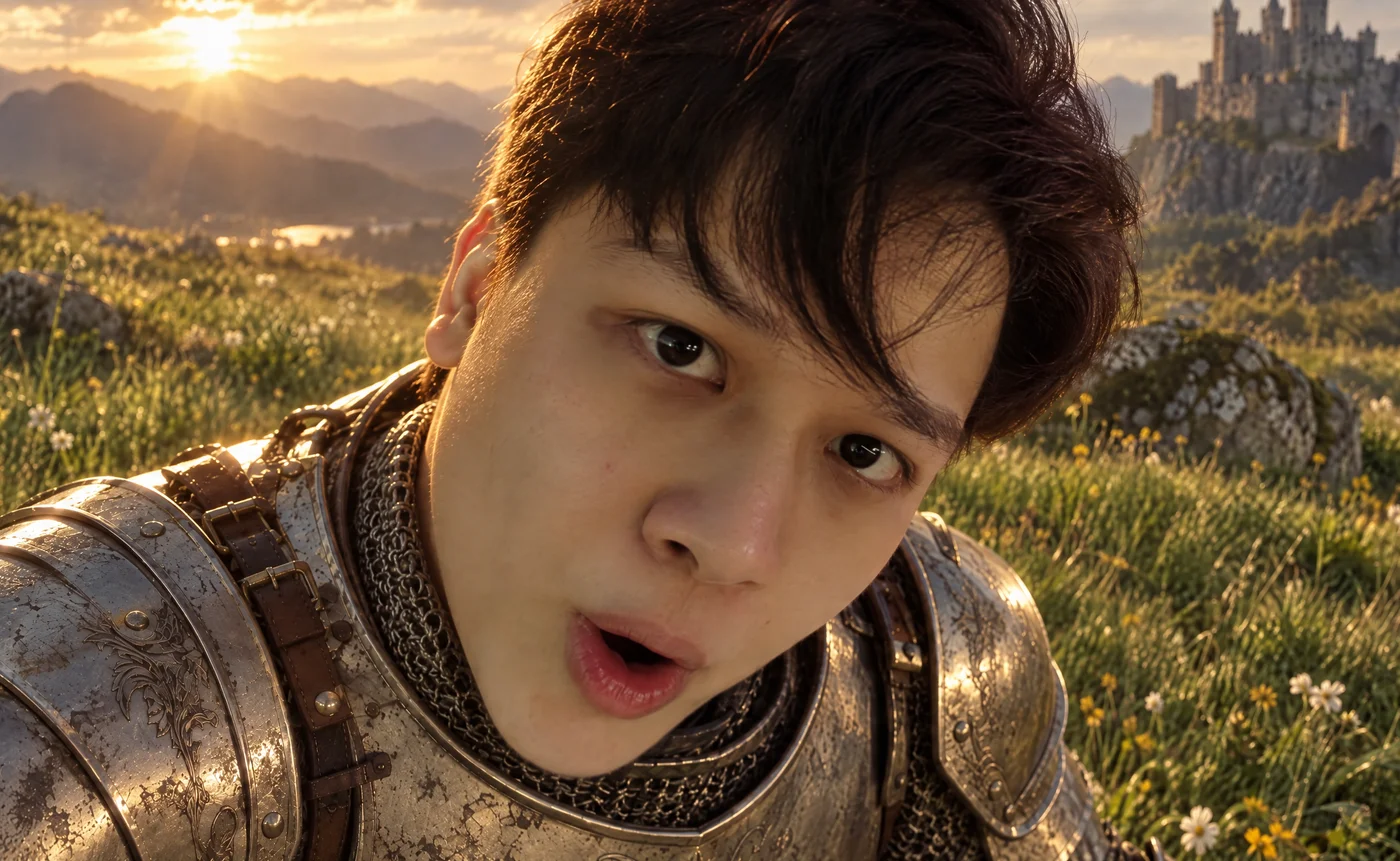
Scene 3: generated reference 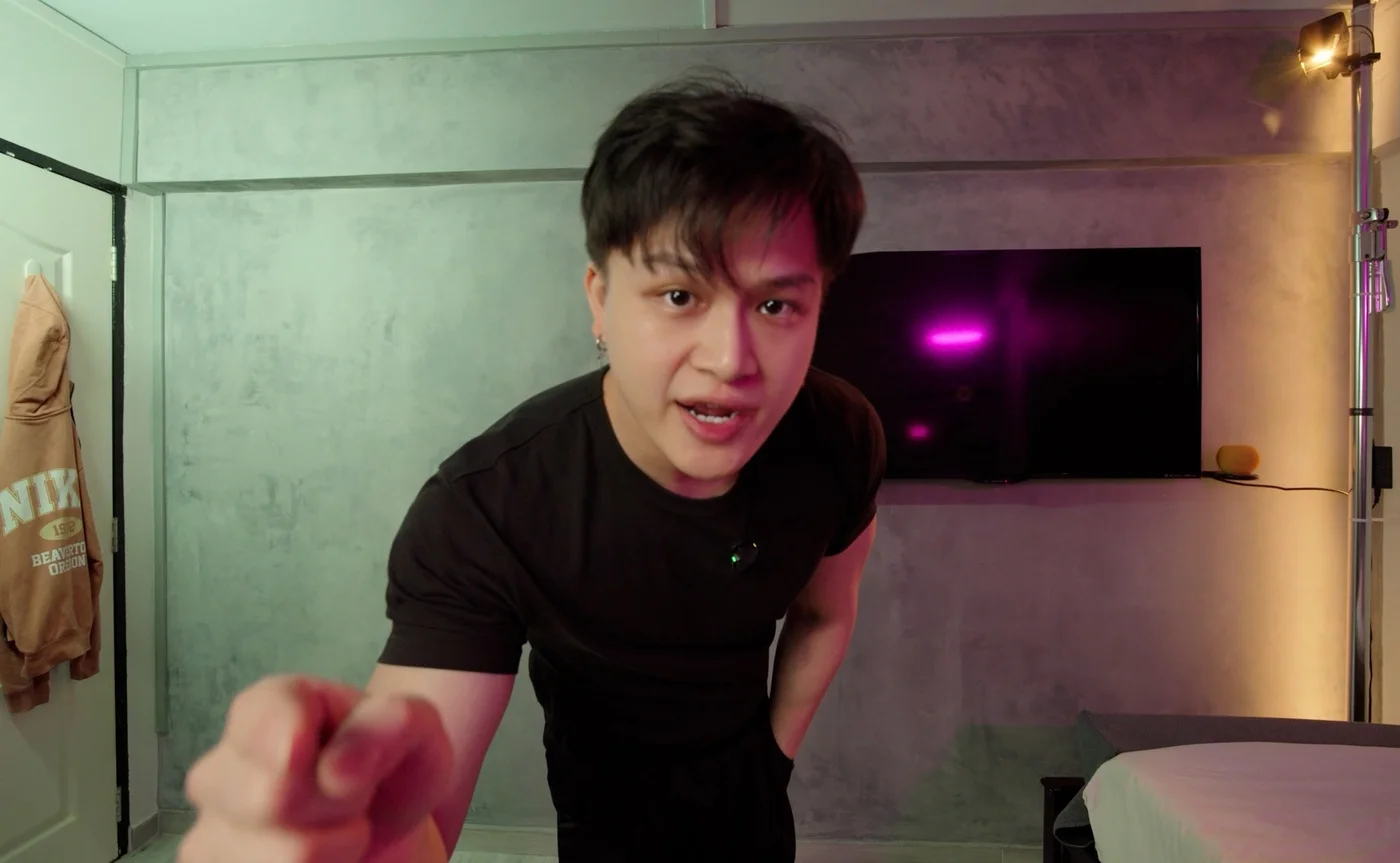
Scene 4: original frame 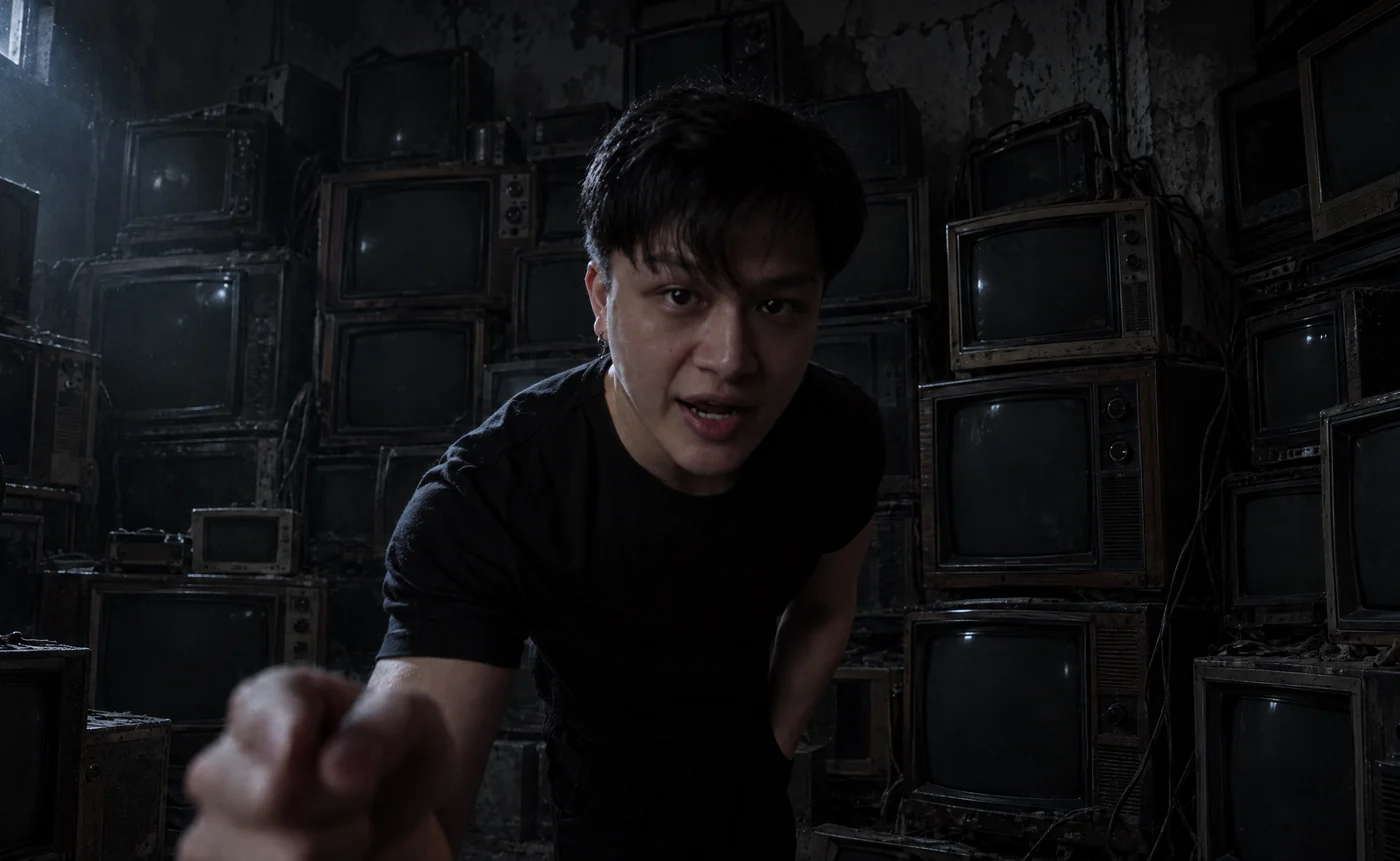
Scene 4: generated reference 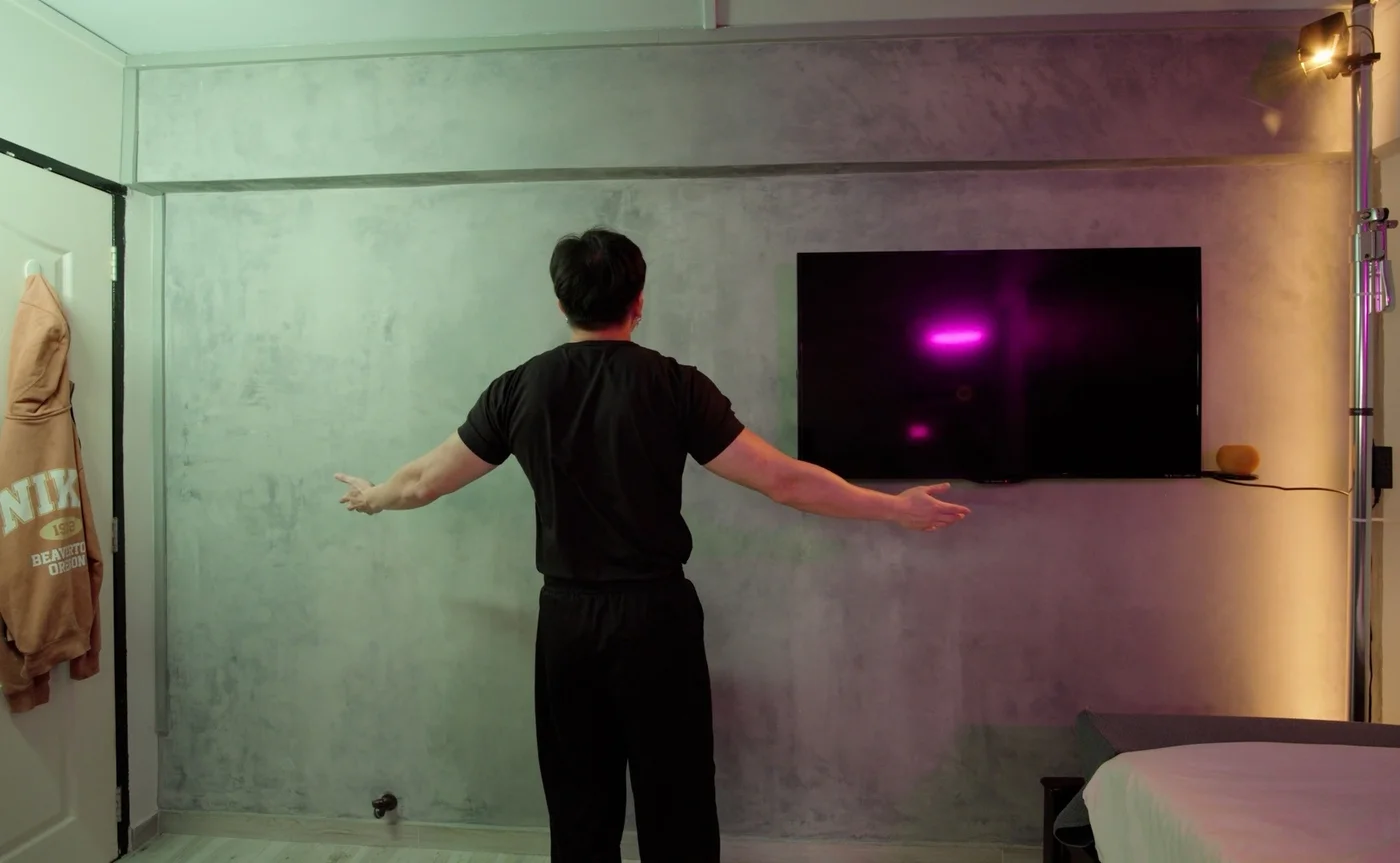
Scene 5: original frame 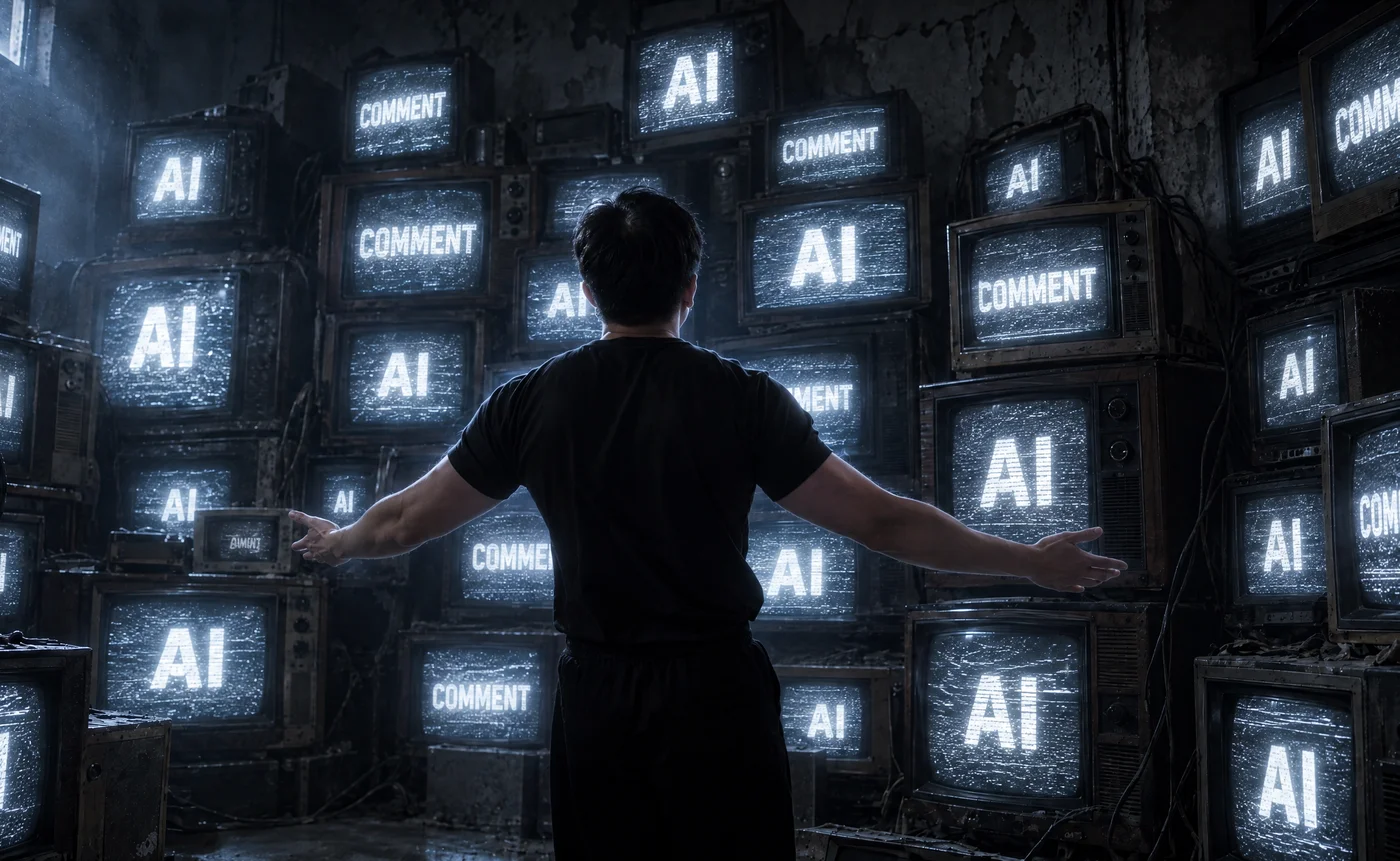
Scene 5: generated reference - 03
Upload to Genjutsu
- Open Video, select Genjutsu, and choose Objects swap.
- Upload your video and the matching scene references.
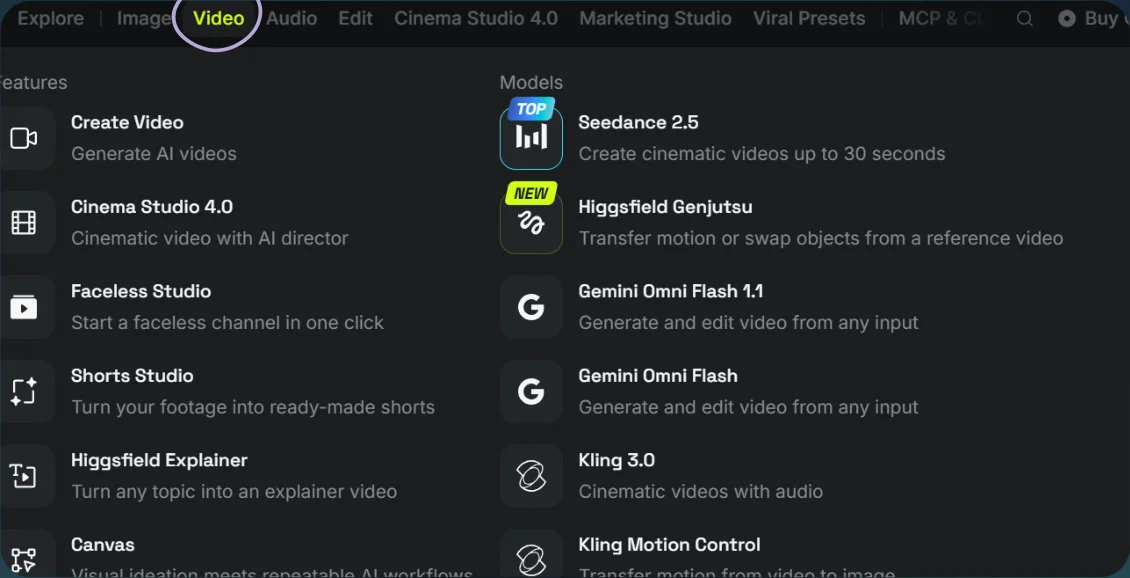
Open Video and choose Genjutsu 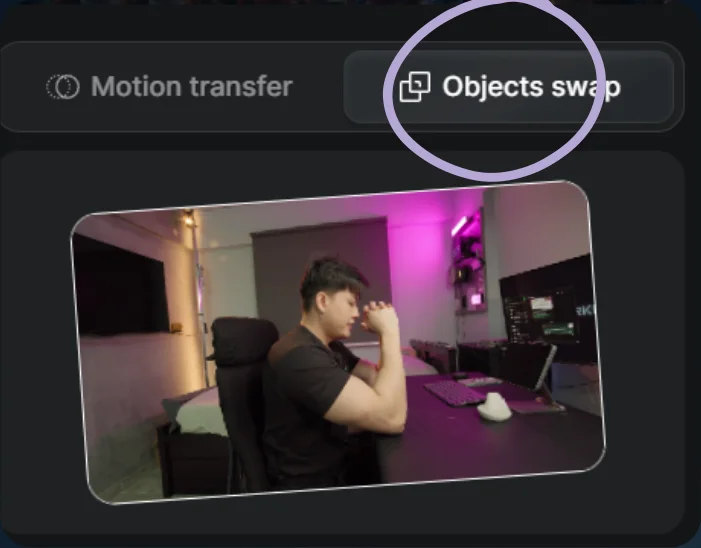
Choose Objects swap 
Add the matching scene image 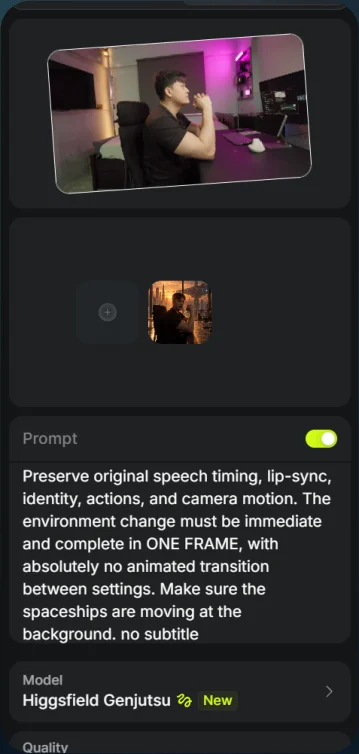
Prompt and Generate - 04
Generate the scenes
Use the matching video prompt for each scene and select Generate.
Show copyable prompt
Video 1 Use @[Video 1](video_1) as the ABSOLUTE MASTER for performance, speech, timing, motion, and camera movement. Use @[Image 1](image_1) ONLY as the visual reference for the transformed environment, lighting, colour grading, and cinematic atmosphere. Preserve the original video’s exact duration, aspect ratio, shot sequence, and pacing. PERFORMANCE AND IDENTITY LOCK: Keep the original man and preserve his exact facial identity, hairstyle, body proportions, and clothing. Follow his original mouth movements, expressions, gaze, head turns, hand gestures, body actions, and pauses at their exact original times. Do not substitute the still image’s pose. No invented actions, slow motion, retiming, or reaction shots. SPEECH AND AUDIO LOCK: Retain the original spoken audio exactly, including his voice, words, delivery, breaths, pauses, and sentence timing. No replacement voice, added speech, or time stretching. Maintain precise lip-sync throughout. Keep dialogue clearly audible above added sound effects. INSTANT ENVIRONMENT SWITCH: At the first clear existing gesture accent or camera transition in @[Video 1](video_1), replace the entire original environment with the setting from @[Image 1](image_1) IN A SINGLE FRAME. The frame immediately before the trigger shows the original environment. The very next frame shows the fully transformed environment and its final lighting. ZERO transition duration. No intermediate state, gradual build, morphing, dissolving, crossfade, wipe, expanding portal, smoke reveal, blackout, or flash concealing the switch. Change the background and lighting simultaneously. Keep the man’s position, scale, anatomy, gesture, expression, and camera trajectory continuous across those two frames. This is an instantaneous environment replacement within the same continuous performance, not a cut to a different shot. If no clear trigger exists, begin in the fully transformed environment from the opening frame. Do not invent a gesture or pause. Once established, hold the reference environment through the final frame. ENVIRONMENT AND LIGHTING: Match the reference image’s architecture, objects, materials, spatial relationships, light direction, exposure, contrast, and atmosphere. Reconstruct the setting around the original camera perspective and movement, with stable geometry, natural parallax, reflections, and contact shadows. Remove all unwanted original room furnishings immediately at the switch. Relight his existing face and body to match the new environment on that same frame, preserving his exact facial features and natural skin texture. Use controlled bloom, subtle film grain, and appropriate atmospheric depth. No lighting fade or delayed exposure adjustment. SOUND DESIGN: Add a short riser before the trigger, a tight low-frequency impact precisely on the single-frame switch, and a brief reverberant tail afterward. The riser must not cause any early visual change. Add restrained ambience appropriate to the new setting. Keep effects beneath speech. No added music or vocals. FINAL PRIORITY: Preserve original speech timing, lip-sync, identity, actions, and camera motion. The environment change must be immediate and complete in ONE FRAME, with absolutely no animated transition between settings. Make sure the spaceships are moving at the background. no subtitleVideo 2 Use @[Video 1](video_1) as the ABSOLUTE MASTER for the entire performance, original speech, lip-sync, finger snaps, body movements, camera movement, framing, and duration. This is a precisely timed environment and wardrobe edit. Do not recreate or reinterpret his performance. REFERENCE MAPPING: * @[Image 1](image_1), “2.1(1).png”: cyberpunk apartment environment and lighting. * @[Image 3](image_3), “2.2(1).png”: lunar environment with his original black outfit. * @[Image 2](image_2), “2.3.png”: final astronaut outfit and helmet on the same lunar surface. Use the images for visual appearance only. The man’s pose, movement, expressions, and timing must always follow @[Video 1](video_1). EXACT TRANSFORMATION SEQUENCE: Opening until the first snap, approximately 0–1.3 seconds: Keep the original video’s bedroom and black outfit. Preserve his original actions and dialogue. FIRST FINGER SNAP, approximately 1.3 seconds: On the exact finger-snap frame, instantly replace the bedroom with the cyberpunk apartment from @[Image 1](image_1). Match its architecture, windows, exterior spaceship, sunset backlighting, shadows, and cinematic atmosphere. Keep his black outfit unchanged. Hold this environment until the second snap. SECOND FINGER SNAP, approximately 3 seconds: On the exact finger-snap frame, instantly replace the apartment with the lunar landscape from @[Image 3](image_3). Remove the entire apartment, windows, furniture, and spaceship. Match the reference’s lunar terrain, space background, and directional lighting. He MUST still wear his original black T-shirt and trousers. Do not introduce the astronaut outfit yet. THIRD FINGER SNAP, approximately 5 seconds: On the exact finger-snap frame, change ONLY his clothing into the astronaut suit and helmet from @[Image 2](image_2). Keep the lunar environment, camera trajectory, and his ongoing movement continuous. Match the suit’s construction, colours, gloves, and clear helmet visor. Preserve his original face inside the helmet, visible without heavy reflections or distortion. From the third snap to the final frame: Keep him in the astronaut outfit on the lunar surface. No reversal, additional transformation, or return to the bedroom. TIMING AND PERFORMANCE: The timestamps are approximate guides. Align each transformation with the actual corresponding finger snap in the original video, using its visible motion and audible transient. Never move the snaps to fit the timestamps. Each new state appears immediately at its snap, with no premature change, delayed reveal, dissolve, or extended morph. Preserve every original gesture, hand position, head movement, expression, and mouth movement at its original time. No added actions, slow motion, speed ramps, camera shake, zooms, or extra cuts. Keep his exact identity and body proportions throughout. Adapt the suit and gloves to his existing movements. AUDIO: Preserve the original voice, words, delivery, pauses, speech timing, and finger-snap sounds exactly. Maintain precise lip-sync throughout, including behind the helmet visor. Add a short cinematic whoosh and deep impact synchronised to each scene change, then a brief mechanical sealing accent at the outfit change. Keep effects beneath the dialogue and original snaps. No replacement speech, music, or added vocals. VISUAL FINISH: Photorealistic cinematic lighting matched to each reference, natural skin texture, consistent contact shadows, controlled bloom, and subtle film grain. Reconstruct each environment around the original camera movement with stable geometry and natural parallax. No facial morphing, duplicated limbs, background flicker, or effects concealing his performance.Video 3 Use @[Video 1](video_1) as the ABSOLUTE MASTER for the man’s identity, original speech, lip-sync, actions, finger-snap timing, camera movement, framing, and duration. Change only the environment, outfit, and corresponding lighting according to the references. REFERENCE MAPPING: * @[Image 1](image_1), astronaut suit, clear helmet, lunar environment, and lighting. * @[Image 2](image_2), medieval armour, open helmet, fantasy grassland, and lighting. The reference images control appearance only. All poses, expressions, gestures, and camera movements must follow the ORIGINAL VIDEO continuously. OPENING UNTIL THE SNAP, approximately 0–2.5 seconds: Begin immediately with the man wearing the astronaut outfit on the lunar surface, matching @[Image 1](image_1). Do not show the original bedroom or black outfit at any point. Match the suit, gloves, clear visor, terrain, space background, and cinematic lighting. His original face remains visible inside the helmet, performing the exact speech and expressions from the video. Keep visor reflections away from his eyes and mouth. FINGER SNAP, approximately 2.5 seconds: At the EXACT original finger snap, simultaneously replace the lunar environment with the fantasy grassland and the astronaut outfit with the medieval armour from @[Image 2](image_2). Align the change with the audible snap and corresponding finger motion, using 2.5 seconds as an approximate guide. Do not retime his gesture. Make the transformation an instantaneous visual switch within the continuous shot. Preserve his exact head position, body position, hand gesture, expression, framing, and camera trajectory across the change. No dissolve, prolonged morph, inserted shot, or transition that obscures his face. Nothing changes before the snap. AFTER THE SNAP UNTIL THE END: Keep him in the reference armour within the fantasy grassland. Match the steel finish, engraved details, shoulder plates, chainmail, and helmet with its visor raised. Keep his original face unobstructed. Match the reference landscape, sunlight direction, cinematic contrast, and colour palette. Remove all lunar scenery and astronaut equipment completely. Hold this final appearance through the last frame. PERFORMANCE AND IDENTITY LOCK: Preserve his EXACT facial identity, proportions, hairstyle where visible, gaze, expressions, and mouth movements. Every action must happen at the same time and speed as @[Video 1](video_1). Fit the astronaut suit and armour around his original movements without altering the performance. Preserve close-ups and original cropping, even when a helmet extends beyond the frame. No added movements, pauses, slow motion, zooms, or camera shake. SPEECH AND SOUND: Retain the original spoken audio exactly: same voice, words, delivery, breaths, pauses, and timing. Maintain precise lip-sync before, during, and after the transformation. Preserve the original finger-snap sound. Add a brief cinematic whoosh leading into the snap, a tight bass impact exactly at the change, and a subtle metallic settling sound immediately after the armour appears. Keep all added effects beneath the dialogue. No added speech or music. Photorealistic live-action cinematic finish, natural skin texture, realistic glass and metal reflections, controlled bloom, subtle film grain, and consistent lighting within each scene. Preserve stable environments and natural parallax throughout the original camera movement. Original performance and speech timing take priority over every visual effect.Video 4 Use @[Video 1](video_1) as the ONLY reference and ABSOLUTE MASTER. Preserve the original framing, camera movement, identity, performance, dialogue, lip-sync, and timing. Change only the environments, clothing, lighting, and the specified floating arch after the finger snap. EXACT FRAMING AND ACTION: Match the original video frame by frame. Preserve the camera position, angle, lens perspective, crop, aspect ratio, subject scale, and camera movement. No added zoom, pan, tilt, orbit, shake, cut, or reframing. Preserve every original head movement, expression, gaze, arm movement, hand gesture, finger snap, and leg movement at the same time and speed. The ONLY motion exception is the floating effect after the snap: lift his body above the mattress and add a natural backward arch through his torso. Apply this effect on top of his original performance. His original gestures continue without interruption. Do not make his arms hang loosely, change his hand positions, straighten his legs, tilt his head back, or invent a reaction. Change only the body alignment necessary for the lift and torso arch. COMPLETE ORIGINAL SPEECH: Retain every original spoken line, from the first word to the last. Preserve the same voice, words, delivery, breaths, pauses, and sentence timing. The man himself must visibly speak every line, with mouth and jaw movements matching the original video. No voiceover substitution, frozen mouth, omitted words, rewritten dialogue, repeated phrases, or extra pauses. Speech continues through the snap, environment change, and levitation at exactly the original timing. Preserve his facial identity and expressions throughout. OPENING UNTIL THE SNAP, APPROXIMATELY 0–2 SECONDS: Show him lying directly on a VAST, EMPTY GRASS FIELD extending uninterrupted into the distance. An immense open meadow of natural green grass stretches to a far, unobstructed horizon beneath a spacious sky. The landscape feels endless, quiet, and isolated. No castle, mountains, trees, buildings, fences, roads, rocks, furniture, other people, or prominent flowers. Only the man, the grass, and the distant sky. Gentle variations in the terrain and grass colour create depth without interrupting the open view. Show this vastness through the background visible within the ORIGINAL framing. Do not zoom out, lower the camera, shrink the man, or change the composition to reveal more landscape. Place the distant horizon only where the existing camera angle naturally allows. Preserve his exact reclining pose and screen position: head toward the right, feet toward the left, with the original leg and arm positions. Grass compresses beneath his weight. A subtle natural rise in the ground supports his head at its original angle. No pillow or bed-shaped mound. He wears medieval armour FROM THE NECK DOWN ONLY. His head is completely uncovered. NO helmet, hood, crown, headpiece, or head armour at any point. Preserve his original hairstyle, hairline, ears, earrings, face, and visible neck. The armour consists of a fitted weathered silver-steel breastplate, layered shoulder plates, articulated arm protection, gauntlets, thigh plates, knee guards, shin plates, and armoured boots. Dark chainmail and leather straps connect the plates. Keep the neck opening low enough to leave his jaw and face unobstructed. The armour follows his exact original movements. Low golden sunlight from behind creates warm edges on his hair, armour, and the grass. Soft reflected sky light reveals his unchanged face within natural shadows. Cinematic contrast, realistic metal reflections, and subtle atmospheric depth across the distant field. INSTANT CHANGE AT THE FINGER SNAP, AROUND 2 SECONDS: Trigger the change on the actual finger snap in @[Video 1](video_1). Preserve its original timing and finger motion. In ONE FRAME, replace the grass field with the original bedroom, replace the armour with his black T-shirt and trousers, and switch on one overhead light beam. The frame before the trigger shows the grass field and armour. The next frame shows the bedroom and complete black outfit. His uncovered head and original hairstyle remain unchanged across the switch. No dissolve, gradual morph, flash, blackout, portal, or clothing-removal animation. Keep his position, gesture, expression, mouth movement, and camera framing continuous. Do not jump directly into a different pose. FLOATING ARCH AFTER THE SNAP: Starting at the snap, smoothly lift his body above the mattress while adding a natural backward torso arch. His chest and abdomen rise higher than his head and legs, as though an invisible force is lifting him from the centre of his body. Keep his original movements playing throughout this lift. His hands, fingers, arms, head, and legs continue their original action sequence at the original speed. Do not replace these movements with a new floating performance. Maintain his head-right, feet-left orientation, original proportions, and subject scale. No sideways drift, rotation, or exaggerated bending. Create a visible air gap beneath his entire body and a realistic separated shadow on the mattress. Keep the camera and crop unchanged. Fit the floating height within the existing view rather than moving the camera or shrinking him. Preserve visibility of his face and gestures. He remains suspended through the final frame while completing all original speech and actions. No landing or added ending pose. BEDROOM AND LIGHTING: Use the bedroom layout from @[Video 1](video_1), preserving the bed, pillows, headboard, window blind, television, and furniture positions. Replace the original coloured lighting with deep blue-grey darkness. ONE concentrated cold-white beam shines down from above onto his torso. Thin haze reveals the beam, while faint spill illuminates nearby room surfaces. Add bright edges along his silhouette, natural facial shadows, soft bloom, gentle halation, and fine organic film grain. Keep his facial features and skin texture intact. The room remains stable throughout the lift. His black clothing stays securely worn, with slight movement in loose fabric folds and sleeves. Small dust particles drift upward through the beam. Keep these details subtle. AUDIO: Preserve the complete original dialogue and finger-snap audio. Add a brief cinematic impact exactly at the environment switch, followed by a quiet rising hum during levitation. Keep effects beneath every spoken line. No added music or voices. FINAL RULE: Exact original framing, identity, speech, and actions. The knight has NO helmet and lies in an endless empty grass field. At the snap, the scene and outfit change instantly. The only added body movement is the upward lift and backward torso arch during the floating section.Video 5 Use @[Video 1](video_1) as the ABSOLUTE MASTER for the man’s identity, speech, lip-sync, expressions, gestures, turning movement, camera motion, framing, and duration. Preserve his exact performance and timing. Use @[Image 1](image_1) as the LOCKED reference for the room and television arrangement throughout the entire video. Use @[Image 2](image_2) for the illuminated screens, displayed words, bloom, and final lighting only. Do not rearrange the room when the TVs switch on. Do not import any bedroom furniture, doors, or background objects from the original video. OPENING, 0–approximately 2 seconds: Start inside the dark television room from @[Image 1](image_1). ALL televisions are completely OFF: black glass screens, no static, no screen glow, and no illuminated power indicators. Match the reference’s extremely dark, moody lighting. The man performs the original dialogue and movements exactly as in @[Video 1](video_1). Preserve his face, hairstyle, black outfit, forward lean, and hand gestures. Do not freeze him into the reference image’s pose. TURN AND ACTIVATION, approximately 2 seconds: As he turns around toward the television wall in the original video, ALL televisions suddenly switch ON together. Synchronise activation with this existing turning action at approximately 2 seconds. Do not add a finger snap or alter the turn’s timing. The initial activation is abrupt, followed by a brief, irregular burst of analogue flickering: unstable brightness, rolling scan lines, static interference, and momentary signal distortion. Then the screens settle into the illuminated appearance of @[Image 2](image_2), retaining subtle intermittent CRT flicker. Avoid prolonged full-screen strobing. Preserve the exact TV count, positions, stacking order, cabinet designs, room geometry, and camera continuity. This is a lighting and screen-content change within the SAME room, not a location transition. SCREEN CONTENT: Match the distribution of “COMMENT” and “AI” shown in @[Image 2](image_2). Display these exact words within their respective screens over monochrome analogue static. Keep the letters readable after the initial activation flicker. Text follows each screen’s curvature and perspective, with natural phosphor glow. No floating text, misspellings, changing word assignments, or additional words. LIGHTING RESPONSE: At activation, the screens immediately cast silver-blue light onto the man and existing room surfaces. As his back turns toward the camera, he becomes a dark silhouette with luminous edges along his hair, shoulders, arms, and fingers. Follow the original video’s arm movements exactly; do not raise his arms earlier to match the still. Match @[Image 2](image_2)’s dreamy soft bloom, overlapping screen halos, thin atmospheric haze, and cinematic contrast. Subtle brightness fluctuations from the TVs affect nearby surfaces consistently. Retain deep shadows, readable screen detail, natural skin texture, and organic film grain. AUDIO: Keep the original voice, words, delivery, pauses, and speech timing unchanged, with precise lip-sync whenever his mouth is visible. Add a synchronised electrical switch-on crack and tight bass impact at activation, followed by brief static crackles and a quiet CRT hum. Keep effects beneath the dialogue. No added speech or music. End with him facing the illuminated television wall, following the original video’s final pose. Keep the TVs on through the final frame. No extra cuts, camera moves, duplicated people, facial changes, or room rearrangement.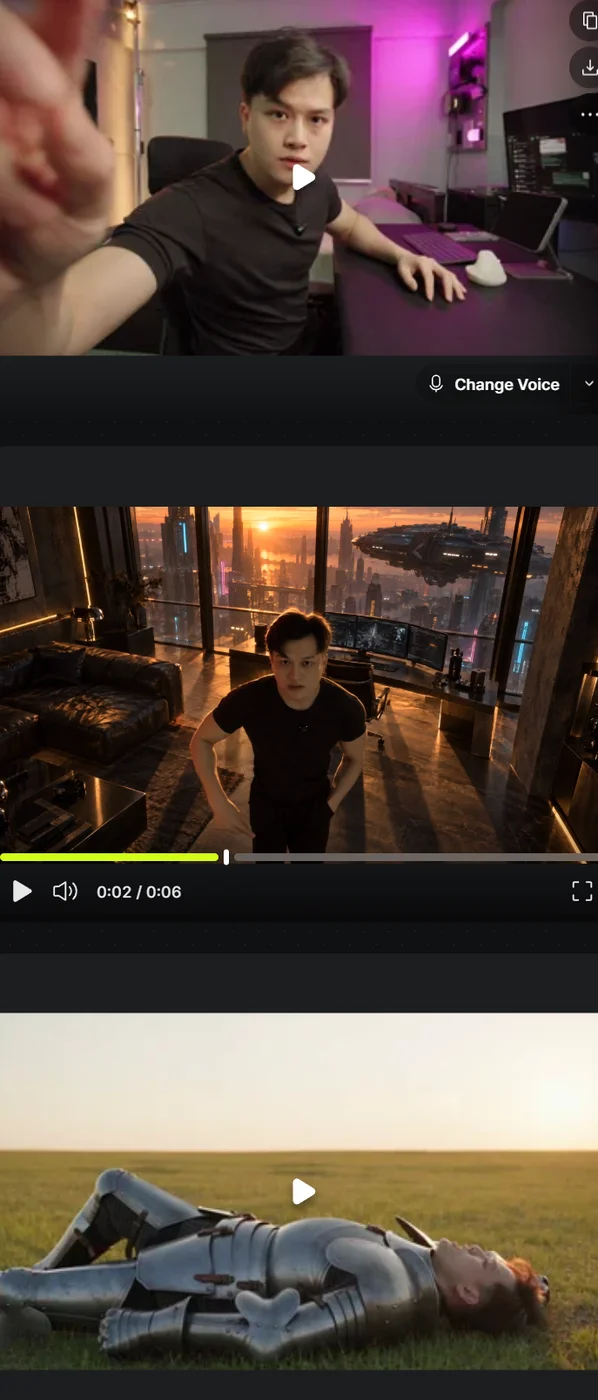
Scene-transformation results