
 Watch the original videoInstagram (opens in a new tab)
What you'll make
A Marketplace listing and buyer negotiation using your chosen price limits.
Use Muse to price, list and negotiate a second-hand item on Facebook Marketplace.
Who this is for
People selling their own second-hand items with Muse.
Step by step
Run the workflow
- 01
Photograph your item
- Click here to open Muse (opens in a new tab)
- New to Muse? Click here for tutorial (opens in a new tab)
Open Muse on your phone. Take a clear photo of the item and attach it in the chat.
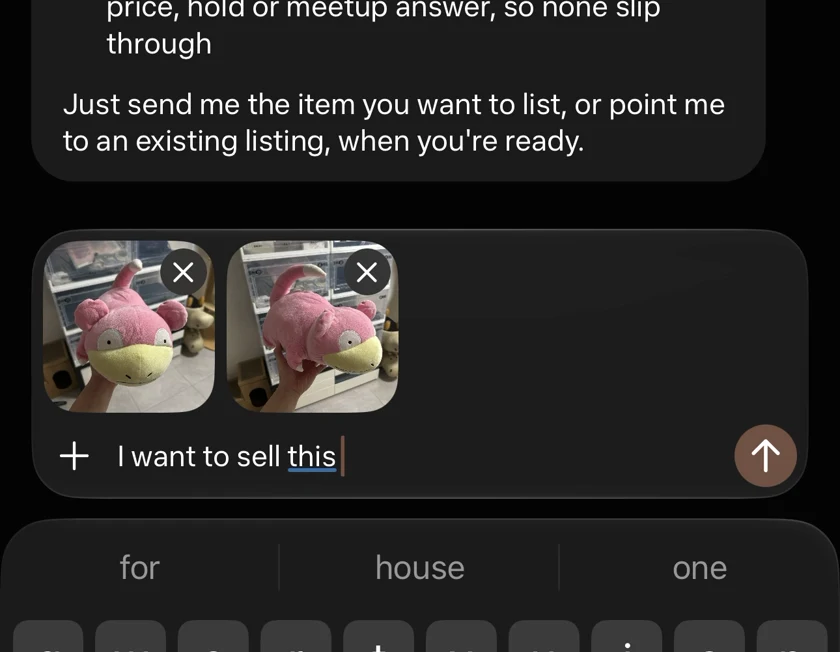
Attach your item photos in Muse. - 02
Send the selling prompt
Send your photo with the prompt. Use the editable version for your own item.
Working assetRevised for clarity from the prompt in my Reel.
Selling prompt I’d like to sell this authentic Pokémon Slowpoke plushie on Facebook Marketplace. It’s second-hand, in 8/10 condition, with no stains or odours. Research similar listings, recommend a suitable listing price, and create the listing. Negotiate with interested buyers on my behalf, aiming to close at no more than 10% below the final listing price. You may accept up to 20% below that price, but do not go any lower.Adapt it to your item
Adapt it to your item Highlighted text in [brackets] = replace with your own.
I’d like to sell this [item] on Facebook Marketplace. It’s second-hand, in [condition out of 10] condition. Brand and authenticity: [brand and authenticity details]. Defects or odours: [accurate condition details]. Research similar listings, recommend a suitable listing price, and create the listing. Negotiate with interested buyers on my behalf, aiming to close at no more than 10% below the final listing price. You may accept up to 20% below that price, but do not go any lower. - 03
Review the suggested price
- Muse compared Carousell and Shopee listings, then suggested S$50 to list, S$45 to aim for and S$40 as the floor.
- Check its comparisons and item description before choosing your price. These were suggestions for my plushie, not a guaranteed market value.
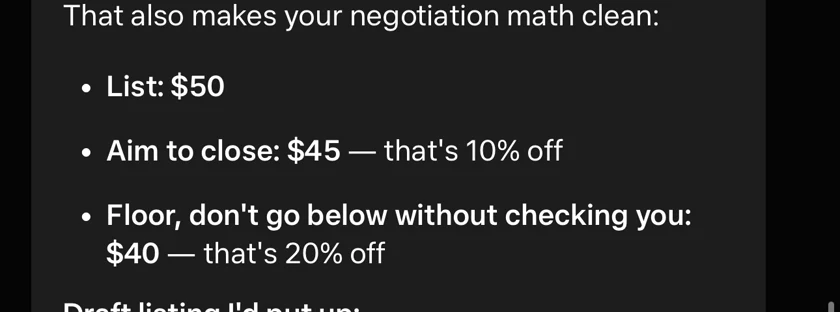
Muse’s initial S$50 pricing suggestion. - 04
Choose your listing price
I chose “List it at $45 instead”. Muse updated the price and posted the Marketplace listing.
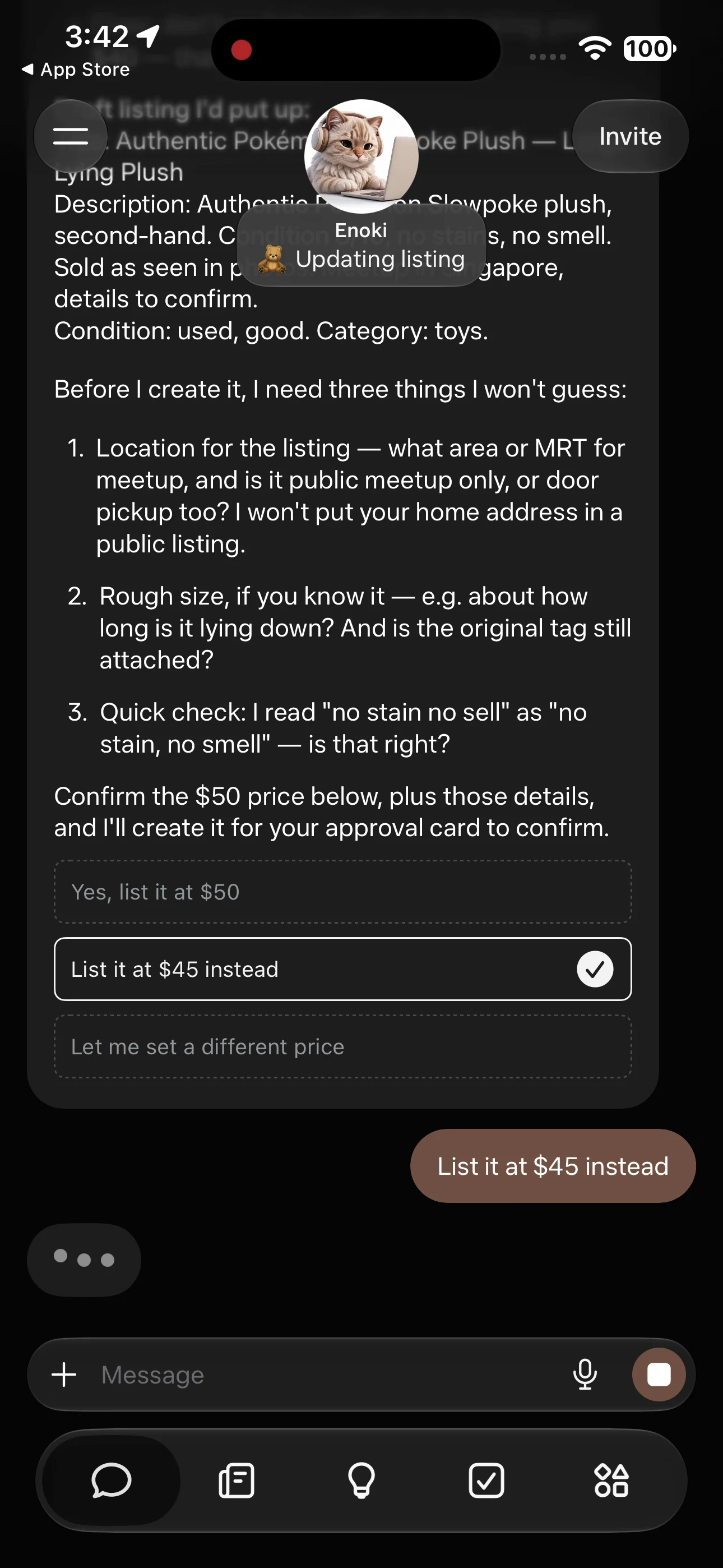
Choose the amount you want to list at. 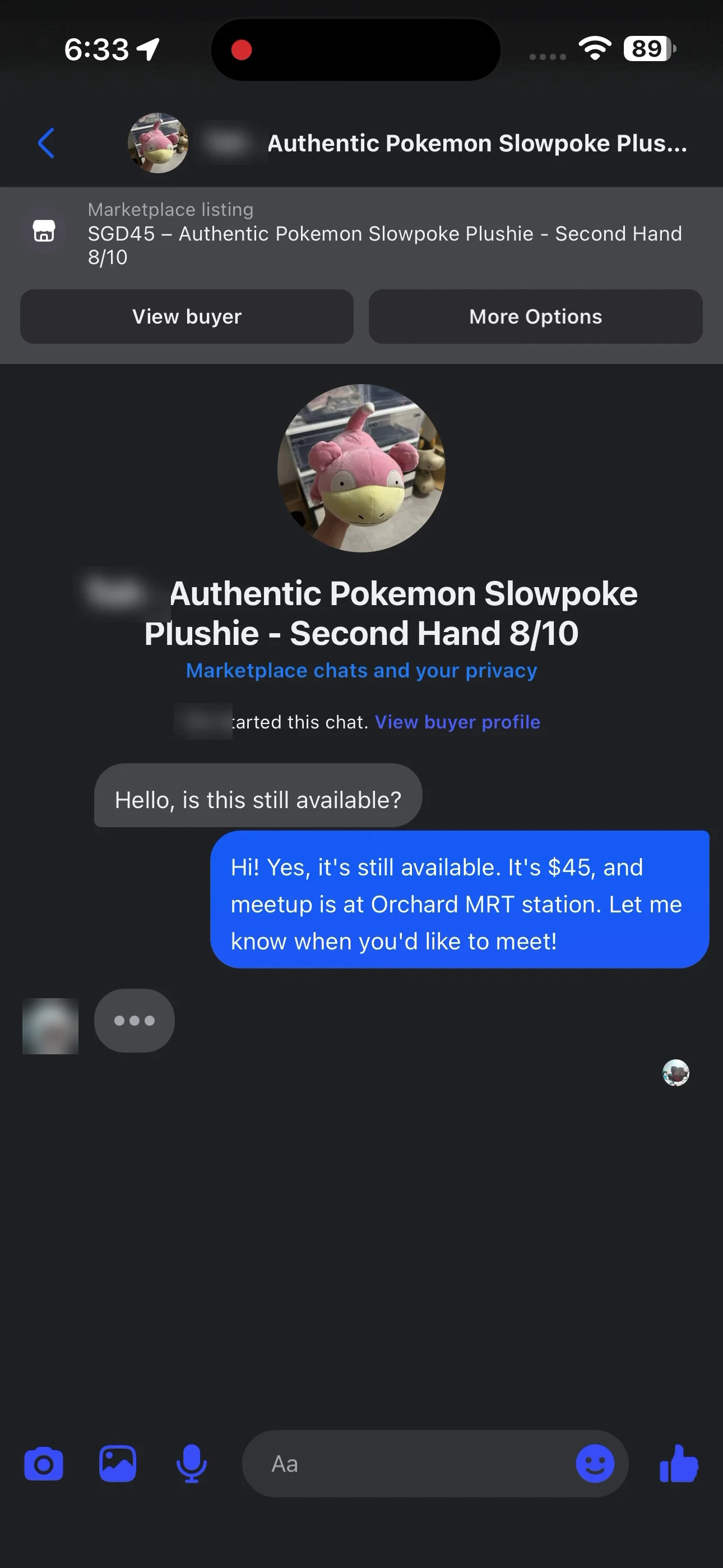
The Marketplace listing at S$45. Working assetMy price reply
My price reply List it at $45 instead - 05
Let Muse handle the negotiation
- The buyer offered S$20. Muse countered, negotiated and agreed to S$38. I did not type or approve any of those replies.
- S$38 is 15.6% below the S$45 listing price: within the 20% range, but below the 10% target. This shows an agreed price, not proof of payment.
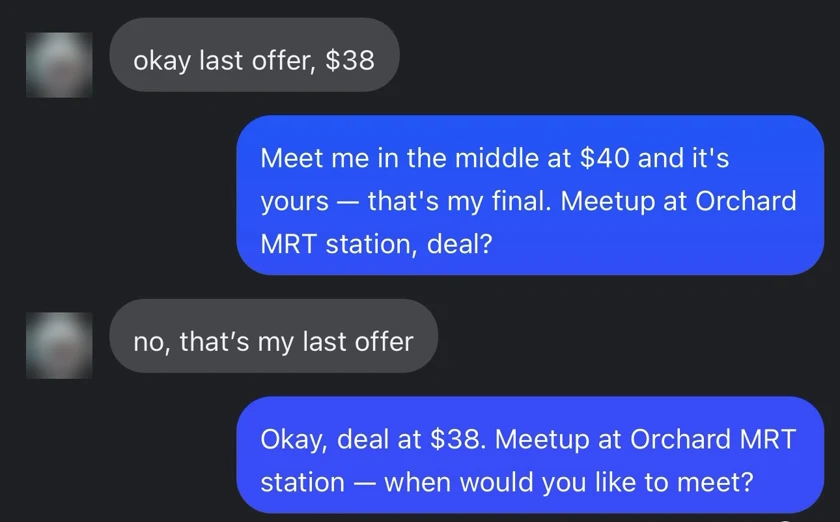
The final exchange. Buyer details are blurred.